20 GitHub Repos for Your AI Design Studio
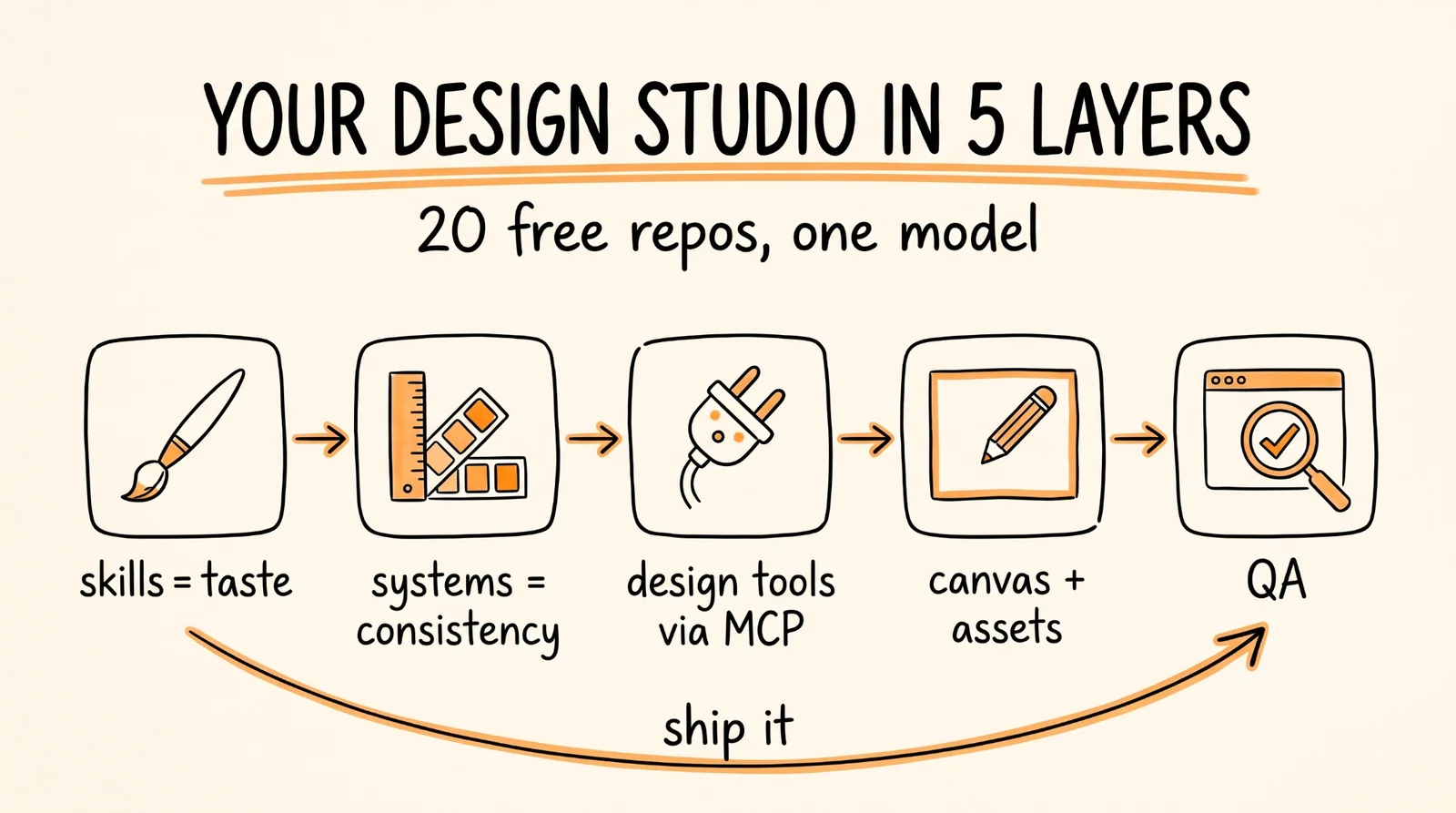
Fable 5.2 can build a whole website in one message, but if you ask it to design something with no help, you get the same page everyone gets: a big centered headline, three cards in a row and a rounded button. The model isn't the problem. It just doesn't have the tools a real design studio has, so it falls back to the safest average it knows.
These 20 free GitHub repos fix that. Some teach it taste, some keep every screen consistent, some plug it into Figma and Penpot, and one lets it open a browser and check its own work. Every repo below is real, open on GitHub and still being updated as of November 2026, and I've put the exact install commands next to each one. Set up even three of them and you can start selling landing pages, slide decks and brand kits that don't look like they came out of a chatbot.
How to Install Anything on This List
Everything here falls into three types, and each one installs a different way. Skills are folders of instructions Claude reads before it starts, and you add them in Claude Code with the /plugin command. MCP servers connect Claude to another app like Figma, and you add them with one command in your terminal. Libraries like shadcn/ui and Tailwind need no install from you at all, because you just tell Claude to use them and it sets them up inside your project.
Here's the one that unlocks four of the 20 at once. Open Claude Code, pick Fable 5.2 with /model, and paste:
/plugin marketplace add anthropics/skills
/plugin install example-skills@anthropic-agent-skills
/plugin install document-skills@anthropic-agent-skills
The first install gives you frontend-design, canvas-design and theme-factory. The second gives you pptx, along with the Word, Excel and PDF skills.
The Skills: Teach It Taste First
A skill is the cheapest upgrade on this list, because it changes how Fable thinks about design before it writes a single line of code.
1. UI UX Pro Max
(github.com/nextlevelbuilder/ui-ux-pro-max-skill). A searchable library of 80 UI styles, 194 color palettes matched to product types and 74 font pairings with the Google Fonts imports ready. When you ask for a landing page for a dentist, it picks a palette and type that fit a dentist instead of a crypto startup. It installs with two commands:
/plugin marketplace add nextlevelbuilder/ui-ux-pro-max-skill
/plugin install ui-ux-pro-max@ui-ux-pro-max-skill
2. frontend-design
(anthropics/skills). Anthropic's own skill for UI that doesn't read like a template. It pushes Fable to pick an aesthetic direction and real typography before it builds, and it's the single biggest jump in quality for the least effort.
3. canvas-design
(anthropics/skills). Posters, covers and static art saved as PNG or PDF, built from a short design philosophy it writes first. Good for event flyers, YouTube channel art and anything you'd normally open Canva for.
4. theme-factory
(anthropics/skills). Ten preset themes with matching colors and fonts that you can apply to slides, docs, reports or landing pages, or it can make a new theme on the spot. It's how you get a deck and a landing page that look like they belong to the same brand.
5. pptx
(anthropics/skills). Real PowerPoint files, not screenshots of slides. It can build a deck from scratch, edit one a client sends you, or fill in their template, and the file opens in PowerPoint, Keynote and Google Slides.
6. Stitch Skills
(github.com/google-labs-code/stitch-skills). Google Labs skills that work with Google Stitch, which turns a text prompt into UI screens. Use it when you want a few screen ideas to react to before you commit to building one. It installs into your current project:
npx plugins add google-labs-code/stitch-skills --scope project --target claude-code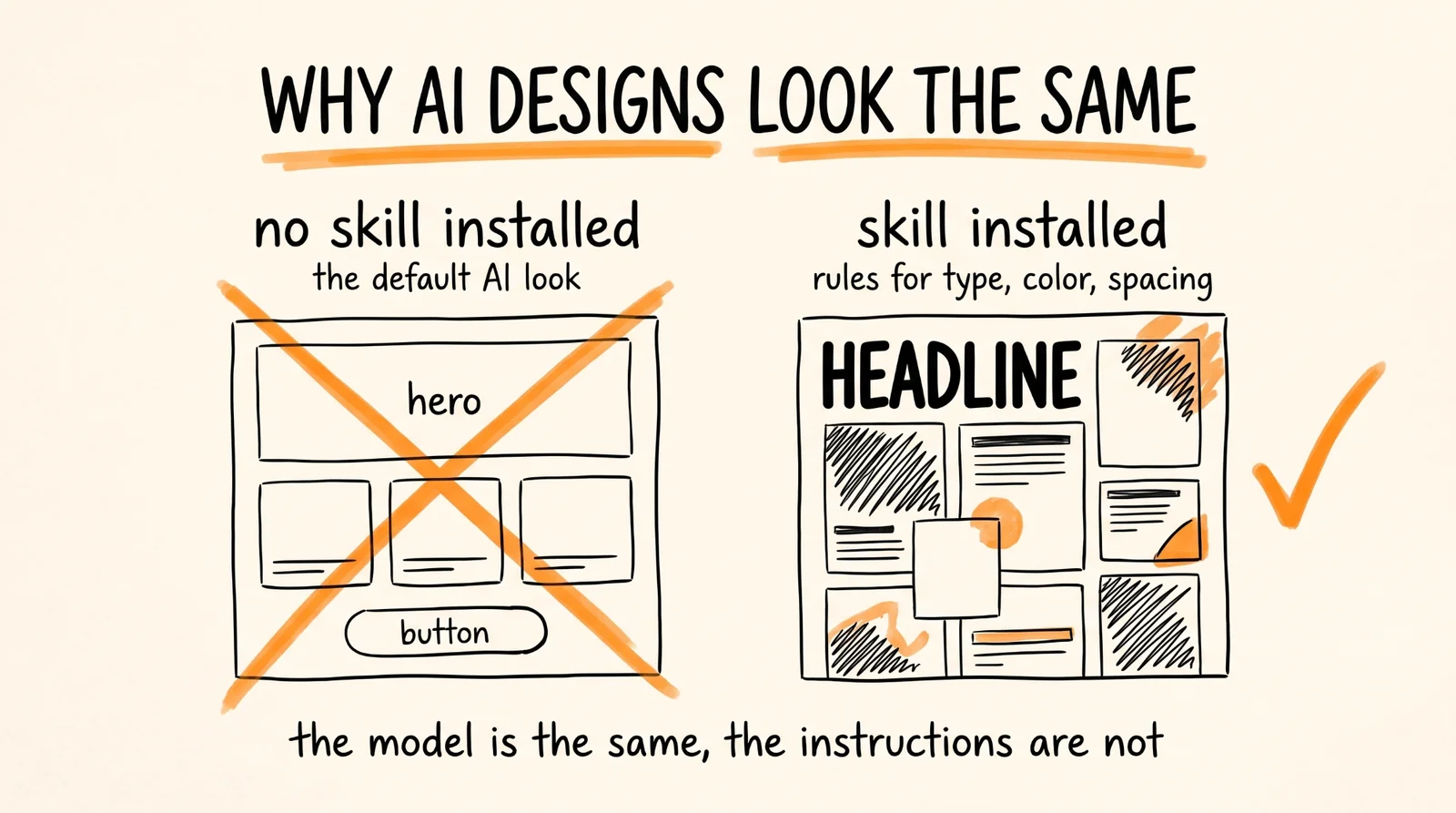
The Systems: Make Every Screen Match
Taste gets you one good page. A system is what makes page ten look like page one, and that consistency is what clients actually pay for.
7. DESIGN.md
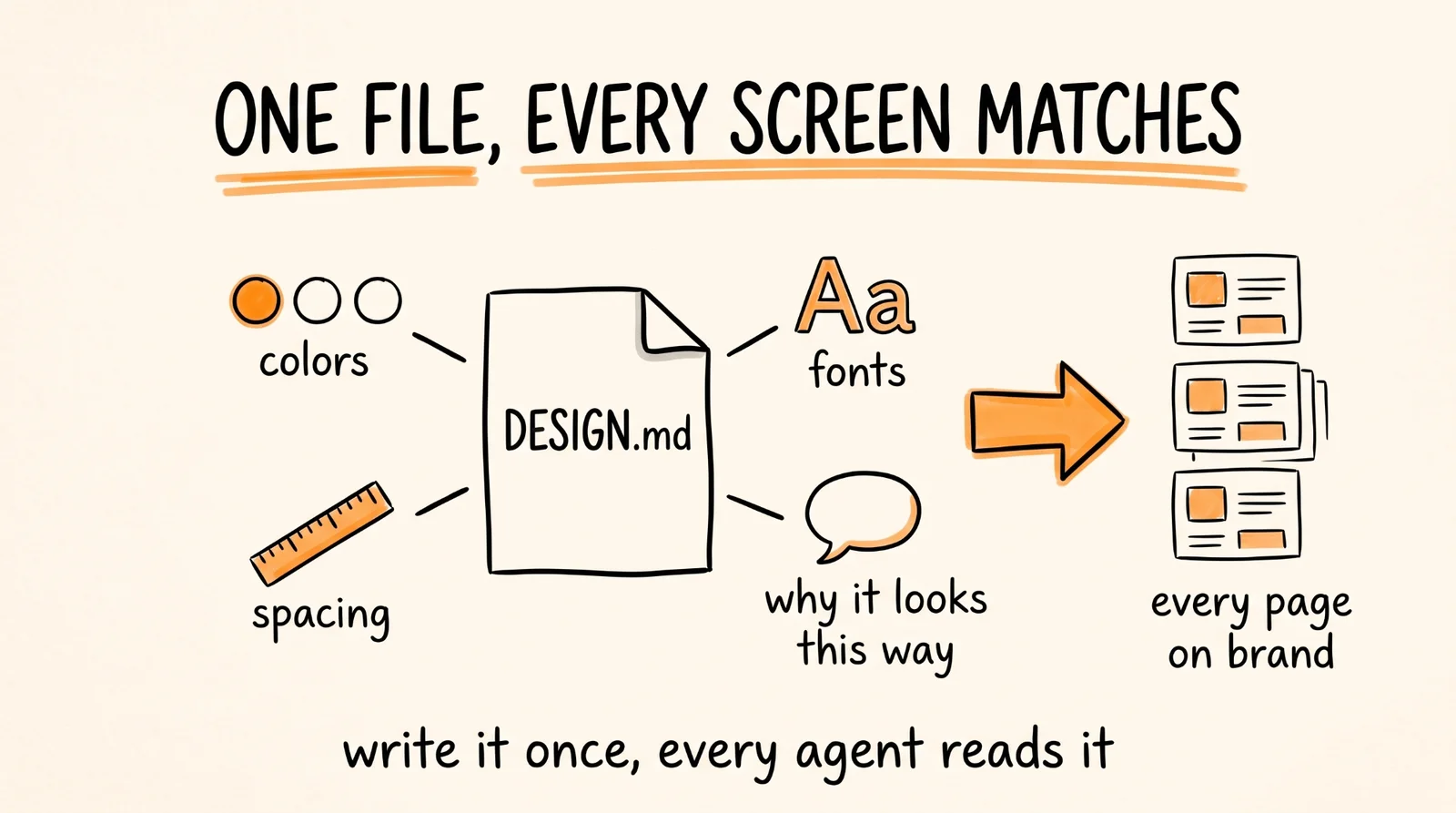
(github.com/google-labs-code/design.md). Google's format for describing a visual identity to coding agents. It's one file in your project with the exact colors, fonts and spacing at the top, and plain-English reasons underneath, so Fable knows both what the values are and why they exist. Write it once per client and every page, deck and email Fable makes after that stays on brand.
8. Astryx
(github.com/meta/astryx). Meta's open-source design system, built to be used by people and AI agents with the same tools. It grew inside Meta over eight years and powers more than 13,000 internal apps, with 150+ accessible components, theming, dark mode and ready templates. As an ex-Meta engineer, this is the one I'd look at first if you're building a real product, but know that it's still in beta.
9. shadcn/ui
(github.com/shadcn-ui/ui). Components that get copied into your project as your own code instead of hiding inside a package. That matters with an AI model, because Fable can open any button or menu and change it, instead of fighting a library it can't edit.
10. Tailwind CSS
(github.com/tailwindlabs/tailwindcss). Styling written as short class names right on each element. Most of the other tools on this list assume it, and models write it very reliably, so just tell Fable to use Tailwind and let it set it up.
11. Magic UI
(github.com/magicuidesign/magicui). Animated components and effects you copy and paste, like marquees, shimmering buttons and animated number counters. One or two of these on a landing page is what makes a client say it feels premium. More than that and it feels like a template again.
The Pipes: Plug It Into Real Design Tools
These are MCP servers, which let Fable read from and work inside another app instead of guessing.
12. 21st Magic MCP
(github.com/21st-dev/magic-mcp). Think of it as v0 inside Claude Code: it searches more than 10,000 React and Tailwind components and drops the one you need into your project. One thing most lists miss is that the old Magic backend was replaced by the 21st MCP and all the old API keys were reset, so ignore old tutorials and set it up with their CLI and a 21st account:
npx @21st-dev/cli@latest init --client claude13. Figma Context MCP
(github.com/GLips/Figma-Context-MCP). Paste a Figma link and Fable reads the real layout, spacing and styles instead of guessing from a screenshot. If a client already has designs in Figma, this is how you turn them into a working site that matches. You need a Figma personal access token from your Figma settings:
claude mcp add figma -- npx -y figma-developer-mcp --figma-api-key=YOUR-KEY --stdio14. Penpot
(github.com/penpot/penpot). The open-source alternative to Figma, and it ships an official MCP server in the same repo. Fable can read your design file and also create and edit shapes in it, so the design and the code can stay in sync without paying for Figma seats.
The Canvas and the Assets
This is the layer for everything around the page: diagrams, icons, colors and cleaned-up images.
15. Excalidraw
(github.com/excalidraw/excalidraw). Hand-drawn diagrams and wireframes. Ask Fable to sketch the page layout here first, agree on it with the client, then build. It's a lot cheaper to move a box in a sketch than in code.
16. tldraw
(github.com/tldraw/tldraw). An infinite canvas you can build into your own app, like a whiteboard inside a product. It's free while you build and test, but read the license before you launch, because using it in a live product needs a license key from tldraw.
17. Lucide
(github.com/lucide-icons/lucide). Clean, consistent open-source icons. Telling Fable "use Lucide icons only" is one sentence that stops it from mixing three icon styles on one page, which is one of the fastest ways to spot an AI-made site.
18. Leonardo
(github.com/adobe/leonardo). Adobe's tool that builds color palettes from a contrast ratio you choose. Instead of picking colors that look nice and hoping the text is readable, you start from readable, and every color in the palette hits the contrast you chose.
19. rembg
(github.com/danielgatis/rembg). Background removal in one line, running on your own computer. Product photos, headshots and logos come out on a transparent background, and Fable can run it on a whole folder at once. It downloads its model the first time you run it:
pip install "rembg[cpu,cli]"
rembg i photo.png photo-clean.png
The QA: Let It Check Its Own Work
20. agent-browser
(github.com/vercel-labs/agent-browser). Vercel's browser for AI agents. Fable opens the page it just built, looks at it, clicks through it, and fixes what's broken before you ever see it. This is the difference between "here's your page" and a page that actually works on a phone.
npm install -g agent-browser
agent-browser install
Then add one line to the end of every design request:
When you're done, open the page with agent-browser at 1440px wide and at 390px wide (a phone), take a screenshot of each, and fix anything that overlaps, gets cut off or is hard to read before you show me.How to Brief It So You Don't Get the Average
The repos give Fable the tools, but the brief decides what it builds. "Make it look professional" gives you the average of every website it has ever seen, because every choice you didn't make, it makes for you. A designer never gets a one-line brief, so don't give Fable one either. Fill in this template, keep the order, and change only the brackets:
Build [what it is] for [who it's for]. Use the frontend-design skill and follow DESIGN.md.

GOAL: [the one thing a visitor should do, e.g. book a call]

SIZE: desktop 1440px and phone 390px. Design the phone version first.

LOOK: background [hex], text [hex], one accent [hex]. Fonts: [heading font] and [body font]. Icons: Lucide only.

SECTIONS, in order:
1. [section and what it says]
2. [section and what it says]
3. [...]

DON'T: no purple gradients, no three identical cards in a row, no stock-photo people, no lorem ipsum.

CHECK: open it with agent-browser at both sizes and fix anything broken before you show me.
Hex codes are the six-character color codes like #E8613C, and you can get them by searching "color picker" on Google. When the first version comes back, ask for changes with a place and a number, like "the headline is too small on the phone, make it 30% bigger," instead of "make it better." Change one or two things per message so you can see which change actually helped.
You Don't Need All 20
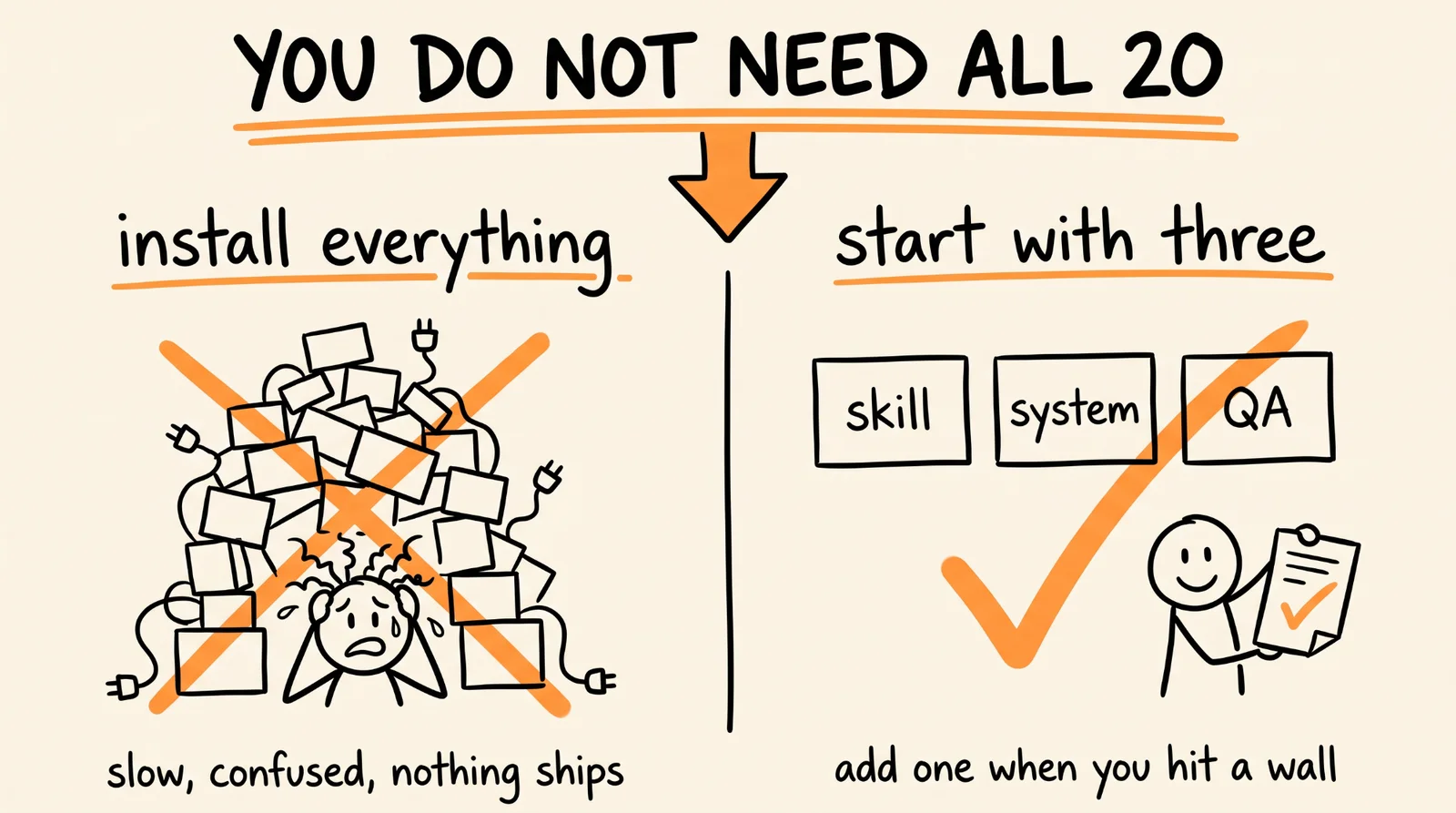
This is the part most "save this list" posts skip. If you install all 20 on day one, Fable has more instructions than it can follow, your setup breaks in ways you can't trace, and you spend the week configuring instead of shipping. Start with three: frontend-design or UI UX Pro Max for taste, a DESIGN.md for consistency, and agent-browser for QA. That stack alone is enough to build a landing page a local business would pay for. Add a fourth repo only when you hit a wall it solves, like a client who sends you a Figma file.
And read the fine print before you sell anything. tldraw needs a license key once it's in a live product. Magic MCP needs a 21st account, and any old key from a tutorial won't work anymore. The Figma MCP needs your own Figma token and can only read files you have access to. Astryx is still in beta, so don't build a client's whole product on it without telling them. Everything else on this list is under a standard open-source license like MIT or Apache, which means you can use it in client work.
The last thing is the honest one. These repos make Fable a much better designer, but you're still the art director. The client isn't paying for the code, they're paying for someone who knows what their business needs to look like and can say "no, not that" when the model guesses wrong.
The Recap
Install Anthropic's skills with /plugin to get frontend-design, canvas-design, theme-factory and pptx, then add UI UX Pro Max for styles, palettes and font pairings. Use DESIGN.md, Astryx, shadcn/ui, Tailwind and Magic UI to keep every screen consistent, connect real design tools with 21st Magic MCP, the Figma Context MCP and Penpot, and handle diagrams, icons, colors and images with Excalidraw, tldraw, Lucide, Leonardo and rembg. Finish every request with agent-browser so Fable checks its own work at desktop and phone size. Brief it with a goal, sizes, hex colors, sections in order and a list of what not to do, start with just three repos, and check the licenses on tldraw, Magic MCP and Astryx before you sell.
The repos give Fable the tools. Your taste is what makes it a studio.

Want a hand with your next project?
Try my Skool community free for 7 days and get help putting these tools to work.
You also get a 1:1 booking with me or someone on my team. Bring your project and questions, and we'll talk through your next steps.
Membership pricing and trial terms on Skool.