
How to Build an AI Trading Research Team With Manus
Use this to get free Manus: MANUS DISCOUNT LINK
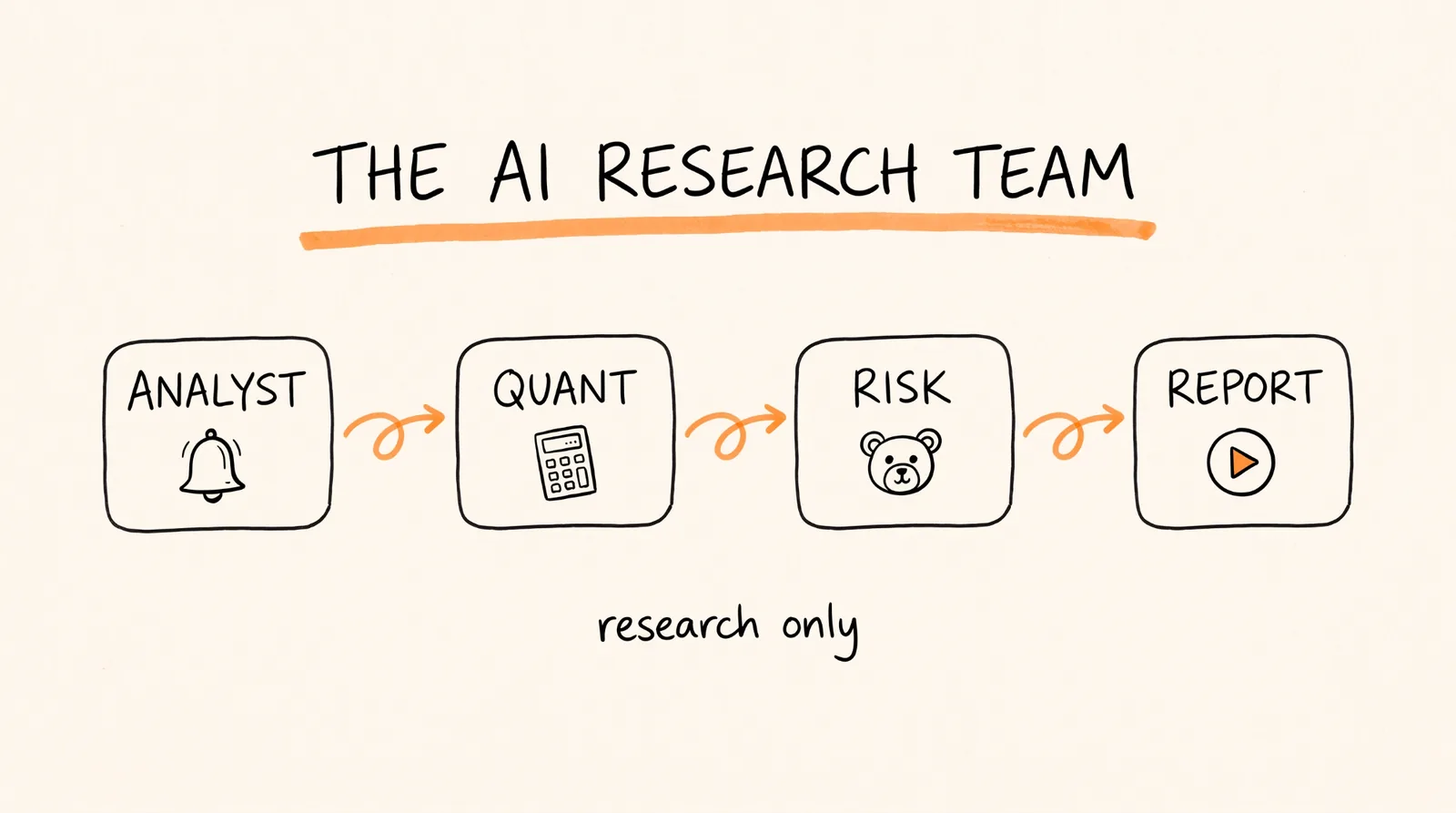
Most AI stock research is useless for one reason: one AI is doing all the work, so it ends up agreeing with whatever is hyped. The fix is a research team where every agent has one job, and one of them is built to disagree. In this guide I'll show you how to build that team in Manus, with the exact prompts for every agent.
What You Need
A Manus account with Manus 2.0, which includes Automations, Cascade, Video Editor, and Cloud Computer.
A watchlist of 15 stocks you actually care about.
A calendar with earnings dates for those stocks, the X accounts of each company's CEO or investor relations team, and the analyst newsletters you already get in your inbox.
Step 1: Create the Analyst Agent
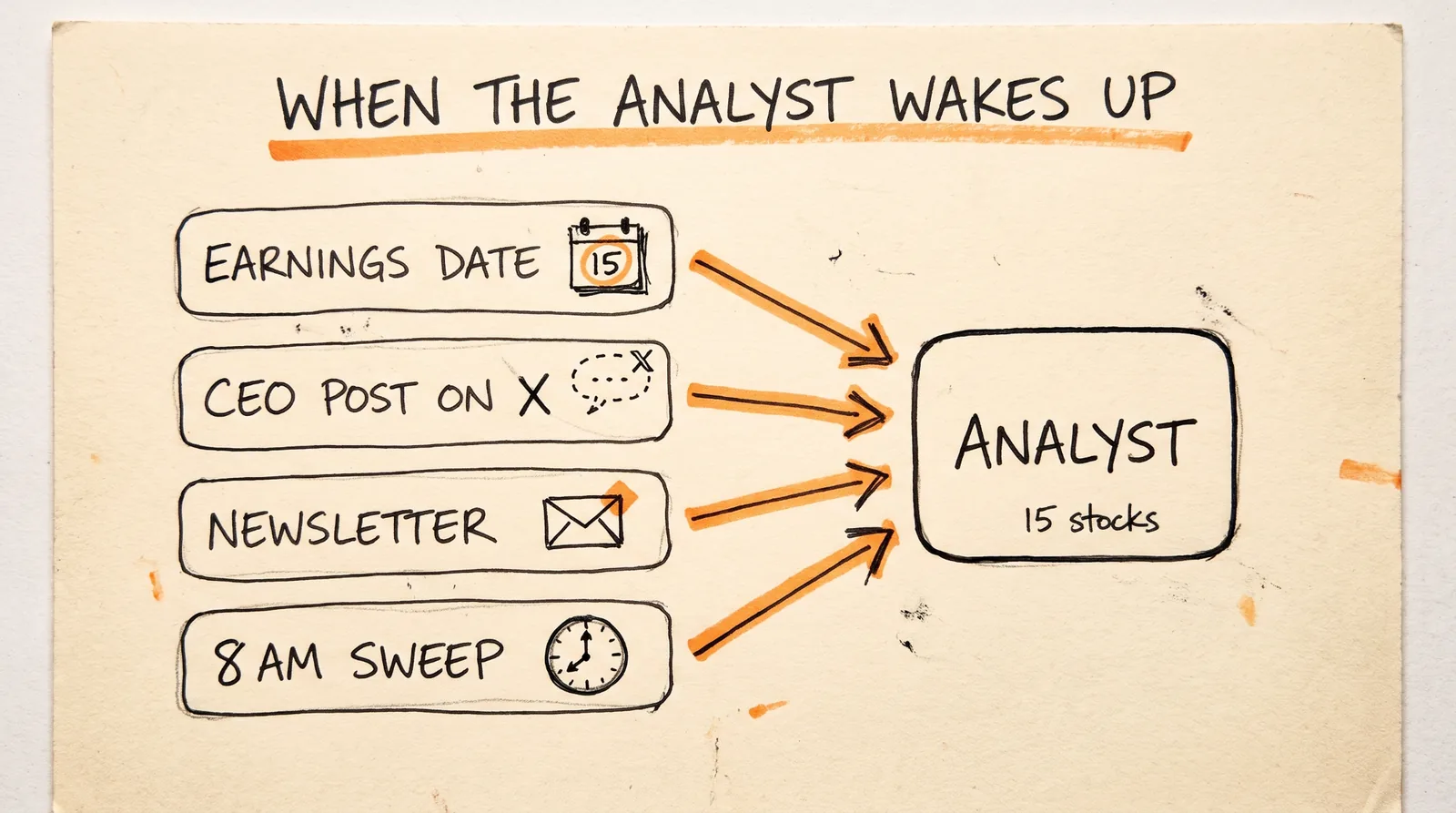
What it is: the agent that decides when the team should start working.
Why it matters: most people point an AI at the whole market and ask it to find something. That's how you end up with hype. Your Analyst only wakes up when something real happens to a stock on your list.
First, write out your watchlist:
WATCHLIST (15 stocks)
1. [TICKER] | CEO X account: @[handle] | IR X account: @[handle]
2. [TICKER] | CEO X account: @[handle] | IR X account: @[handle]
3. [TICKER] | CEO X account: @[handle] | IR X account: @[handle]
...
15. [TICKER] | CEO X account: @[handle] | IR X account: @[handle]
Then set up the Analyst in Manus with Automations. Automations are agents that wake up on signals. You'll give it three event triggers: an earnings date hitting your calendar, a post from the CEO or investor relations account on X, and an analyst newsletter landing in your inbox. Paste this into Manus:
Create an automation called "Analyst" for my stock research team. This is research only. Never place trades or give buy or sell instructions.
Watchlist: [paste your 15-stock watchlist]
Only wake up when one of these happens:
1. An earnings date for a watchlist stock hits my calendar.
2. A watchlist company's CEO or investor relations account posts on X.
3. An analyst newsletter that mentions a watchlist stock lands in my inbox.
Ignore every stock that is not on the watchlist. Do not scan the wider market.
When a trigger fires, write a short trigger brief for each affected ticker:
TICKER:
WHAT HAPPENED: one sentence
SOURCE: the link, post, or email it came from
TIME: when it happened
Then hand each ticker's trigger brief to its own research team.
Then add a time-based trigger so nothing slips through. Paste this:
Add a time-based trigger to the Analyst automation that runs every morning at 8:00 AM.
On each morning sweep, check all 15 watchlist stocks for anything from the last 24 hours that the event triggers missed: earnings dates coming up in the next 7 days, CEO or investor relations posts on X, and analyst newsletter mentions.
Write a trigger brief for any ticker with something new. If nothing new happened for a ticker, skip it.
Step 2: Give Every Stock Its Own Research Team
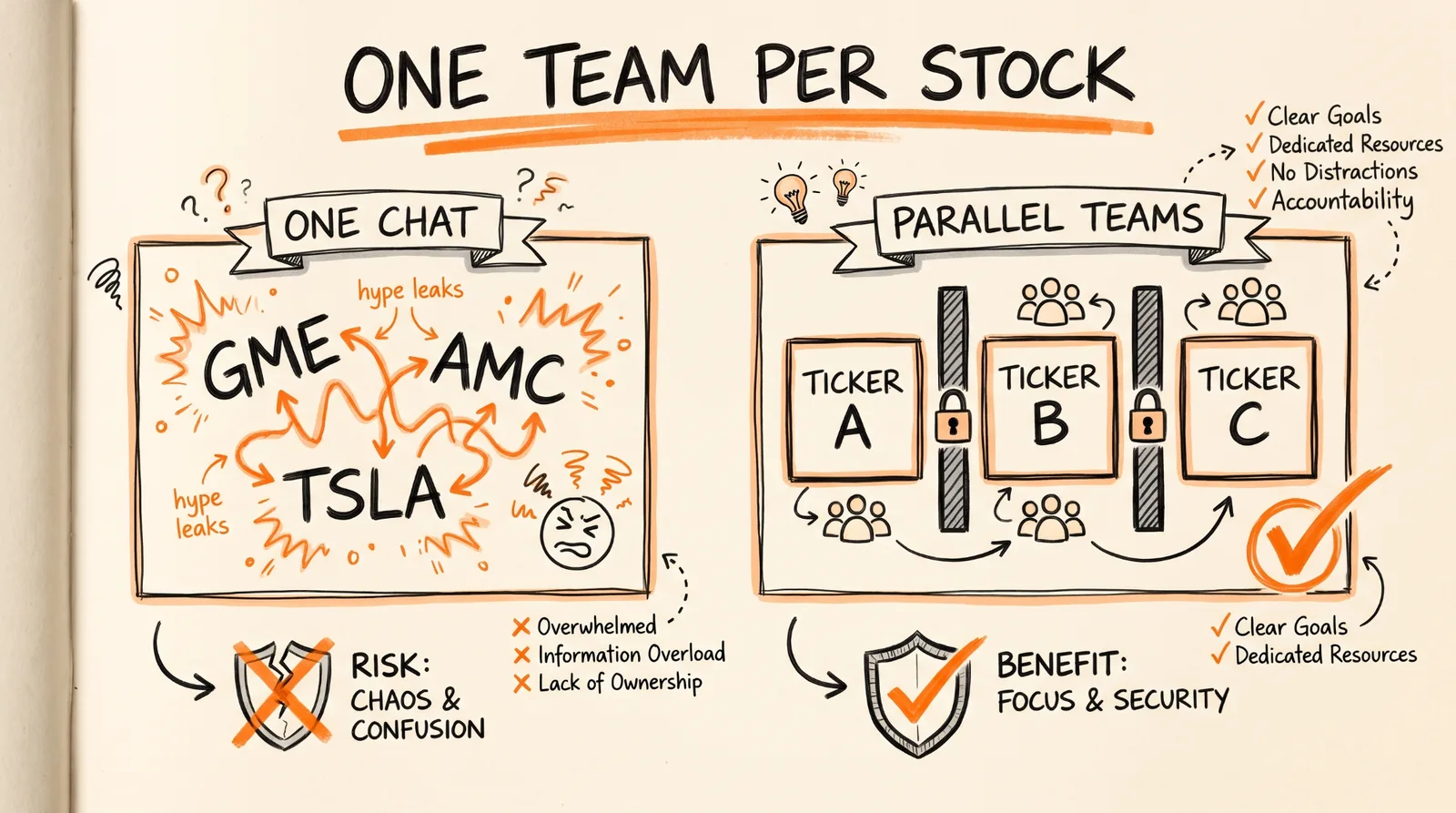
What it is: a separate research team for every stock that gets flagged, all running at the same time.
Why it matters: this is the part most people get wrong. When one AI researches 10 stocks in one chat, the hype from one leaks into the next. Excitement about one ticker starts coloring the read on the others. Separate teams keep every stock's research clean.
Manus 2.0 runs on Cascade, which can spin up parallel sub-agents, one team for every ticker. Paste this:
Every time the Analyst hands over trigger briefs, use Cascade to spin up a separate research team for each ticker, all running in parallel.
Rules for every team:
1. Each team only sees its own ticker's trigger brief. Never share context, notes, or conclusions between teams.
2. Each team has two agents: a Quant agent and a Risk agent (instructions below).
3. The Risk agent must never see the Quant agent's work.
4. When both agents finish, send both outputs to the Report agent.
Step 3: Build the Quant Agent and the Risk Agent
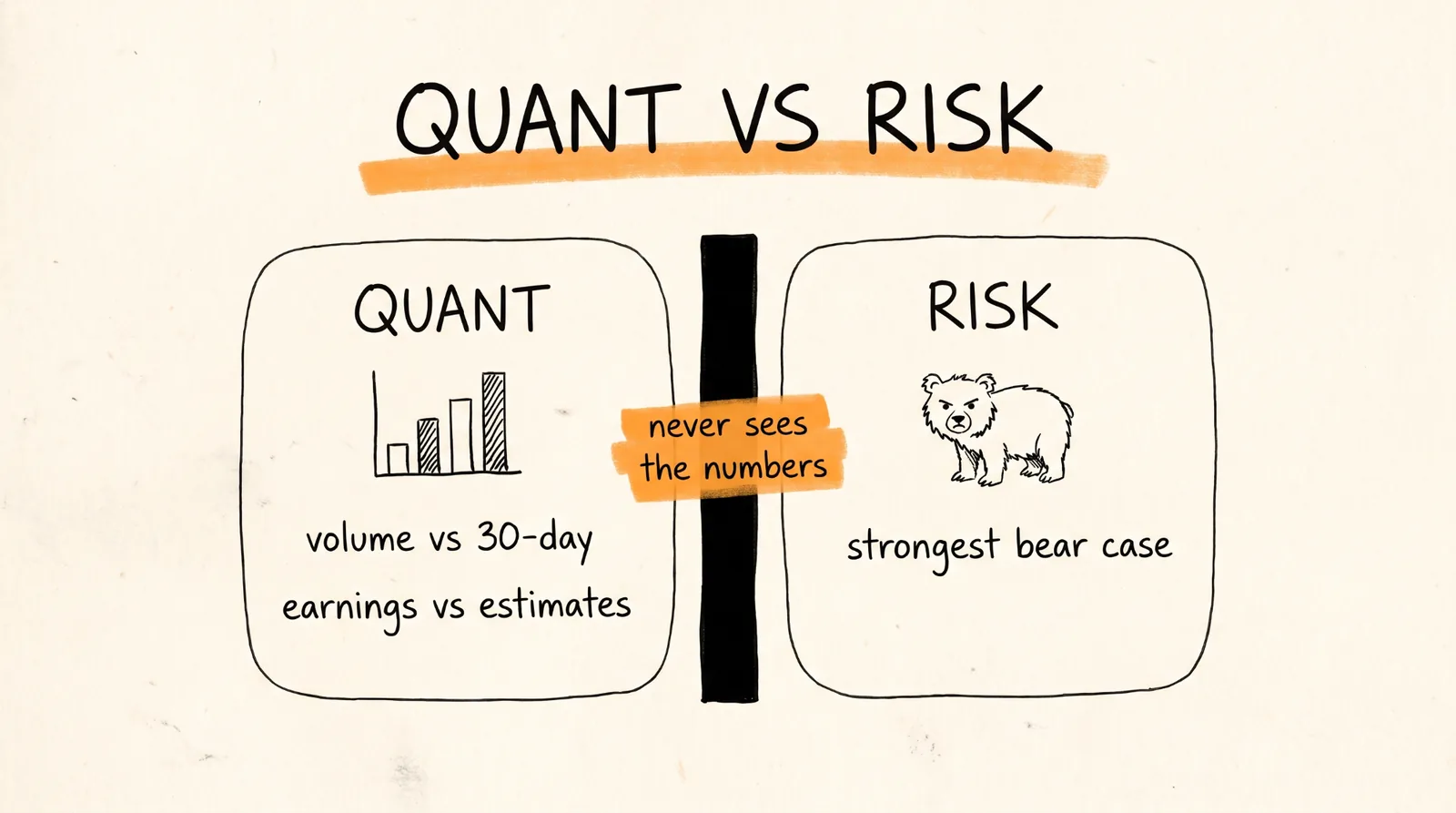
What it is: the two agents inside every research team. One only deals in numbers. The other only argues against the stock.
Why it matters: this is how you stop the team from just agreeing with the hype. The Quant agent can't get excited, because it only looks at numbers. And the Risk agent can't get talked into the story, because it never sees the Quant's work and its only job is the strongest bear case.
The Quant agent:
You are the Quant agent on a stock research team. You only deal in numbers. No opinions, no narratives, no predictions, and never a buy or sell recommendation. This is research only.
For [TICKER], using the trigger brief you were given:
1. VOLUME: today's volume versus its 30-day average volume. Give both numbers and the ratio (for example, 2.3x the 30-day average).
2. EARNINGS: the latest reported earnings versus analyst estimates. Give actual EPS, estimated EPS, and the beat or miss as a percentage. Do the same for revenue. If earnings haven't been reported yet, give the date and the current estimates.
3. SOURCES: list where every number came from.
If you can't find a number, write "not found." Never estimate or fill in a number.
The Risk agent:
You are the Risk agent on a stock research team. Your only job is to build the strongest possible bear case for [TICKER]. You never see the Quant agent's work, and you never argue the bull case. This is research only, never a buy or sell recommendation.
Using only the trigger brief you were given:
1. THE BEAR CASE: the 3 strongest reasons this news could be bad for the stock, or already priced in.
2. WHAT THE HYPE IS IGNORING: what the excited version of this story leaves out.
3. WHAT WOULD PROVE THE BEAR CASE WRONG: the specific facts that would make you change your mind.
4. SOURCES: link every claim.
Be specific and back every point with a source. Never make anything up.
Put It on a Cloud Computer
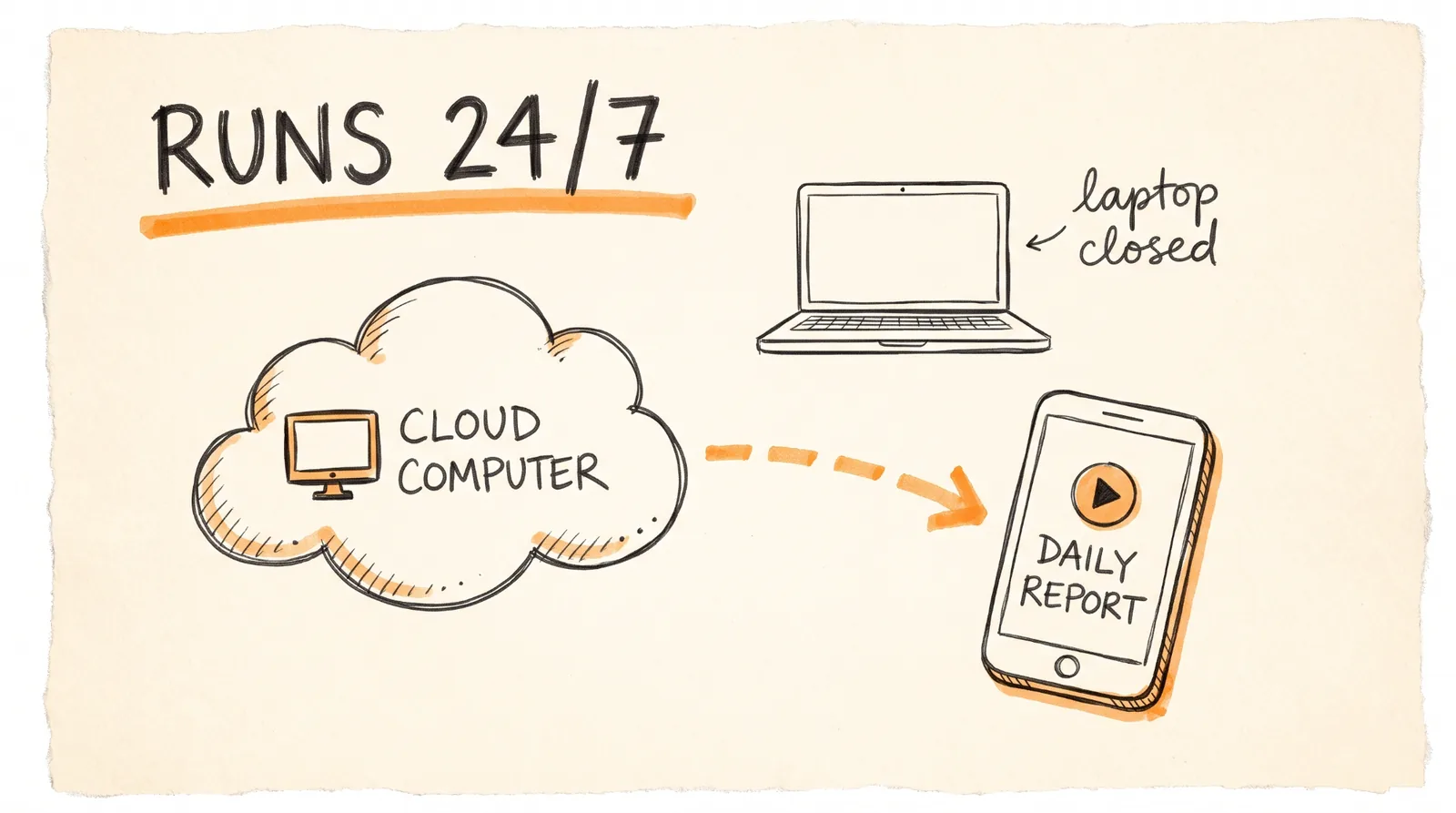
These agents can run 24/7 on their own Cloud Computer in Manus. That's an always-on computer in the cloud for your project, so the whole team keeps working when your laptop is closed. Set up your project on a Cloud Computer so the Analyst can catch triggers at any hour and the 8 AM sweep runs every morning.
Bonus: Add a Report Agent
What it is: an agent that takes every team's research and turns it into a short motion graphics video report on the stocks it researched each day, made in Manus Video Editor.
Why it matters: instead of reading 10 research docs, you watch a quick briefing. Paste this:
Create a Report agent. Every day, after the research teams finish, collect the Quant and Risk outputs for each ticker that was researched.
Build a 60-second motion graphics briefing in Video Editor:
1. Open with the date and how many tickers were researched today.
2. For each ticker: what triggered the research, the Quant numbers (volume versus 30-day average, earnings versus estimates), and the Risk agent's bear case in one line.
3. Show the numbers as animated charts or callouts, not just text.
4. End with a "not financial advice, research only" card.
Keep the Quant numbers and the bear case side by side so neither one gets buried. Never add buy or sell recommendations.
Rules to Remember
One AI doing all the research ends up agreeing with the hype. Build a team instead.
The Analyst only wakes up when something real happens to a stock on your 15-stock watchlist.
Use three event triggers, earnings dates, CEO or investor relations posts on X, and analyst newsletters, plus an 8 AM morning sweep.
Give every stock its own research team running in parallel, so the hype from one doesn't leak into the next.
The Quant agent only deals in numbers: volume versus its 30-day average, and earnings versus estimates.
The Risk agent never sees the Quant's work, and its only job is the strongest bear case.
Research only, no live trades, and nothing here is financial advice.
Build the team once, and it researches your watchlist around the clock while you make the calls.
Don't want to figure this out alone? I walk members through every step inside the community. Join the Skool → skool.com/raycfu