
How to Build an Agent Harness With Jev
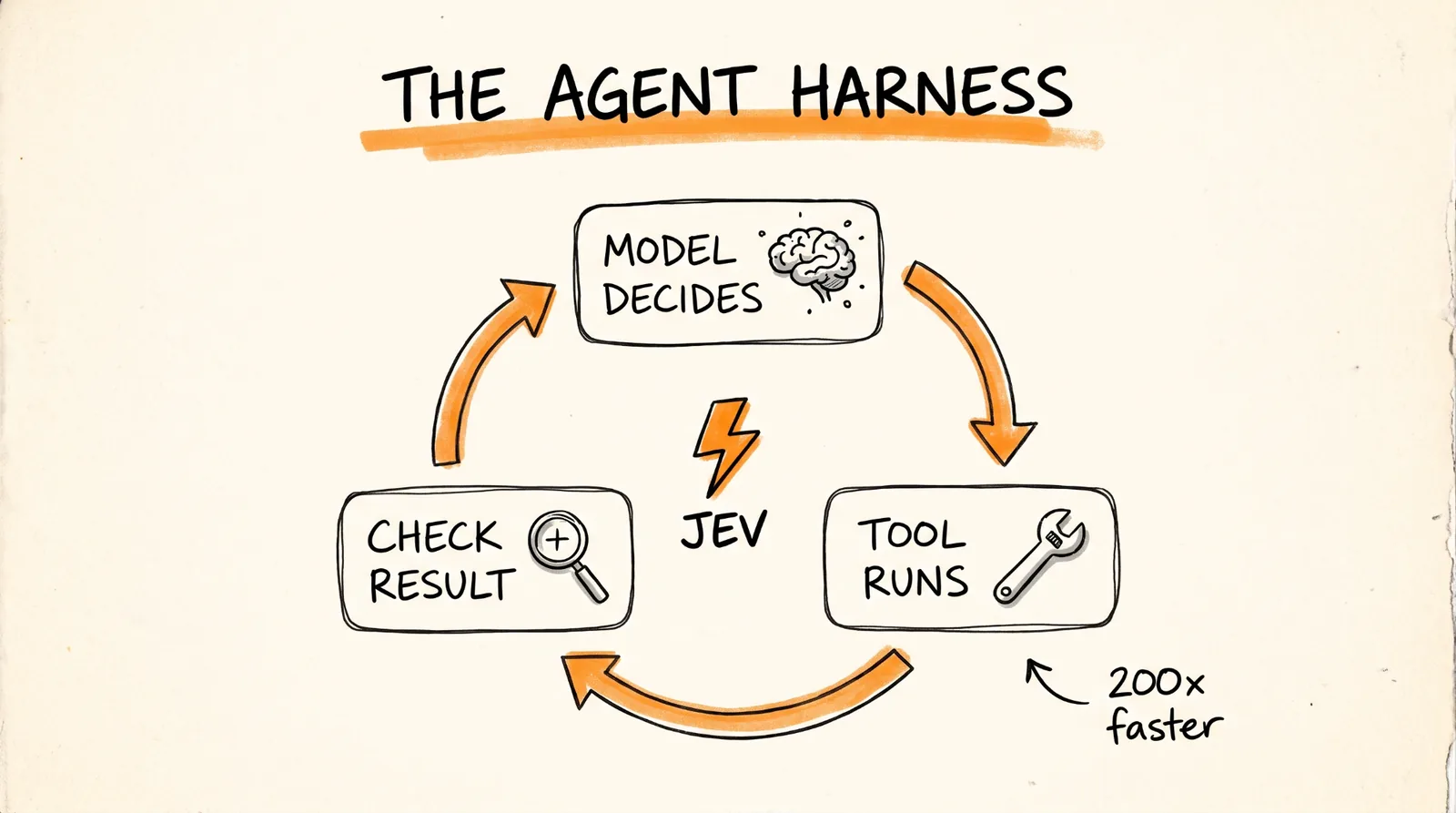
Every AI agent runs in a loop: a model decides what to do, a tool runs, a model checks the result, and it keeps going until the job is done. The problem is that every single decision in that loop is another model call, which makes agents slow and expensive. In this guide I'll show you how Jev, a new model from TypeSafe AI, takes over those quick decisions for up to 200x faster and 400x cheaper, and how to plug it into your agents with LangChain.
Don't want to figure this out alone? I walk members through every step inside the community. Join the Skool → skool.com/raycfu
What You Need
Python, since the LangChain examples in this guide are in Python.
The langchain-typesafe package.
A TypeSafe API key, saved as TYPESAFE_API_KEY.
An agent built with LangChain, if you want to add the model router or the Auto Mode guardrail from steps 6 and 7.
Step 1: Understand Why Your Agent Loop Is Slow
Agents and AI models used to be hard to put inside real software, because software runs on clean, structured data and predictable answers. Two things made that a lot easier.
Tool calling lets a model make a structured request and get a structured result back.
Structured outputs let a model hand back its answer in a structured format your code can read.
But even with both of those, the agent loop is still slow and costly, because every decision means another call to a full model. That's the part Jev fixes.
Step 2: Understand What Jev Is
Jev comes from TypeSafe AI. The company reports up to 200x faster responses and up to 400x lower cost than comparable models on classification tasks, meaning tasks where you're sorting or labeling something. Diogo Almeida, who co-invented ChatGPT, spent 2 years in stealth building a new way to train models and released Jev as the result.
Here's the big thing to get: Jev isn't a normal chatbot model. It doesn't write text at all. TypeSafe calls it a System One model, which is a type of AI built to make fast, structured decisions that your software can use directly. You give it a situation, and it gives you back typed answers with probabilities.
It's trained with a method TypeSafe calls RLCD, reinforcement learning for calibrated decisions. In plain English, it's trained so its confidence numbers actually mean something. Your code uses those answers to decide what the agent does next, without a full chat model call for every decision.
Step 3: Make Your First Jev Call
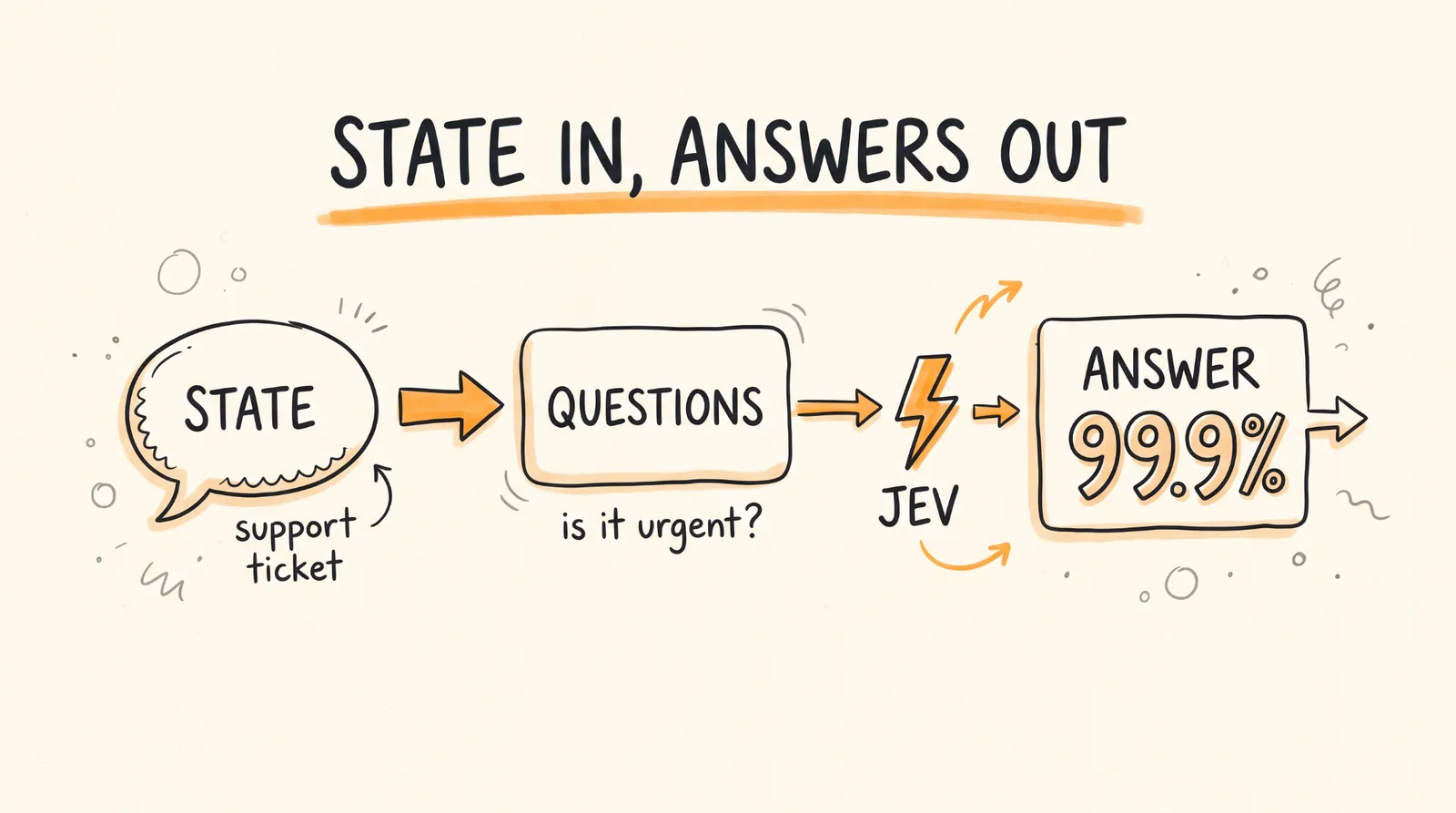
To use Jev, you send it two things: a state, which is the context, and questions about that state. Here's a one-question version of the support ticket example from TypeSafe's docs:
{
"model": "jev-latest",
"state": "Hi, I've been trying to connect my Stripe account for 3 days and it keeps failing. I'm losing sales. Please help ASAP.",
"questions": {
"is_urgent": {
"type": "noul",
"instructions": "The message conveys urgency or time-sensitivity"
}
}
}
And here's the urgency answer from the docs, without the rest of the response:
{
"is_urgent": {
"type": "noul",
"noul": 0.999
}
}
That's a 99.9% chance the message is urgent, which your app can use to push the ticket to the front of the line.
Step 4: Pick the Right Type of Question
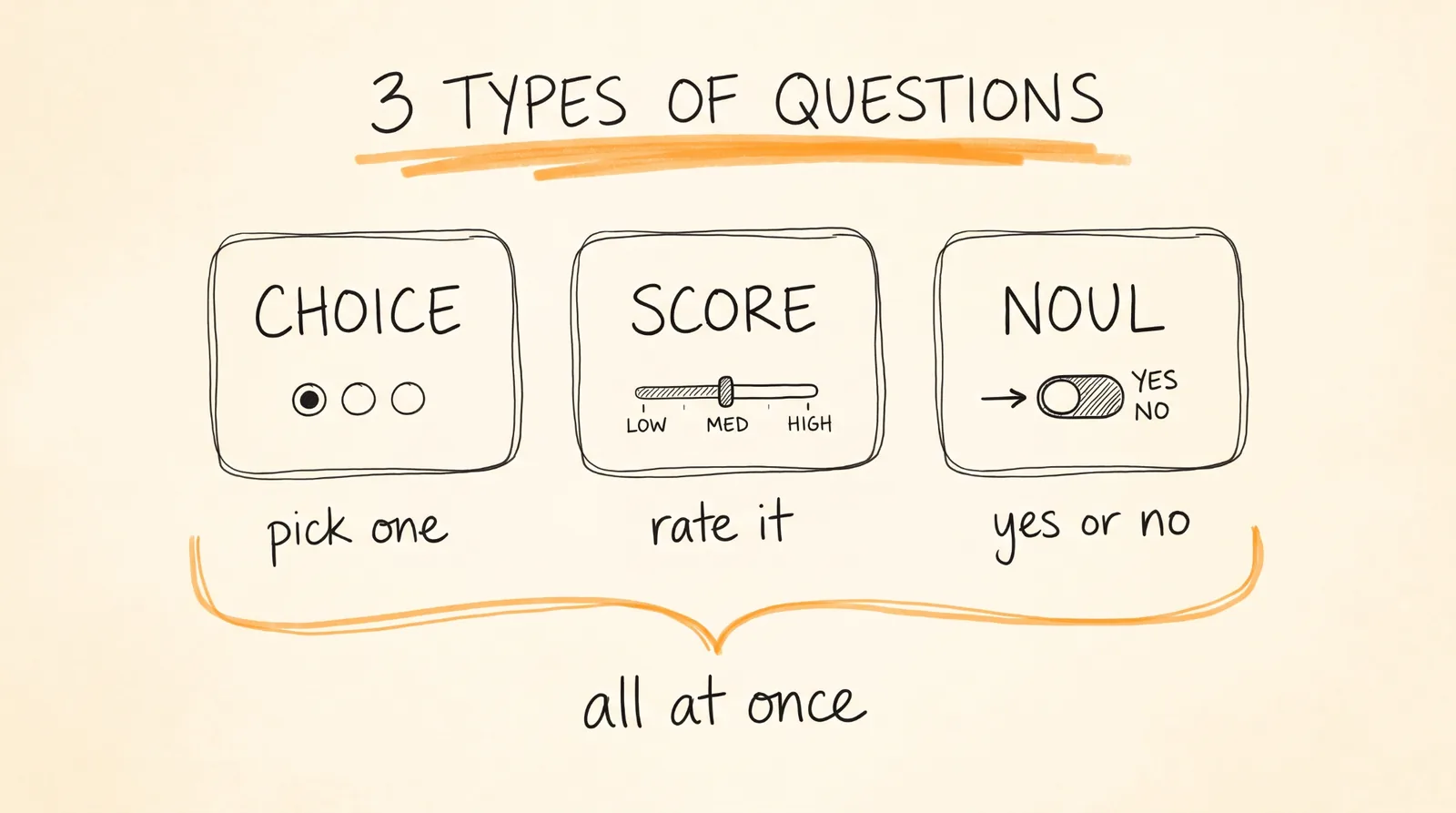
Jev supports 3 types of questions.
Choice picks from a set of options. It gives you a probability for each option plus an overall confidence score.
Score rates something against ordered levels, like low, medium, and high. It gives you a continuous score, the spread behind it, and a confidence value.
Noul answers a yes or no question. It gives you the probability that a statement is true.
Here's the part that makes it really useful: you can ask a bunch of questions about the same state in one request. Jev answers every question at the same time, so adding more questions barely changes how long it takes, and you only pay for the extra question tokens, which are cheap. For an example with multiple questions about a support ticket, check the TypeSafe Quickstart.
So unlike normal AI models, Jev isn't stuck writing text one word at a time, and it isn't stuck making one decision at a time either.
Step 5: Use Jev Inside LangChain
LangChain works with any model provider, so it's a good fit for running Jev alongside the thousands of other integrations and models it already supports.
The LangChain integration gives you Jev through something called TypeSafeClassifier. You pass in your state and your questions with .invoke(), and you get back classification results instead of a chat reply.
Install langchain-typesafe, set your TYPESAFE_API_KEY, and make a call:
from langchain_typesafe import Noul, TypeSafeClassifier
classifier = TypeSafeClassifier()
response = classifier.invoke({
"state": (
"The deploy failed twice and customers are seeing 500s. "
"Can someone look now?"
),
"questions": {
"urgent": Noul(
instructions="Does this need attention right now?"
),
},
})
urgency = response.nouls["urgent"].noul
The state can be plain text, structured data, or LangChain messages. That means you can call Jev from any step of your agent, or from middleware, which is code that runs in between your agent's steps, using the context your agent already has. You can build it into your own custom middleware or tools.
Step 6: Route Every Task to the Right Model
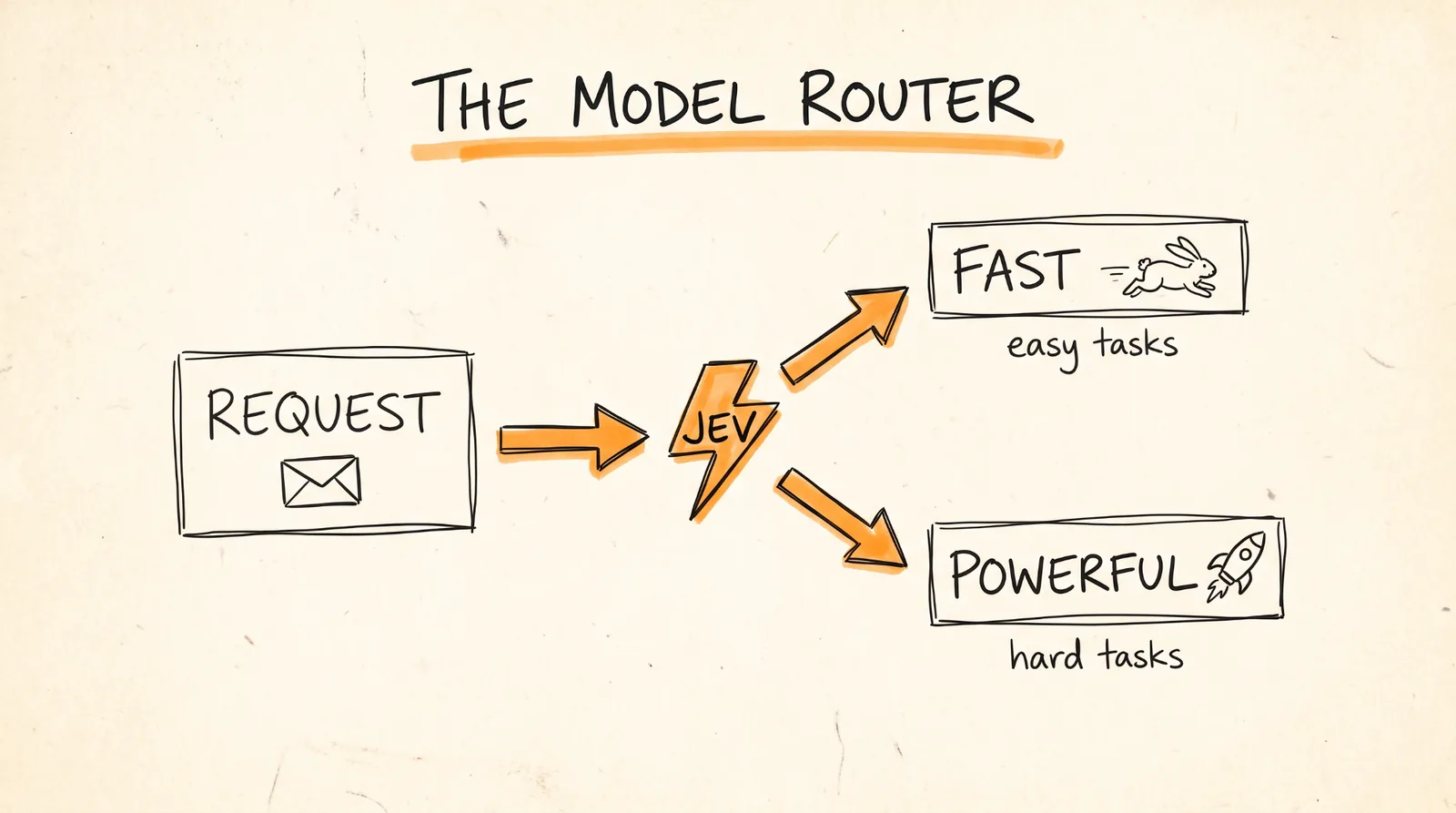
Jev doesn't replace your main AI model, because it doesn't write text. What it does is handle the sorting and labeling jobs we usually throw at big models, without the wait or the cost. So the setup is simple: use a normal model for open-ended thinking and writing, and use Jev for the fast, structured decisions along the way.
The first place that pays off is model routing. A simple lookup doesn't need the same model as a hard debugging task. Model routing middleware lets Jev look at the request and pick a model based on rules you set, so you get a fast, cheap model for easy tasks and a more powerful one for hard ones:
from langchain.agents import create_agent
from langchain_typesafe.experimental.middleware import (
ModelChoice,
ModelRouterMiddleware,
)
router = ModelRouterMiddleware(
choices={
"fast": ModelChoice(
model="openai:luna",
criteria="Direct lookups, extraction, and localized changes.",
),
"powerful": ModelChoice(
model="openai:sol",
criteria="Architecture and high-stakes decisions.",
),
},
instructions="Choose the least costly model that can complete the task.",
)
agent = create_agent("openai:gpt-5.6-luna", middleware=[router])
The router picks a model based on the latest user message and sticks with it for the whole run. The probabilities and confidence scores also stay available in the agent's state.
Step 7: Add an Auto Mode Guardrail
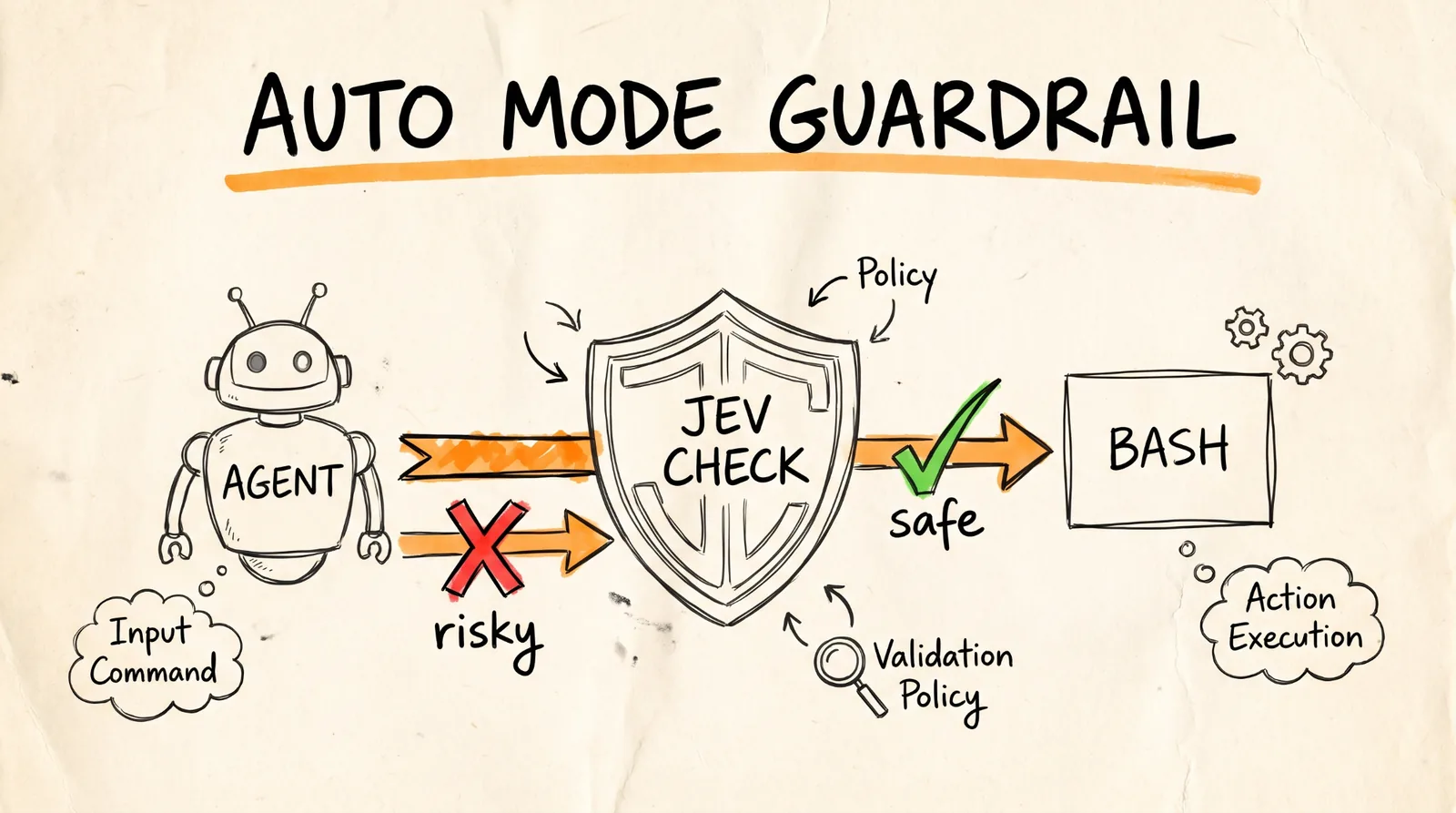
Agents still can't be fully trusted. An agent can get bad instructions, either by accident or from someone trying to trick it, and get talked into doing things you never wanted.
Coding tools like Claude Code, Codex, and Cursor have all shipped some way to flag dangerous actions before they happen, and that's slowly helped people trust agents more. Until now, that safety check has been locked away in the closed parts of those tools.
Now that there's a cheap, fast model for this kind of check, you can add the same safety layer to any agent:
from langchain.agents import create_agent
from langchain_typesafe.experimental.middleware import (
AutoModeMiddleware,
)
guardrail = AutoModeMiddleware(tools=["bash"])
agent = create_agent("openai:gpt-5.6-luna", middleware=[guardrail])
AutoModeMiddleware uses Jev to check your agent's tool calls for risky moves, and blocks them before the tool runs.
What People Are Already Building
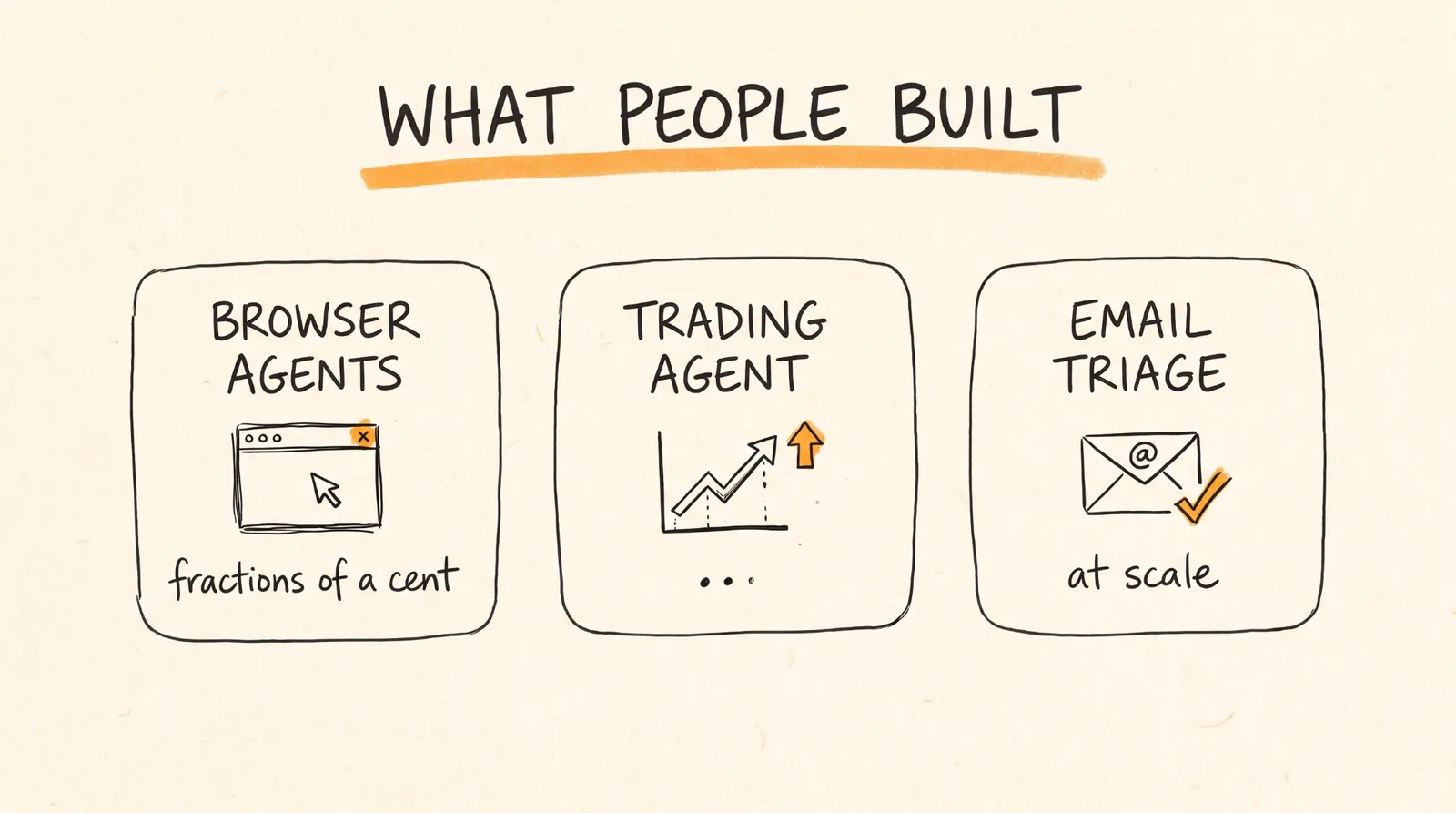
People are already shipping real things with Jev. Kyle Jeong from Browserbase is running browser agents for fractions of a cent. Jarrod Watts built a live trading agent. And Ryan Vogel is doing email triage at scale.
New models drop every week at this point, but this one got a much bigger response than most.
Rules to Remember
Every decision in an agent loop is a model call, and that's what makes agents slow and expensive.
Jev doesn't write text. It makes fast, structured decisions and gives you probabilities.
Send a state plus questions, and pick Choice, Score, or Noul for each question.
Ask multiple questions in one request, since Jev answers them all at once.
Use a normal model for thinking and writing, and Jev for the quick decisions in between.
Route easy tasks to cheap models and hard tasks to powerful ones.
Put an Auto Mode guardrail in front of risky tools like bash.
Give your agent's quick decisions to Jev, and you get a faster, cheaper, safer agent.
Don't want to figure this out alone? I walk members through every step inside the community. Join the Skool → skool.com/raycfu