
How to Build a Viral AI Singer With Claude
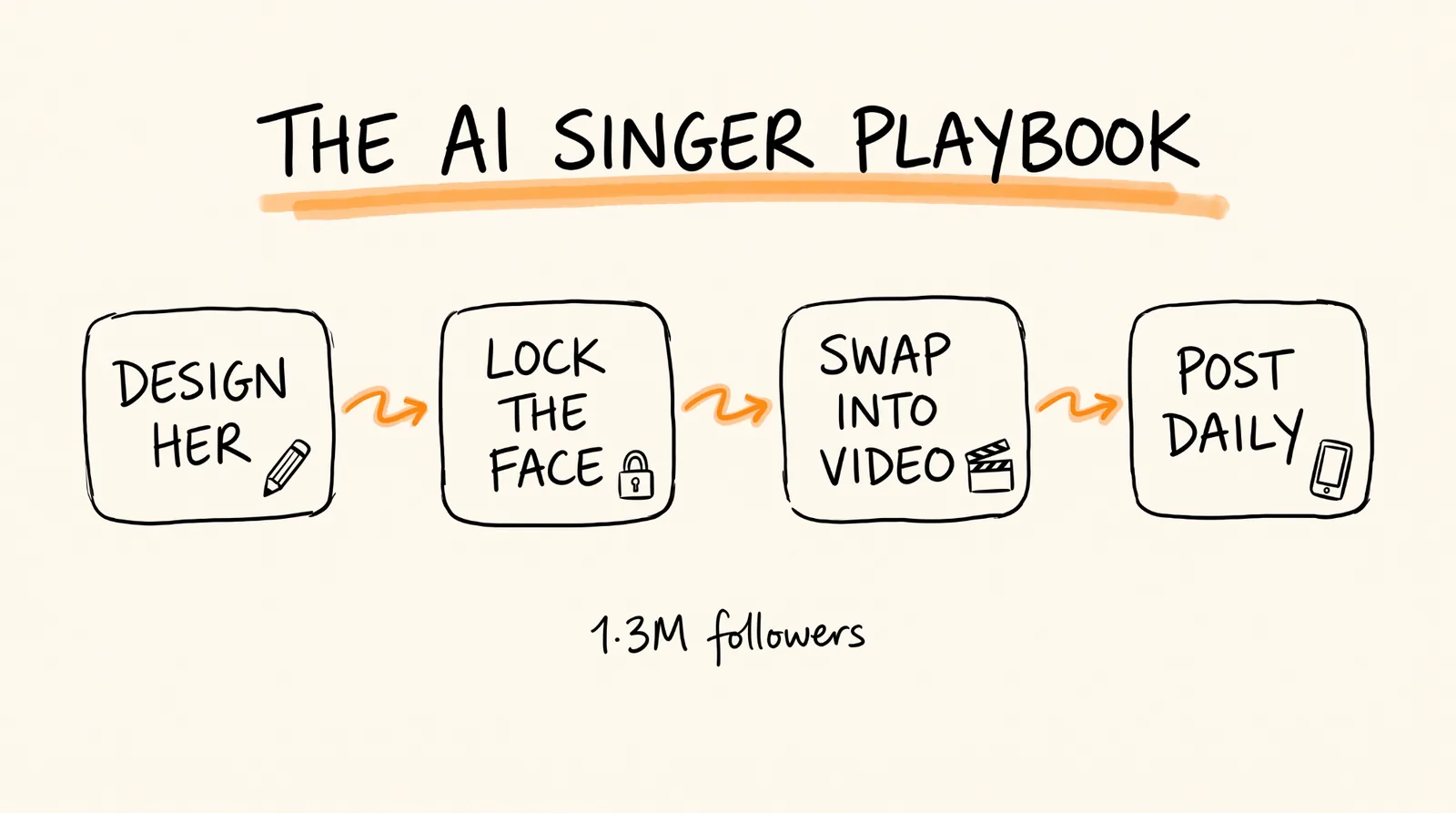
People are building AI characters that pull in millions of views, and the most talked about one right now is an AI singer reported to make over $150K a month with 1.3 million TikTok followers and a debut EP. She was never born. In this guide I'll show you how to build your own version with Claude: design the character, lock her face so she looks the same in every post, swap her into videos, and set up a daily system that finds a viral post and recreates it for you. Plan on about 2 hours to get your first video out, then about 15 minutes a day once the system is running.
Don't want to figure this out alone? I walk members through every step inside the community. Join the Skool → skool.com/raycfu
What You Need
A Claude account. Pro or higher is easiest because you'll be using connectors.
A Higgsfield account with credits. This is where the images and videos get made. New accounts get some free starter credits, and every generation after that uses credits.
An Apify account. The free plan is enough to start. This is what finds viral TikToks for you.
One reference photo of the look you want. This can be a photo you generate, a sketch, or a mood board image. Do not use a photo of a real person who hasn't agreed to it. More on that in the rules section.
A TikTok account and a YouTube channel for posting.
Why This Works
The reason AI characters blow up is simple. A real creator has to show up, film, do their hair, and stay consistent for years. An AI character never gets tired, never has a bad day, and can jump on a trend within hours of it starting. The posts going around point to examples like the AI singer at 1.3 million followers and a giant Tokyo girl clip that reportedly did 23.6 million views and $11,200 from one video.
The thing that separates the accounts that grow from the ones that flop is consistency. If her face changes from post to post, people don't recognize her and nobody follows. Everything in this guide is built around keeping her looking like the same person every single time.
Step 1: Connect Claude to Higgsfield
This is what lets Claude actually make images and videos instead of just writing prompts for you to paste somewhere else.
In Claude, go to Settings, then Connectors, and add a custom connector. Name it Higgsfield and paste this server URL:
https://mcp.higgsfield.ai
Click Connect, sign in to Higgsfield, and approve access. You only do this once. Open a new chat and ask Claude "what Higgsfield tools do you have?" to make sure it worked.
Step 2: Design Your Character
Before you make a single image, you want Claude to write a character bible. This is a short document describing exactly who she is, so every prompt you write later pulls from the same description. Skip this and you'll drift.
Paste this into Claude along with your reference photo:
I'm building an AI music artist for TikTok and YouTube Shorts. Use the attached image as the visual reference.
Write a character bible I can reuse in every future prompt. Include:
1. Name and a one-line identity (who she is, what she sings, what vibe she gives off)
2. Face: face shape, eye color and shape, eyebrows, nose, lips, skin tone, any marks or freckles. Be extremely specific, this is what keeps her consistent.
3. Hair: color, length, texture, how she usually wears it
4. Body: height impression, build, posture
5. Signature style: 3 outfits she'd wear (everyday, performance, casual at home)
6. One signature accessory she wears in almost every post
7. Personality on camera: how she moves, how she reacts, what she never does
8. Content niche: the 3 types of videos she posts most
Keep the face description in one paragraph I can paste into image prompts word for word.
Save what Claude gives you in a note. That face paragraph is the most valuable thing you'll make in this whole guide.
Step 3: Make the Character Sheet
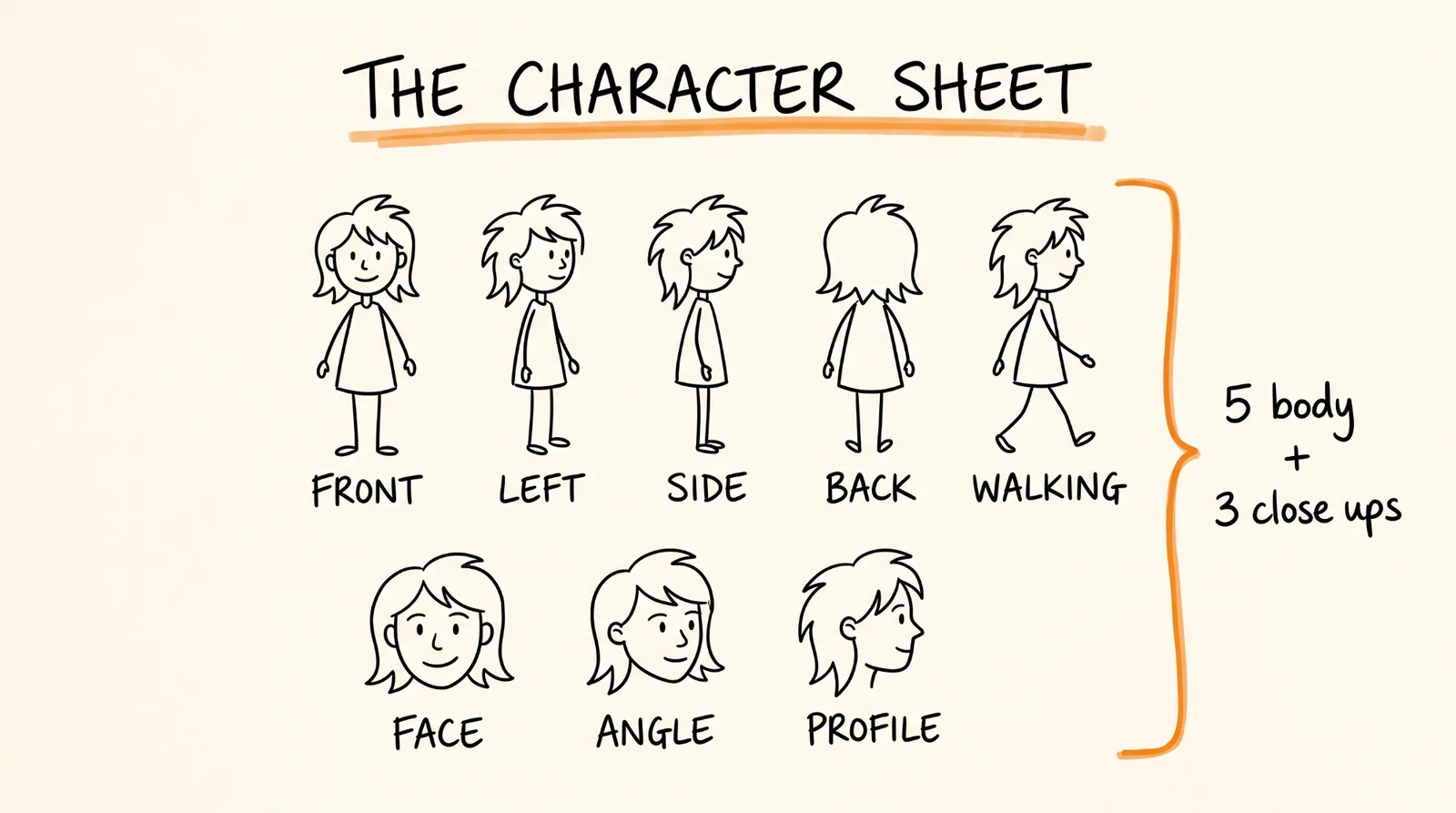
A character sheet is one set of images showing her from every angle. The video model uses these to know what she looks like from the side, from behind, up close, and so on. The format that works is 5 full body angles plus 3 close ups.
Paste this into Claude:
Using the Higgsfield connector and my reference image, generate a character sheet for the character in my character bible.
Make 8 images, all with the same face, hair, outfit, and lighting:
Full body, front view, standing neutral
Full body, three-quarter view facing left
Full body, side profile facing right
Full body, back view
Full body, relaxed pose, mid-step
Close up, face straight on, neutral expression
Close up, three-quarter angle, slight smile
Close up, side profile
Use a plain light gray studio background on every image. Use her performance outfit from the character bible. Paste the face paragraph from the character bible into every prompt word for word.
When they come back, look at them side by side. If one image has a different face, ask Claude to regenerate only that one. Do not move on until all 8 look like the same person. This is the step most people rush, and it's why their account looks like 8 different girls.
If you want even stronger consistency, Higgsfield also lets you train a reusable character (they call it Soul ID) from 5 to 20 images of the same person. Once your 8 images all match, you can ask Claude to train one from your sheet.
Step 4: Swap Her Into a Video
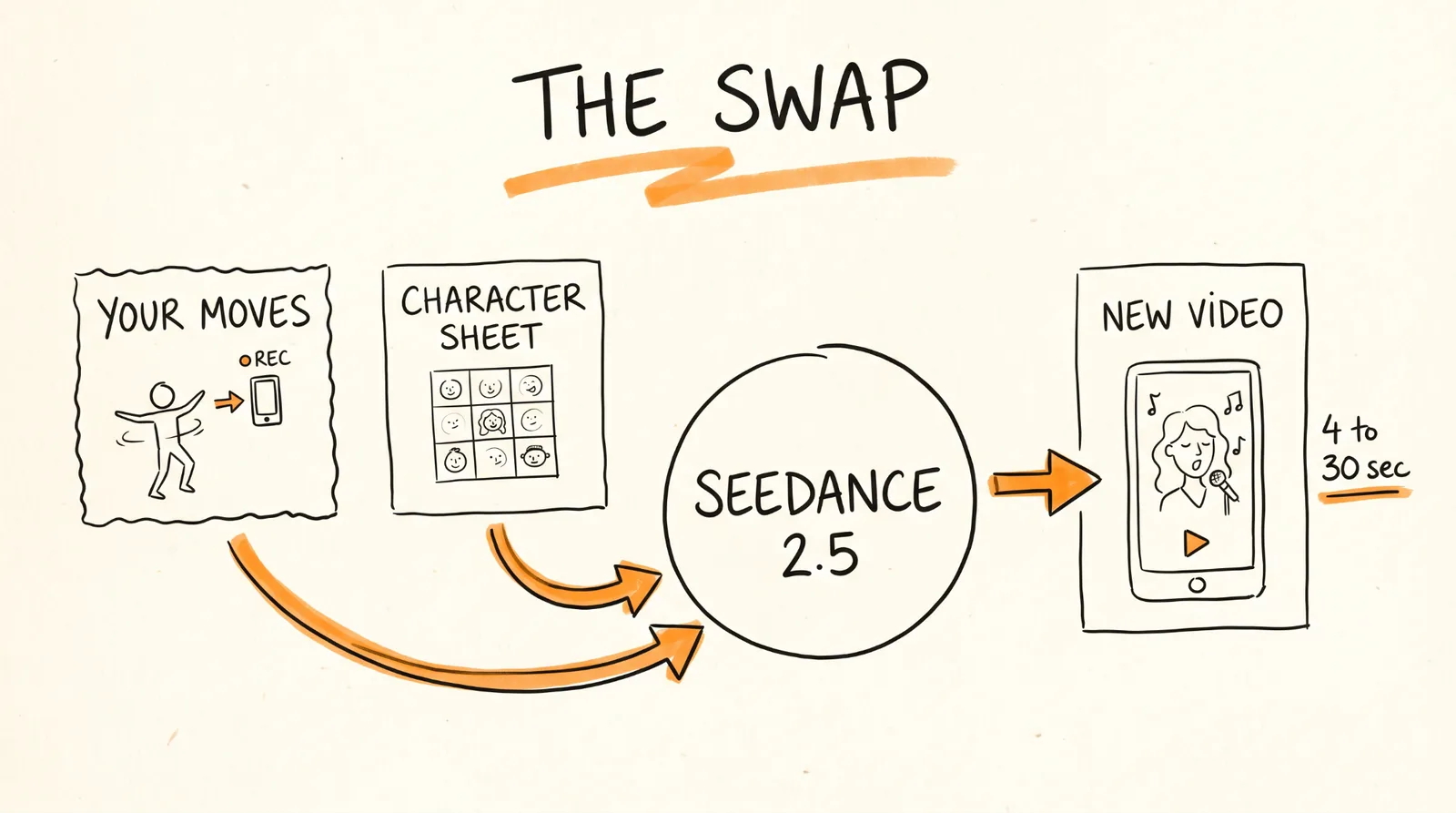
Now the fun part. You have two ways to make a video.
Option one, act it out yourself. Film yourself on your phone doing the dance, the lip sync, or the reaction. Bad lighting and a messy room are fine, only the movement matters. Then swap her in.
Option two, use a trend as your reference. Find a TikTok format that's already going viral and use it as the motion reference for her. More on picking these in step 5.
For either one, Claude uses Seedance 2.5 inside Higgsfield. It takes a reference video plus your character sheet images and makes a new video with her doing the movement. Videos can be 4 to 30 seconds and you can export vertical 9:16 for TikTok and Shorts.
Paste this into Claude with your reference video attached:
Use Higgsfield with the Seedance 2.5 model in omni reference mode.
Inputs:
Video reference: the attached video. Copy the movement, timing, and camera framing.
Image references: my 8 character sheet images.
Make a new 9:16 video at 1080p where my character performs the same movement as the reference video. Keep her face, hair, and outfit exactly as they are in the character sheet. Put her in a new setting that fits her character bible, not the original video's background.
Match the duration of the reference video, up to 30 seconds.
There are two modes worth knowing. Omni reference mode makes a brand new video that follows the movement, which is what you want most of the time because the final video is fully yours. Video edit mode edits the original footage directly and keeps more of it, which works great on footage you filmed yourself.
If you need a longer video, ask Claude to use Seedance 2.5 in video extension mode to extend it forward. You'll want this for TikTok's Creator Rewards, which only pays on videos over 1 minute.
Step 5: Build the Daily Viral Finder
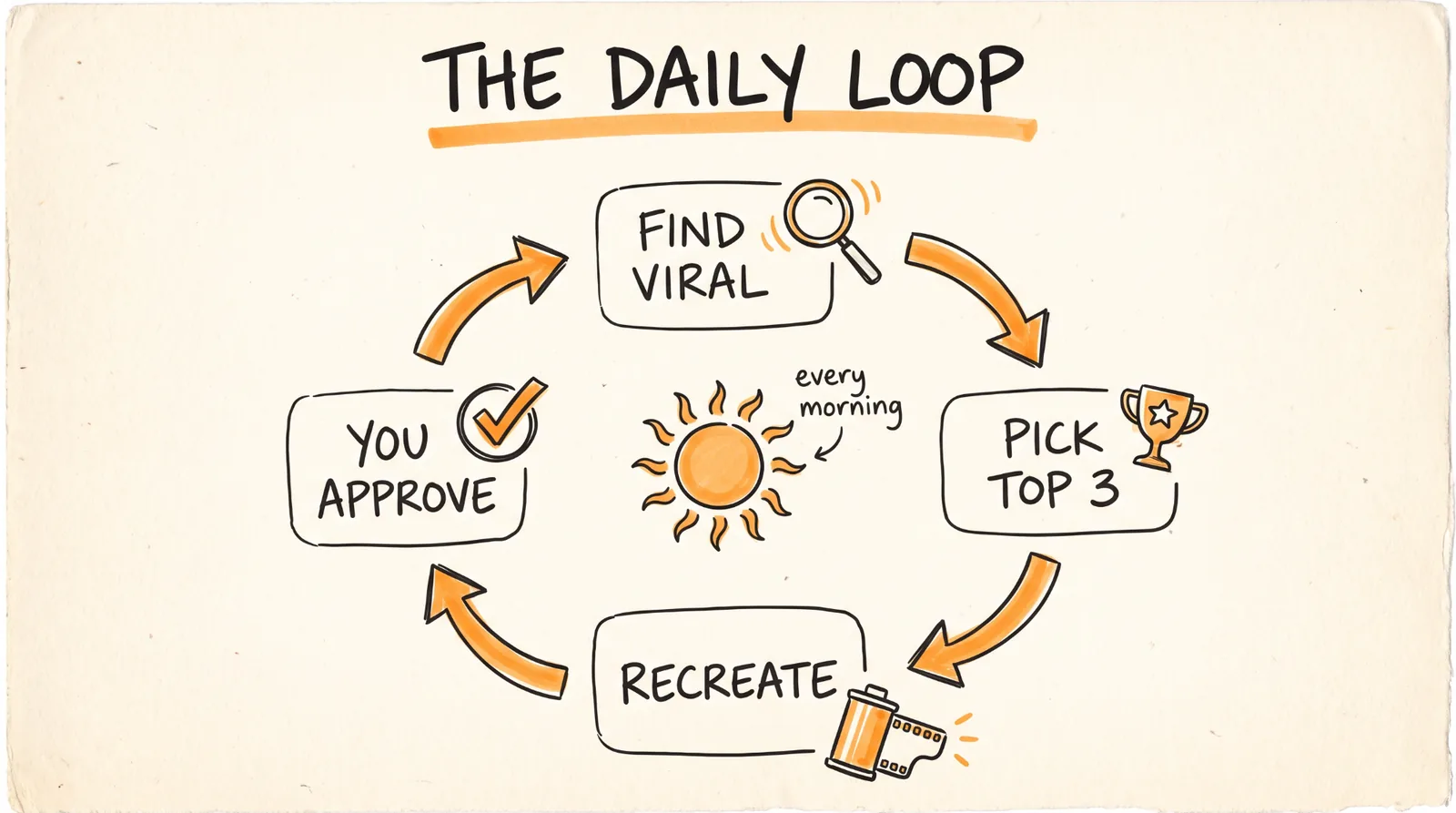
Here's the best part. Because she's AI, you can turn this into a system. Every day Claude finds a post that's blowing up in your niche and recreates it with your character.
First, connect Apify. In Claude, add another custom connector with this URL:
https://mcp.apify.com/?actors=clockworks/tiktok-scraper
Sign in to your Apify account and approve it. This gives Claude a TikTok scraper that can pull videos by hashtag along with their views, shares, and comments.
Then save this as your daily prompt:
Every day, do the following for my AI artist from the character bible:
1. Use the Apify TikTok scraper to pull the top 30 videos from the last 48 hours for these hashtags: [your 3 to 5 niche hashtags, for example #dancechallenge #singingcover #aiart]
2. Rank them by views per hour since posting, and only keep videos with at least 500,000 views
3. Drop anything with a real child in it, anything political, and anything that depends on a specific person's face or voice to be funny
4. Pick the top 3 and for each one tell me: the link, the view count, why you think it's working (the hook, the sound, the format), and how my character would do her own version
5. For the number one pick, write the Seedance 2.5 prompt using my character sheet, ready to run
6. Write a caption under 150 characters and 5 hashtags for it
Do not post anything. Save everything to a note called Daily Viral Picks with today's date.
You can run this every morning yourself, or turn it into a scheduled task in Claude so it runs at the same time every day and the picks are waiting for you when you wake up. I'd keep the posting step manual. You review, you approve, you post. That's what keeps one weird generation from going out on your account.
Step 6: Turn Views Into Money
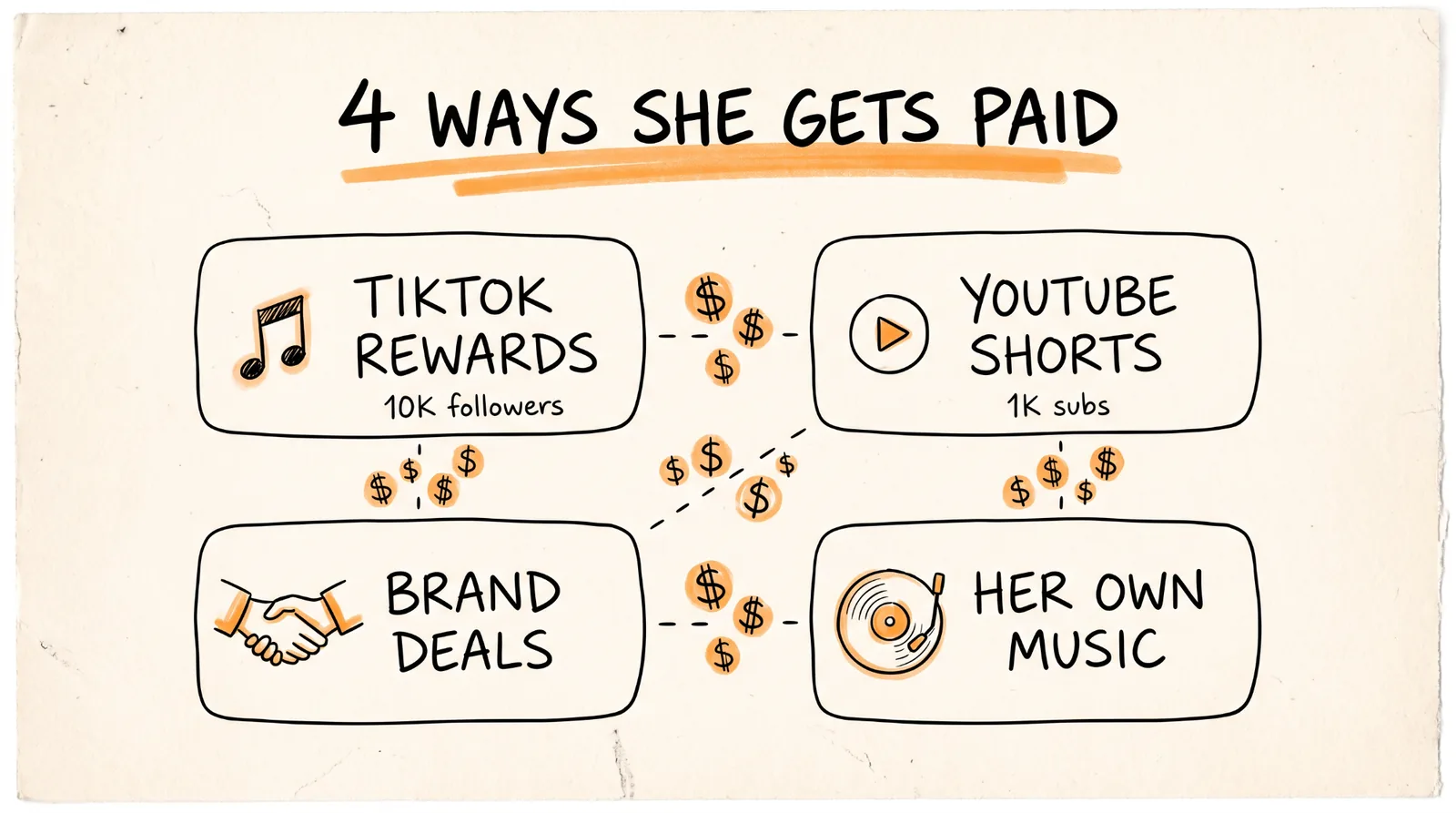
There are four ways these accounts actually make money, and the big ones use more than one.
TikTok Creator Rewards. You need at least 10,000 followers, 100,000 views in the last 30 days, a personal account, and to be 18 or older in a supported country. It only pays on original videos over 1 minute, so use the video extension trick from step 4.
YouTube Shorts. To earn ad revenue you need 1,000 subscribers plus 10 million Shorts views in 90 days. There's a lower tier at 500 subscribers and 3 million Shorts views that unlocks fan funding and Shopping. Heads up, YouTube has said the 10 million number goes up to 20 million for new applicants starting February 2027, so the earlier you start the better.
Brand deals. Once she has an audience, brands pay her the same way they pay real creators. An AI character is actually easier to work with because she can wear anything and be anywhere.
Your own stuff. This is where the singer angle is so smart. She can release songs, which earn streaming money, and you can sell merch, presets, or a course behind her. You own her completely, so you keep all of it.
What It Costs
Claude Pro is $20 a month. Higgsfield runs on credits, and each video uses more credits the longer and higher resolution it is, so start at 720p while you're testing and only render 1080p for videos you're actually posting. Apify has a free plan, and a daily run of 30 videos is light usage. Your biggest cost by far will be Higgsfield credits, so test your prompts on short 5 second clips before you render full length ones.
When Things Go Wrong
Her face changes between videos. Your character sheet isn't consistent enough. Go back to step 3, regenerate the images that don't match, and make sure you're passing all 8 images every time, not just one.
The movement looks off. Short, clear reference videos work best. Pick clips with one person, a steady camera, and their whole body in frame. Fast cuts and crowds confuse the model.
The video looks too much like the original. You're probably in video edit mode. Switch to omni reference mode and ask for a new setting and outfit.
Apify returns nothing. Check your hashtags are spelled right without spaces, and lower the view threshold from 500,000 to 100,000 while you test.
Videos get flagged or don't get pushed. Make sure the AI generated label is turned on when you post, and make sure each video is clearly your own version, not a lightly edited copy.
Rules to Remember
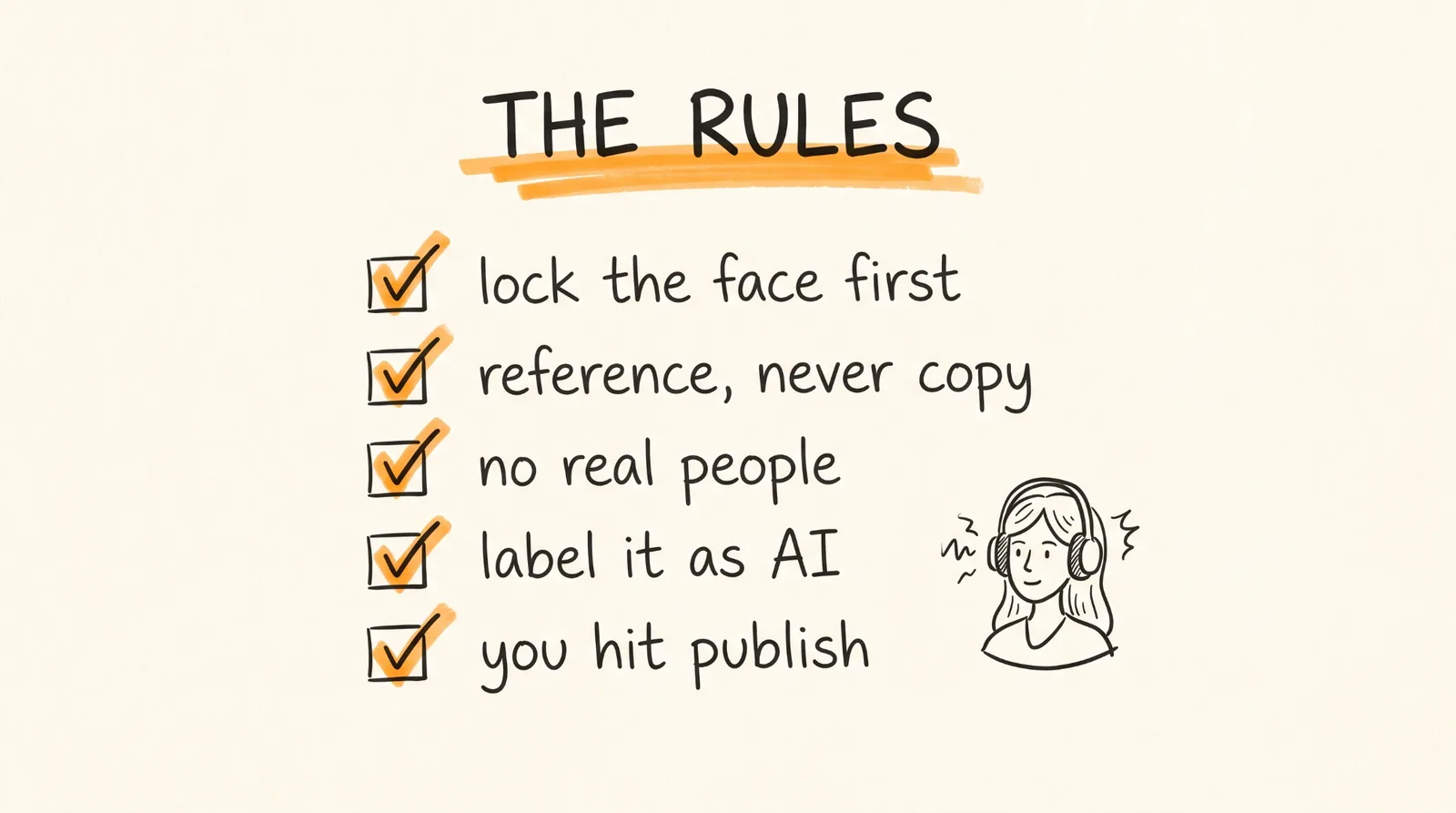
Lock the face first. The character bible and character sheet are what make this work.
Use viral videos as a reference, not a copy. Recreate the format with your character in her own setting. Never take someone else's video and just paste a new face on them.
Never base her on a real person without their permission, and never use anyone under 18 as a reference.
Turn on the AI generated label on TikTok and the altered or synthetic content setting on YouTube every time. Both platforms require it for realistic AI people.
Review before you post. Let the system find and generate, but you hit publish.
Test short and cheap, then render long and sharp.
Build her once, and she can post every day for years without ever getting tired.
Don't want to figure this out alone? I walk members through every step inside the community. Join the Skool → skool.com/raycfu