
How to Build a Trading Bot with Claude Fable That makes you $3k/month
Don't want to figure this out alone? I walk members through every step inside the community. Join the Skool → skool.com/raycfu
IMPORTANT: This guide is for educational purposes only. Trading involves real financial risk. Past performance does not guarantee future results. Never trade with money you cannot afford to lose. Always paper trade and backtest extensively before using real money. This is not financial advice.
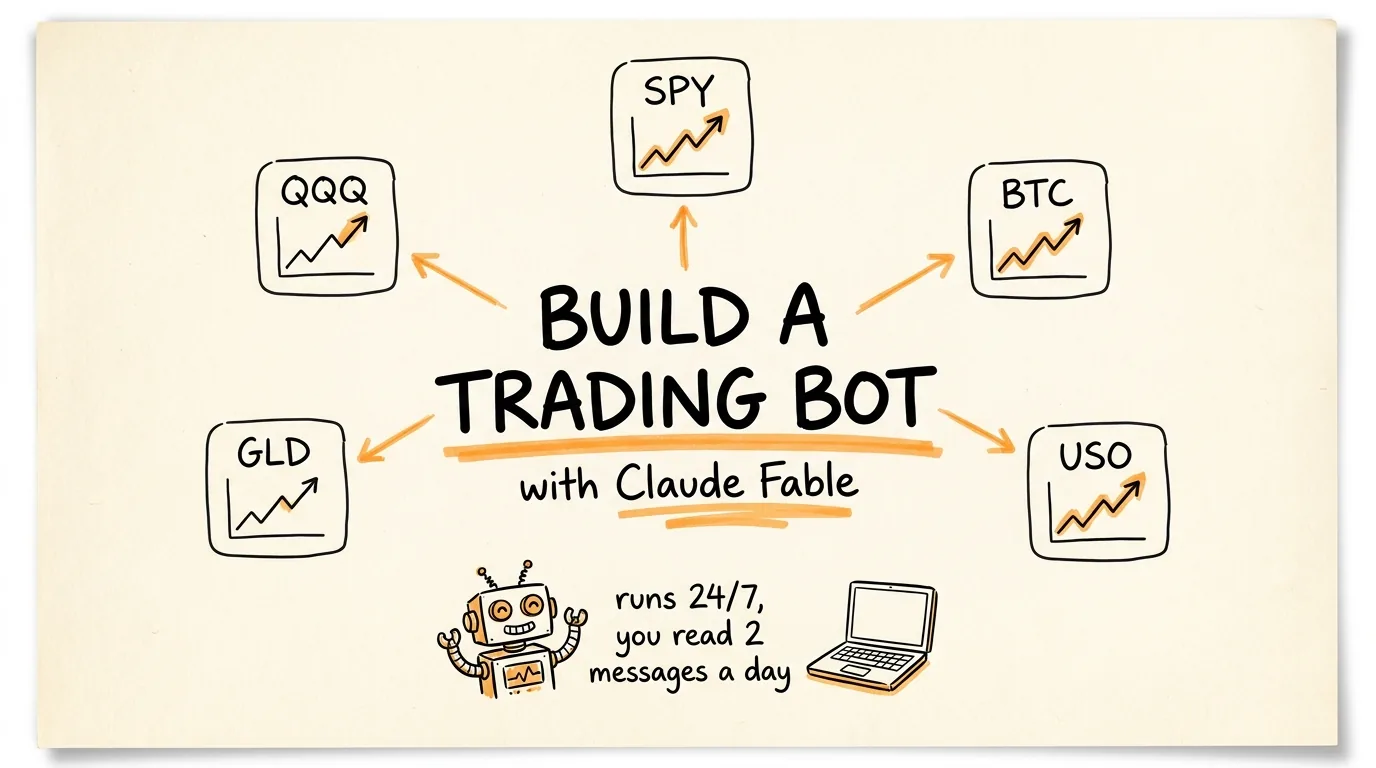
A girl used Claude Fable to build a trading bot that watches 5 markets simultaneously, executes trades 24/7, and sends her two messages a day. One in the morning telling her what is happening in the markets. One at night telling her how the bot performed. That is her entire involvement. Zero screen time.
The bot runs different strategies on different instruments because each market moves differently. Mean reversion on indices. Momentum breakouts on crypto. Trend following on commodities. Position sizing adjusts automatically based on volatility. Risk stays constant across all 5 instruments regardless of what the market is doing.
This guide walks you through exactly how to build the same system with Claude Code.
WHAT YOU NEED
Claude Code with Claude Fable or Claude Sonnet 4.6. Fable is the most powerful model for building complex multi-file systems like this but Sonnet works well too.
An Alpaca Markets account for executing trades. Alpaca is a commission-free broker with a full API that supports both paper trading and live trading. Sign up at alpaca.markets. Paper trading is free and requires no deposit so you can test everything without risking real money.
Python 3.10 or higher installed on your machine.
A computer or VPS that stays on 24/7. The bot needs to run continuously to monitor markets and execute trades. A $5 to $10 VPS from DigitalOcean or Railway works fine.
Claude Cowork for the daily briefing messages. This sends you the morning and evening summaries on Telegram or Slack.
THE 5-INSTRUMENT STRATEGY
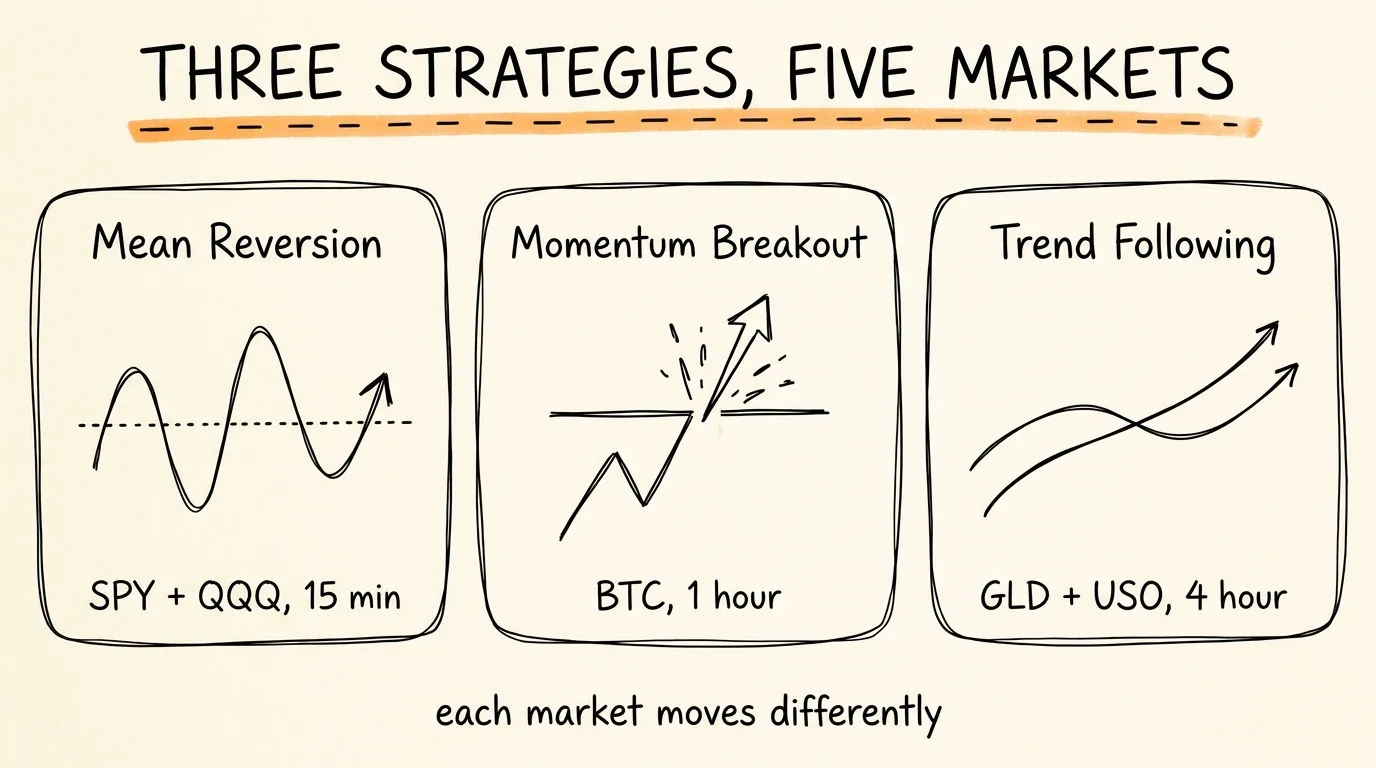
The bot trades 5 instruments and uses a different strategy for each one based on how that market behaves.
S&P 500 (SPY): Mean reversion on 15-minute candles. Indices tend to overextend in one direction every few hours and then snap back. The bot catches those small reversions. When price moves more than 1.5 standard deviations from the 20-period moving average on the 15-minute chart, the bot takes the opposite direction expecting a revert to the mean.
Nasdaq (QQQ): Mean reversion on 15-minute candles. Same strategy as S&P 500. Nasdaq tends to be more volatile so the entry threshold is slightly wider at 1.8 standard deviations.
Bitcoin (BTC/USD): Momentum breakouts on the 1-hour chart. Crypto trends harder than indices so instead of fading the move you ride it. When price breaks above the 20-period high on the 1-hour chart with volume confirmation, the bot goes long. When it breaks below the 20-period low, the bot goes short or exits.
Gold (GLD): Trend following on the 4-hour chart. Commodities move in cleaner waves and you do not want noise from intraday whipsaws. The bot uses a 50/200 EMA crossover on the 4-hour chart. When the 50 crosses above the 200, it goes long. When it crosses below, it exits or goes short.
Oil (USO): Trend following on the 4-hour chart. Same approach as gold. Commodities respond well to longer timeframe trend following because the moves are more sustained and less choppy than indices.
STEP 1: BUILD THE BOT WITH CLAUDE CODE
Open Claude Code and give it this prompt to build the entire trading system:
"Build me a Python trading bot that connects to the Alpaca Markets API and trades 5 instruments simultaneously: SPY, QQQ, BTC/USD, GLD, and USO.
The bot needs 3 different strategy modules:
Strategy 1 - Mean Reversion (for SPY and QQQ): Use 15-minute candles. Calculate a 20-period simple moving average and standard deviation. When price moves more than 1.5 standard deviations below the mean for SPY (1.8 for QQQ), go long expecting a revert. When price moves more than 1.5 standard deviations above the mean for SPY (1.8 for QQQ), go short expecting a revert. Exit when price returns to the moving average.
Strategy 2 - Momentum Breakout (for BTC/USD): Use 1-hour candles. Track the 20-period high and 20-period low. When price breaks above the 20-period high with volume at least 1.5x the 20-period average volume, go long. When price breaks below the 20-period low with the same volume confirmation, go short or exit long. Use a trailing stop of 2x ATR.
Strategy 3 - Trend Following (for GLD and USO): Use 4-hour candles. Calculate 50-period and 200-period exponential moving averages. Go long when the 50 EMA crosses above the 200 EMA. Exit or go short when the 50 EMA crosses below the 200 EMA. Use a trailing stop of 3x ATR.
Risk management for all strategies: Position sizing is ATR-based. Calculate the 14-period ATR for each instrument. Size each position so that a 1 ATR move against you equals exactly 1% of total account equity. This means a quiet instrument gets a larger position and a volatile instrument gets a smaller one. Risk stays constant. Every trade has a hard stop loss at 1% of account equity. No exceptions. Add a correlation filter: if SPY and QQQ are both already long, do not open any new long positions on BTC/USD. This prevents doubling up on risk-on exposure.
Technical requirements: Use the alpaca-trade-api Python library. Store API keys in a .env file. Log every trade to a trades.csv file with: timestamp, instrument, direction, entry price, exit price, profit/loss, and position size. Log the daily P&L to a daily_pnl.csv file. Run as a continuous loop checking for signals at the appropriate intervals for each strategy. Include error handling for API disconnections and market closures. The bot should handle both regular market hours for equities and 24/7 for crypto.
Build the project with clear file structure: bot/strategies/mean_reversion.py bot/strategies/momentum_breakout.py bot/strategies/trend_following.py bot/risk_manager.py bot/portfolio.py bot/main.py config.py .env"
Claude Fable builds the entire system. Multiple files, clean architecture, all strategies implemented, risk management integrated. Review every file before running anything.
STEP 2: BACKTEST BEFORE YOU TRADE
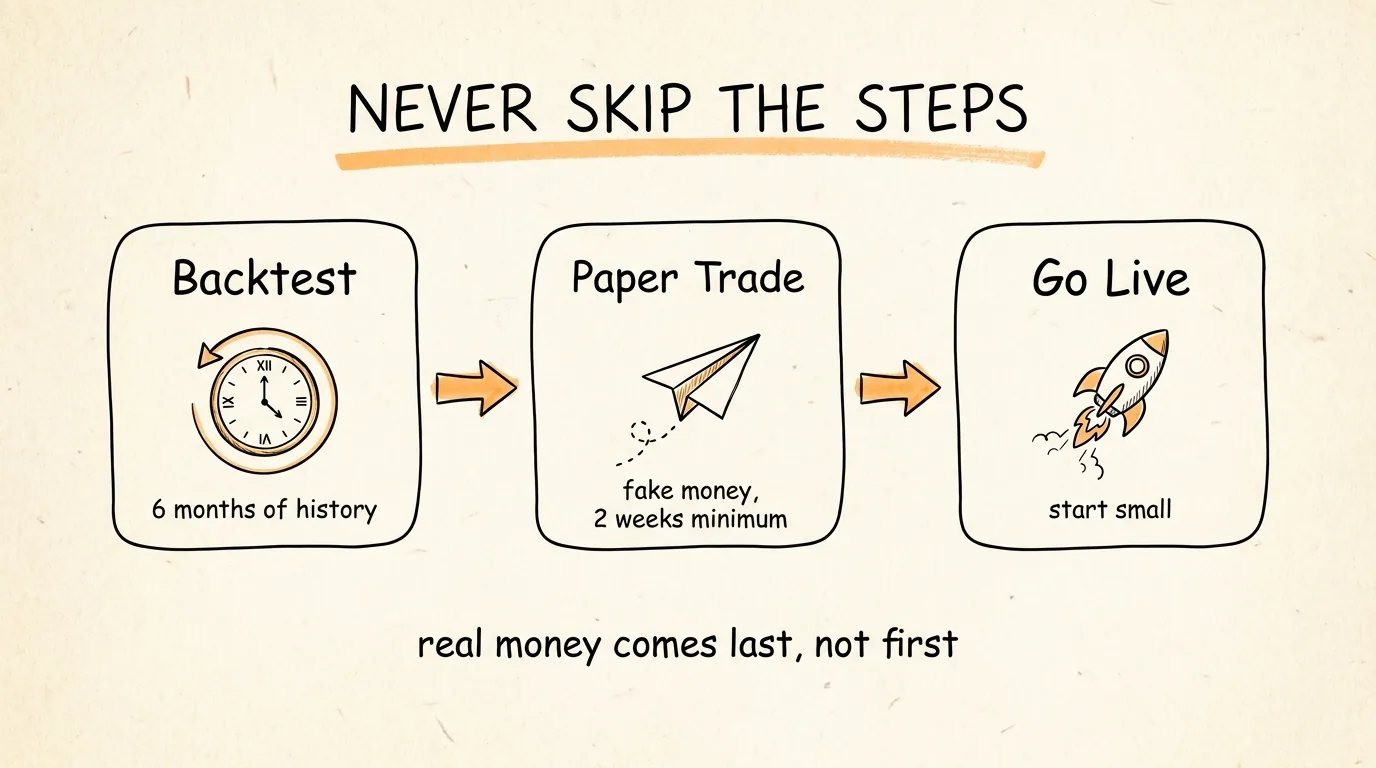
Never run a trading bot on real money without backtesting it first. This prompt builds a backtesting system for the bot:
"Now build a backtesting module at bot/backtest.py that tests all 3 strategies against historical data.
Requirements: Pull 6 months of historical data from Alpaca for all 5 instruments at their respective timeframes (15-min for SPY and QQQ, 1-hour for BTC/USD, 4-hour for GLD and USO). Run each strategy against the historical data simulating real trading conditions. Include realistic slippage of 0.05% per trade and commission of $0 (Alpaca is commission-free). Track and report for each instrument: Total trades, win rate, average win, average loss, profit factor. Maximum drawdown (the largest peak-to-trough decline). Sharpe ratio. Total return. Also report the combined portfolio performance with the correlation filter active. Generate an equity curve chart saved as backtest_results.png. Print a summary table at the end.
If any strategy has a negative Sharpe ratio over the 6-month backtest, flag it so I know which parameters to adjust."
Review the backtest results carefully. If any strategy has a negative Sharpe ratio or a maximum drawdown over 15%, adjust the parameters before going live. The backtest tells you whether the logic works before you risk anything.
STEP 3: PAPER TRADE FIRST
Once the backtest looks good, run the bot on Alpaca's paper trading environment. Paper trading uses fake money with real market data so you can verify the bot works in real-time conditions without any financial risk.
In your .env file, use your Alpaca paper trading API keys:
ALPACA_API_KEY=your_paper_trading_key ALPACA_SECRET_KEY=your_paper_trading_secret ALPACA_BASE_URL=https://paper-api.alpaca.markets
Run the bot and let it paper trade for at least 2 weeks. Watch the trades.csv and daily_pnl.csv files to verify:
The bot is entering and exiting at the right times. Position sizes are correct and scale with volatility. Stop losses are triggering at exactly 1% of equity. The correlation filter is preventing doubled-up risk-on positions. The bot handles market open, market close, and overnight sessions correctly.
Do not skip this step. Two weeks of paper trading catches issues that backtesting cannot, like API latency, order fill problems, and edge cases during high-volatility events.
STEP 4: SET UP DAILY BRIEFINGS WITH CLAUDE COWORK
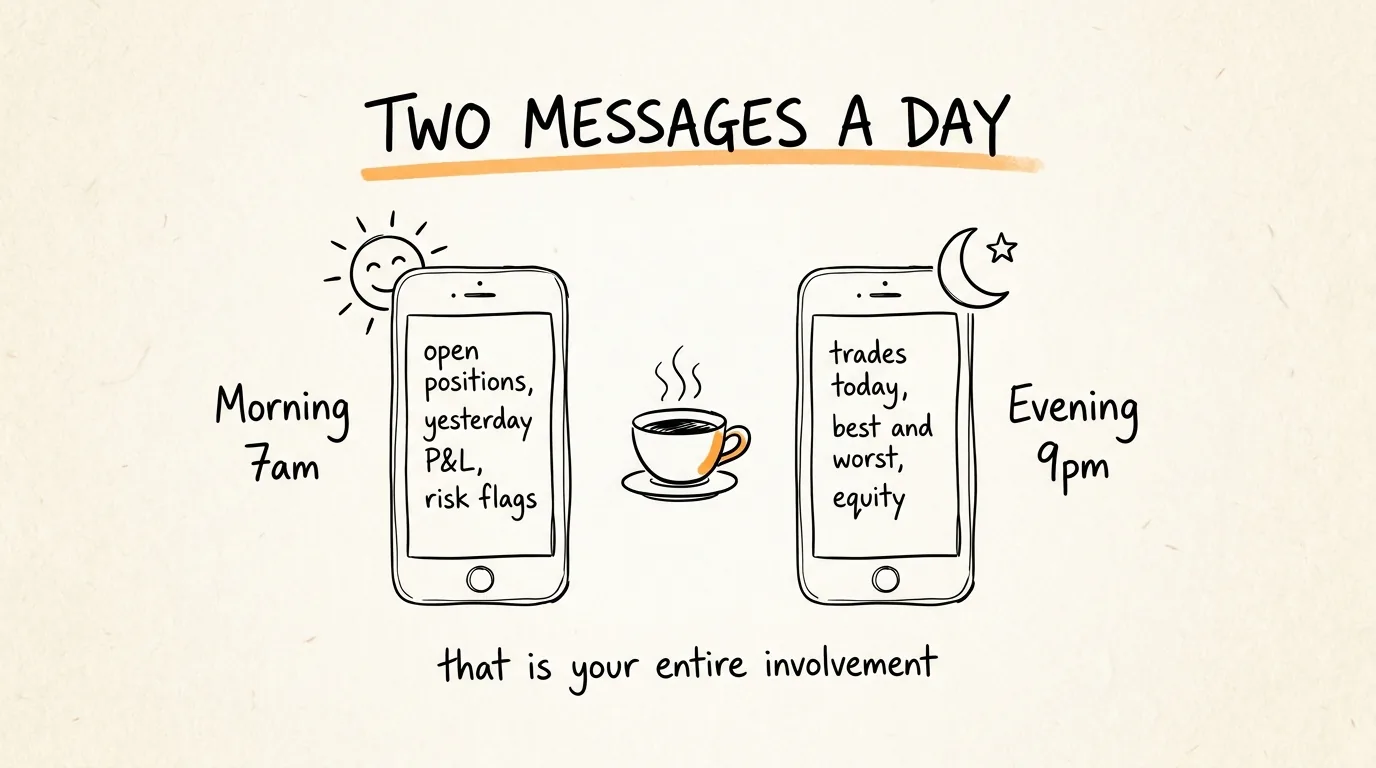
This is what makes the system hands-off. Instead of watching the bot all day, Claude Cowork sends you two messages.
Morning briefing prompt (set to run at 7am daily):
"Read the daily_pnl.csv and trades.csv files from my trading bot. Also check the current positions in the Alpaca portfolio.
Generate a morning market briefing that includes: Current open positions across all 5 instruments with entry prices and unrealized P&L. Yesterday's total P&L and the P&L for each instrument individually. Any notable market conditions: is VIX elevated, are indices trending or ranging, is crypto showing unusual volume. The bot's win rate over the last 7 days. Any risk flags: is any single position approaching the 1% stop, is the correlation filter currently blocking new trades, is total portfolio drawdown above 5% from peak.
Keep it under 200 words. Send to Telegram."
Evening performance report prompt (set to run at 9pm daily):
"Read today's entries in trades.csv and the updated daily_pnl.csv.
Generate an evening performance report that includes: Total trades executed today and on which instruments. Today's total P&L in dollars and as a percentage of equity. Best trade and worst trade of the day with details. Current equity balance. Whether the bot is on track with the backtest expectations or if performance is diverging. Any trades that hit the stop loss and whether the stop worked correctly.
Keep it under 200 words. Send to Telegram."
Set both of these as Claude Cowork routines so they fire automatically every day. You read the morning message with your coffee. You read the evening message before bed. That is your entire involvement. If something looks off in the reports you can check the logs. Otherwise the bot runs itself.
STEP 5: GO LIVE (ONLY AFTER PAPER TRADING SUCCEEDS)
After 2 or more weeks of successful paper trading where the bot is performing in line with the backtest results, you can switch to live trading.
Switch your .env to use your live Alpaca API keys:
ALPACA_API_KEY=your_live_key ALPACA_SECRET_KEY=your_live_secret ALPACA_BASE_URL=https://api.alpaca.markets
Start with a small account. The minimum for Alpaca is $0 but start with whatever amount you are comfortable losing entirely. This is not guaranteed money. The 1% risk per trade means on a $10,000 account you risk $100 per trade maximum.
Run the bot on a VPS so it stays online 24/7. A $5 to $10 VPS from DigitalOcean works. Set up a process manager like PM2 or systemd to restart the bot automatically if it crashes.
THE RISK MANAGEMENT RULES
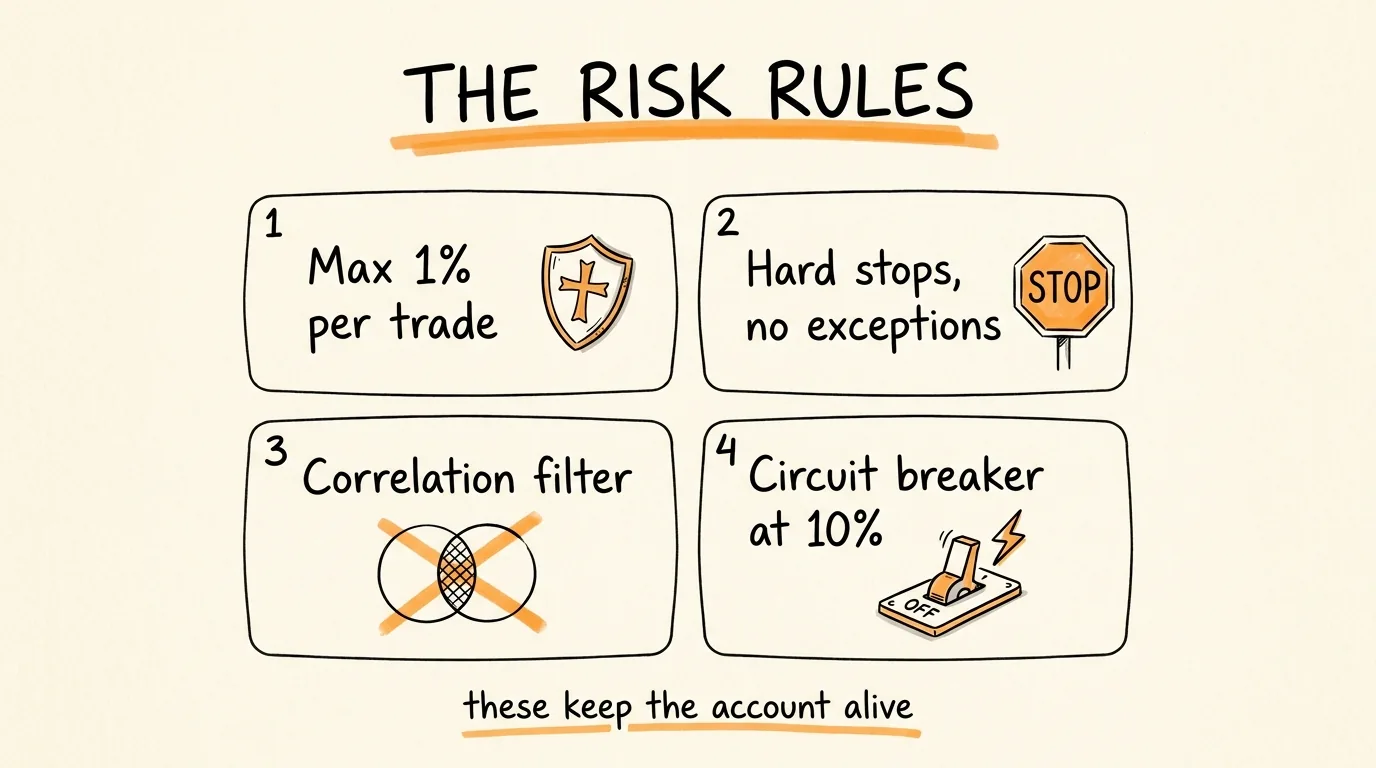
These rules are non-negotiable and they are what keep the bot from blowing up an account:
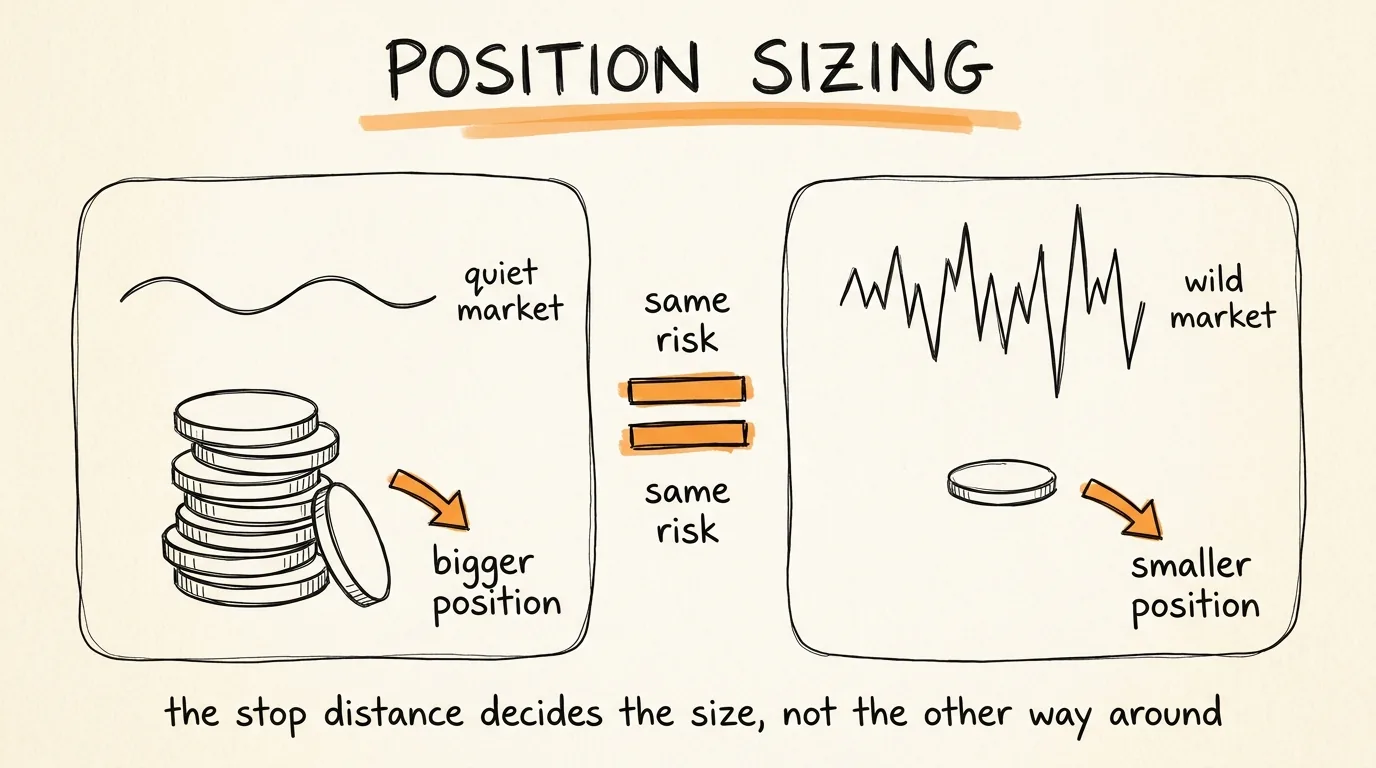
1% max risk per trade. Every single trade risks no more than 1% of total account equity. This is enforced through ATR-based position sizing where the stop loss distance determines the position size, not the other way around.
ATR-based position sizing. A quiet day on gold gets a larger position. A volatile day on Bitcoin gets a smaller position. Risk stays constant in dollar terms even when volatility changes dramatically between instruments.
Correlation filter. If SPY and QQQ are both already long, the bot will not open a long position on BTC/USD. This prevents piling into correlated risk-on trades and accidentally doubling your real exposure.
Hard stops with no exceptions. Every trade has a predetermined stop loss. The bot never moves a stop further away. It never removes a stop. It never "gives it room." The stop is set when the trade opens and it does not move.
Maximum portfolio drawdown. If total equity drops more than 10% from its peak, the bot closes all positions and stops trading until you manually review what happened. This is the circuit breaker that prevents catastrophic losses.
WHAT THIS COSTS TO RUN
Alpaca Markets: Free (commission-free trading, free paper trading) Claude Fable or Sonnet: $20/month Claude subscription or pay-per-token via API VPS for 24/7 operation: $5 to $10/month Market data: Free through Alpaca's included data feed Claude Cowork for daily briefings: included in Claude subscription
Total monthly cost: roughly $25 to $30/month.
IMPORTANT DISCLAIMERS
This guide shows you how to build a trading bot. It does not guarantee you will make money. Trading is inherently risky and the majority of retail traders lose money.
The strategies described here are simplified educational examples. Real quantitative trading firms spend years refining strategies with teams of PhDs and millions of dollars in infrastructure.
Always paper trade for at least 2 weeks before using real money. Always start with an amount you can afford to lose completely. Always monitor your bot daily through the briefing system. Never increase position sizes or remove stop losses. Never trade with borrowed money.
The $3K/month figure referenced in the video is one person's reported result and is not typical. Your results will depend on market conditions, account size, strategy parameters, and execution quality.
You just read the full playbook. Most people will close this tab and never implement it. The ones who do usually hit a wall around the technical setup and quit.
Inside the Skool, I walk you through the exact build step-by-step, troubleshooting your setup live in the community.
If you want the shortcut instead of the long way around: