
How to Build a Personal Jarvis with Claude
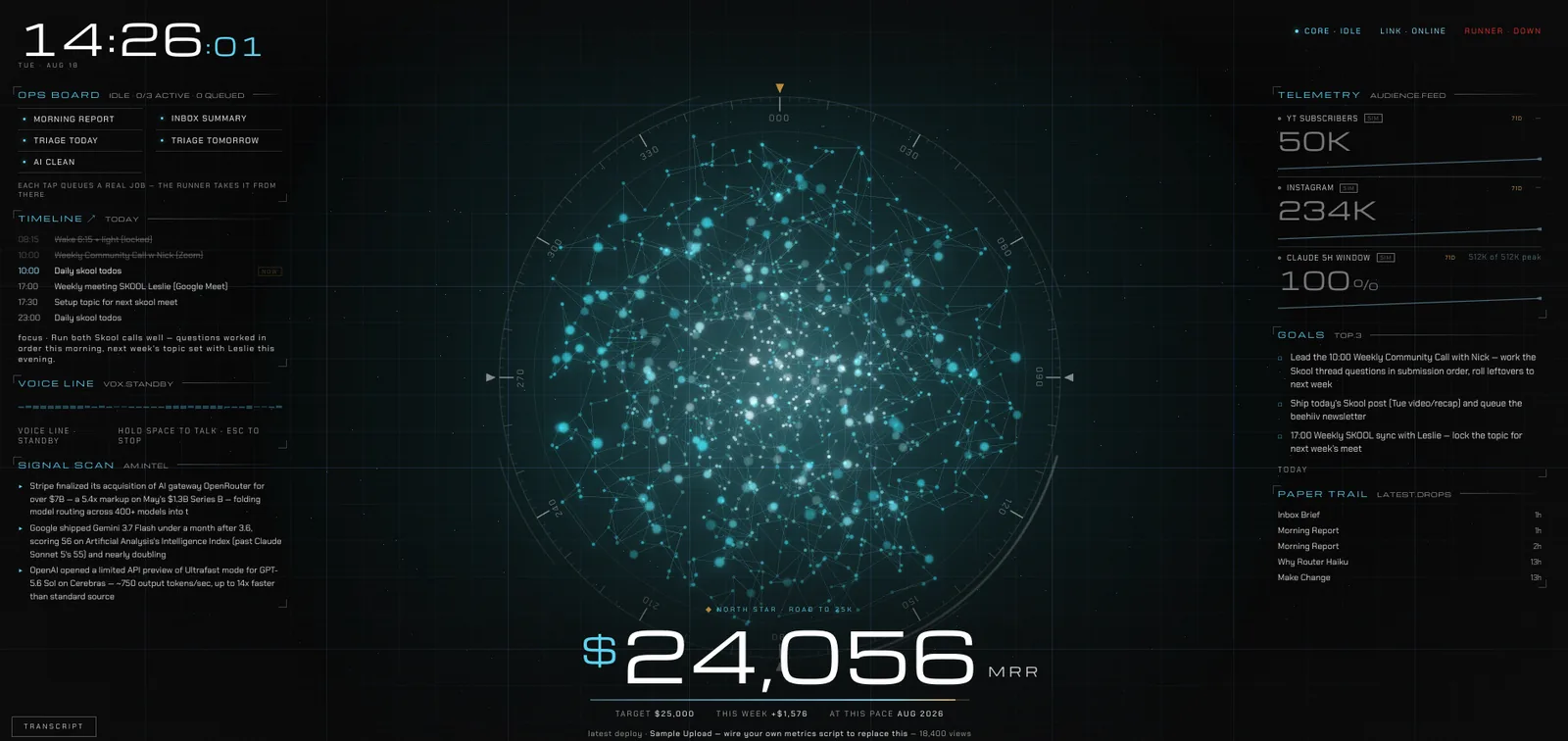
You are going to build a personal AI assistant that tracks your revenue, handles your email, publishes your content, and tells you what to focus on every morning. It has a mission control screen you talk to out loud, and three agents behind it: a Scout that gathers intelligence, an Operator that does the work, and an Advisor that tells you what actually matters.
If you want my completed JARVIS setup, I'm launching it in my Skool. Join now 15% off! Membership price returns back at 190 members → skool.com/raycfu
What You Need
Claude Design for the interface, Claude Code to refine it, and Claude voice mode or Whispr Flow so you can talk to it. Then the connectors for whatever your business actually runs on: Gmail for email, Buffer for publishing, RevenueCat for app revenue, Meta Ads for ad spend, and Claude in Chrome for any dashboard that has no connector. Add ElevenLabs at the end if you want the British Jarvis voice.
Do not connect all of these on day one. Connect the two that hold your most important numbers and add the rest as you go.
Step 1: Build Mission Control
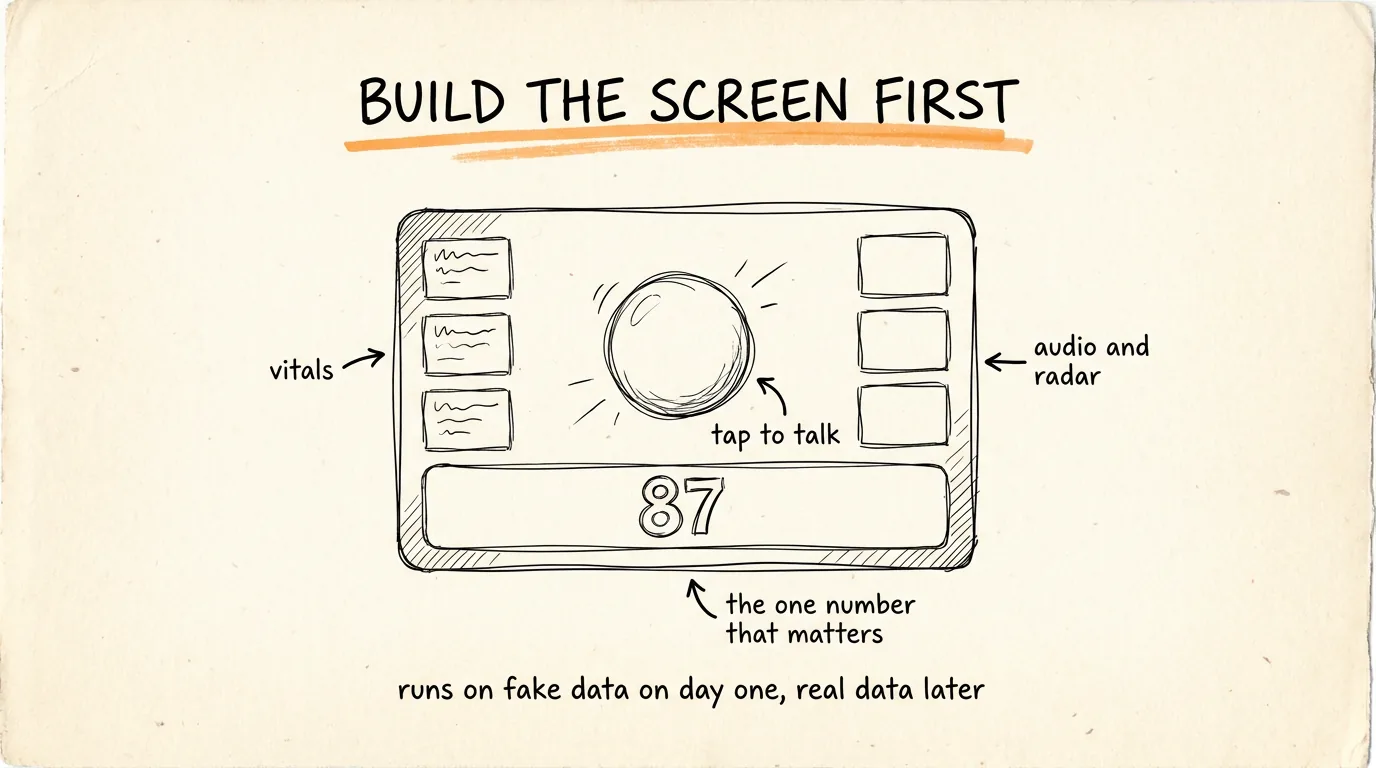
Everything Jarvis does gets reported back to one screen. This is the part people skip, and it is the reason most personal AI setups die after a week, there is nowhere to look.
Open Claude Design, attach a reference image of the HUD look you want, and paste this:
Build me a single-page JARVIS mission control dashboard. Match the attached reference: an Iron Man style HUD on a deep navy background, everything drawn in glowing cyan-blue line work with soft outer glow, all text in a small technical monospace font in uppercase, thin 1px borders on every panel, subtle grid lines across the background, and gentle scanline shimmer so the screen feels alive.
Header, top left: "J.A.R.V.I.S." with the subtitle "JUST A RATHER VERY INTELLIGENT SYSTEM", and under it an objective line reading "OBJECTIVE: [YOUR CURRENT GOAL]". Next to it, four small status pills: ONLINE, SECURE, ENCRYPTED, AUTO-LVL8, each with a tiny dot indicator. Top right: a large live clock with hours, minutes, seconds and hundredths ticking in real time, plus the date and a session ID.
Center: a large rotating sphere made of hundreds of small glowing particles, slowly spinning in 3D, surrounded by two concentric HUD rings with tick marks and slowly rotating arc segments. The orb pulses brighter when the assistant is speaking or processing.
Left column: a SYSTEM VITALS panel with six animated bars, and below it a TELEMETRY panel with an auto-scrolling log feed that adds a new line every few seconds.
Right column: a PROXIMITY panel with a small radar sweep, an AUDIO I/O panel with a live waveform that animates while listening or speaking and goes flat when idle, and a DIAGNOSTICS panel with a second scrolling log.
Bottom center: the PRIMARY OBJECTIVE card. A big target number on the left, a current value counter next to it that counts up when it changes, a segmented progress bar underneath, and a stat row with the key numbers for my business, plus PROGRESS percent, STATUS, and an ETA.
Functionality: clicking the orb or holding spacebar starts listening using the browser's speech recognition. My words appear in the telemetry feed, and the assistant answers both as text under the orb and read aloud with speech synthesis, orb pulsing while it talks. Include a small text input at the bottom as a fallback.
Structure every number on the dashboard in one central mock data object at the top of the file, clearly commented, so I can wire each field to a real source later without redesigning anything.
Add a MORNING BRIEF mode: a button that makes the assistant deliver a spoken briefing built from the data object, then its top 3 recommendations for the day.
On load, run a short boot animation where the panels flicker on one by one, then greet me. Keep everything on one screen with no scrolling on a laptop. Output one self-contained HTML file with all CSS and JS inline.
Two deliberate things in that prompt. Every number lives in one commented data object, so today it runs on fake data and demos perfectly, and later you point each field at a real source without touching the design. And the voice layer uses the browser's built-in speech recognition and synthesis, so it genuinely talks with zero setup.
Then load the file into Claude Code to refine it, and turn on voice mode in Claude or Whispr Flow so you can talk to it instead of typing. If you want the British Jarvis voice specifically, connect ElevenLabs and pick a British accent voice.
Step 2: The Scout, Your Intelligence Agent
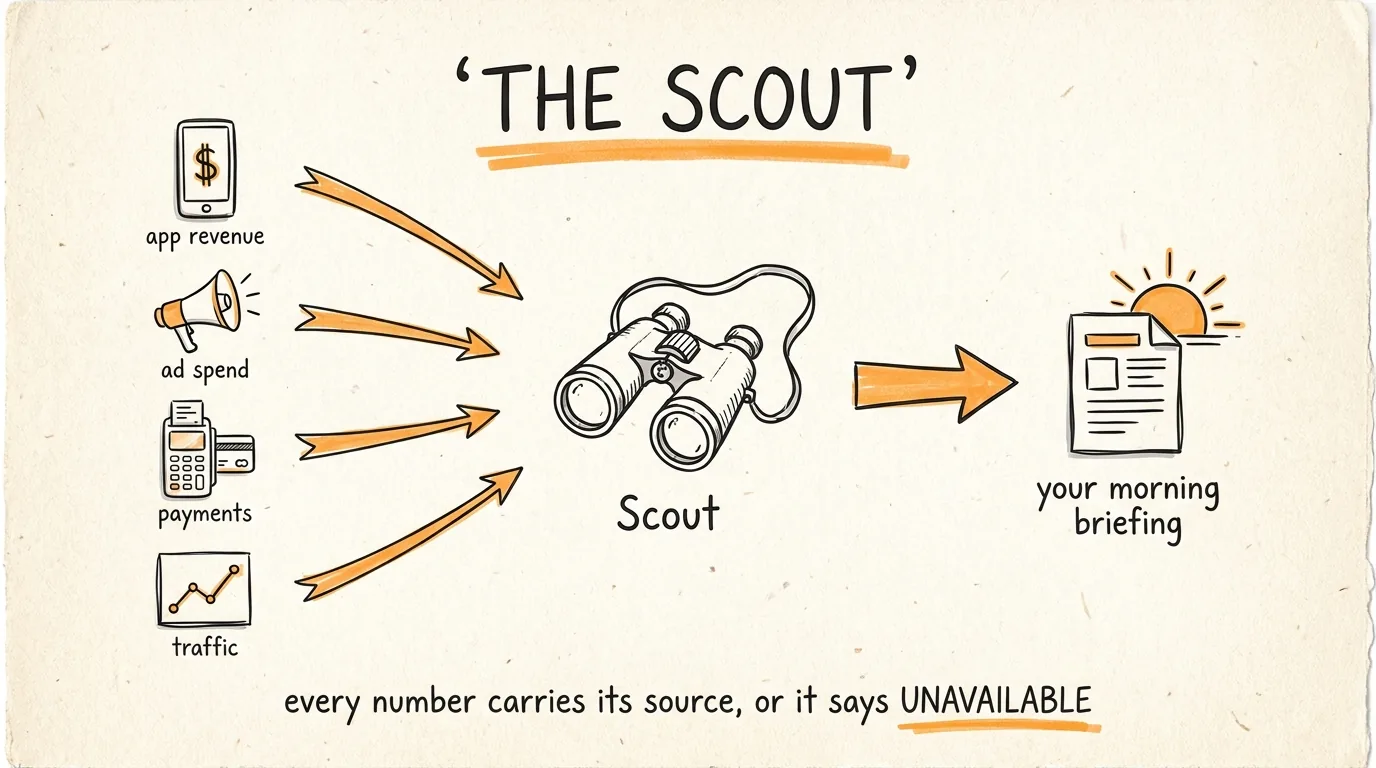
The Scout's only job is gathering. Every morning it checks everything and builds your briefing before you wake up.
Connect what it needs to read: RevenueCat for app revenue and subscriptions, Meta Ads for spend and return on ad spend, and Claude in Chrome for anything without a connector, like pulling numbers off your Stripe dashboard.
Set this up as a Claude routine that runs every morning:
You are my Scout. Your only job is gathering intelligence about my business. You never take action and you never make changes.
Every morning, collect and report:
- Revenue: yesterday's revenue, month to date, and how that compares to the same point last month. Include new subscriptions, cancellations, and net change.
- Ads: yesterday's spend, return on ad spend, and which specific creative or angle performed best and worst.
- Traffic and product: signups, active users, and anything that moved more than 20 percent from its normal range.
- Anything I need to know: failed payments, unusual spikes or drops, a metric hitting a threshold I set.
Rules: every number gets its source and the date it came from. If a source is unavailable or a number cannot be verified, write UNAVAILABLE rather than estimating it. Never mix a projection with a real figure without labeling it. Report only, no advice, that is the Advisor's job.
Keep the whole report under 300 words and put anything urgent at the top. Write it to my mission control data file when you are done.
That UNAVAILABLE rule matters more than it looks. A briefing with one invented number is worse than no briefing, because you will act on it.
Step 3: The Operator, Your Worker
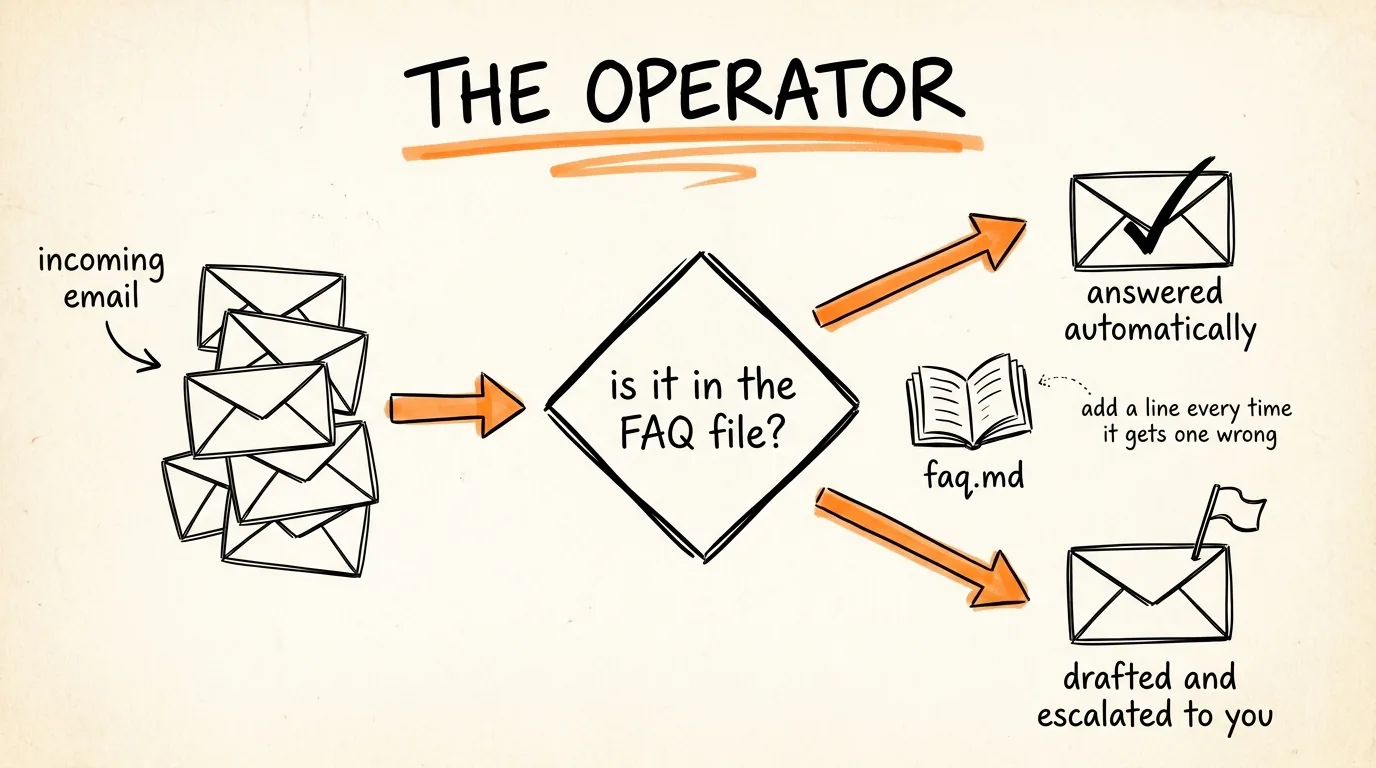
The Operator handles the work that does not need you. This is where the hours come back.
Connect Gmail so it can read customer email, and Buffer so it can publish across every platform in one command.
First, build its knowledge. Create a markdown file called faq.md with every question your customers ask repeatedly and the exact answer you would give, in your voice. This one file is what lets the Operator resolve the large majority of support on its own, and every time it gets something wrong, you add a line to this file instead of fixing the same thing twice.
Then the Operator prompt:
You are my Operator. You handle work that does not need my judgment, and you draft anything that does.
Email, every few hours: read new customer emails and sort them. If the answer is in faq.md, reply directly using that answer in my voice. If it involves a refund, a complaint, a legal question, a price negotiation, or anything not covered in faq.md, do not reply, draft a response and flag it for me with one line on why it needs me.
Publishing: when I approve content, publish it across my platforms with Buffer and confirm what went where.
Delegation: when something needs real work rather than a reply, hand it to the right sub-agent rather than attempting it yourself.
Rules: never send anything about money, refunds, or legal matters without my approval. Never invent a policy, a price, or a delivery date, if it is not in faq.md, escalate. Never promise a timeline on my behalf. At the end of each run, report what you resolved, what you drafted, and what you escalated.
Then build your sub-agents. The Operator does not do specialist work itself, it delegates. Define each one with its own skills and connectors, for example a developer sub-agent for code tasks, and the main agent routes to whoever fits. Each sub-agent gets its own job description the same way you wrote the Operator's.
The line that keeps this safe is the escalation rule. An assistant that guesses at a refund policy will cost you a customer, and one that escalates costs you 30 seconds.
Step 4: The Advisor, Your Chief of Staff
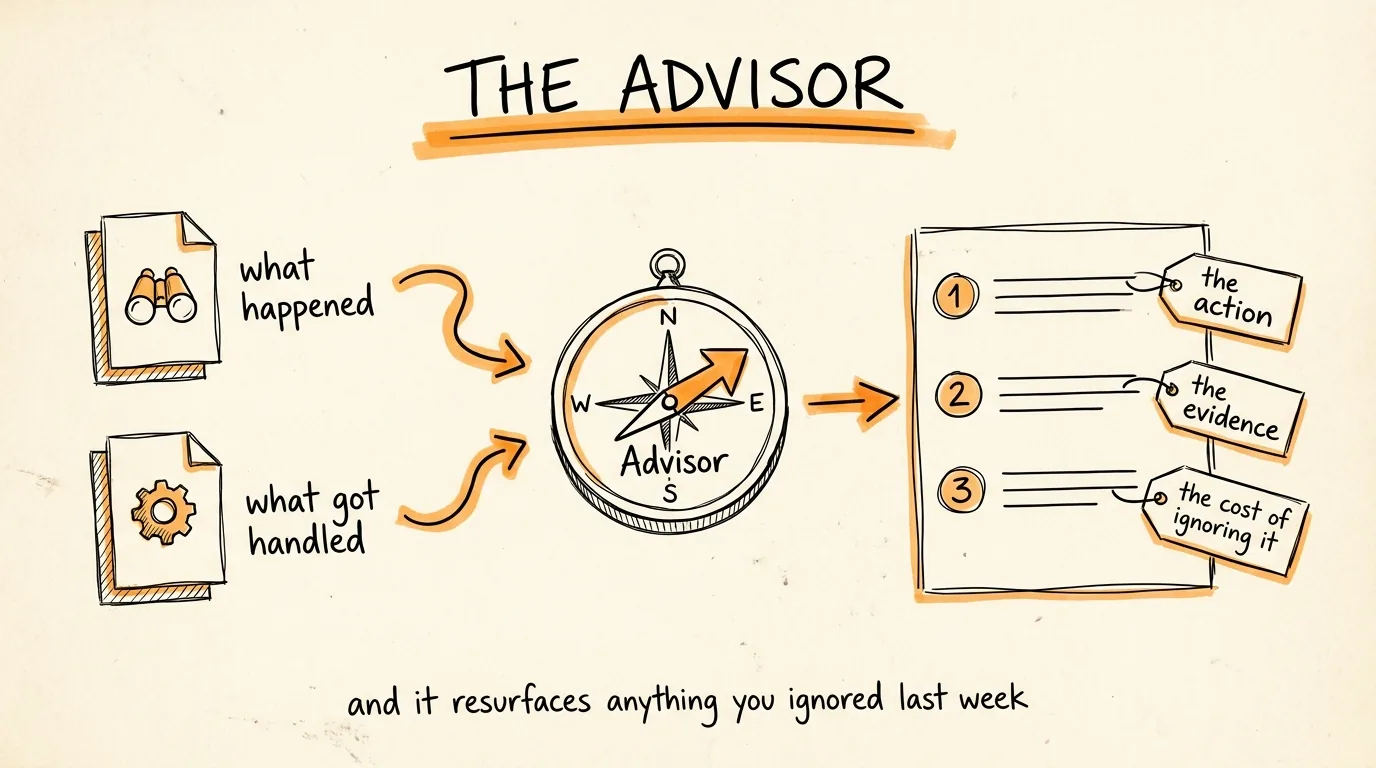
The Scout tells you what happened. The Operator tells you what it handled. The Advisor is the one that reads both and tells you what to actually do.
Run this as a routine right after the Scout:
You are my Advisor. You read everything the Scout gathered and everything the Operator handled, and you tell me what to focus on today.
Produce exactly three recommendations, ranked, each with: the action in one sentence, the specific evidence from today's data that led to it, and what happens if I ignore it this week.
Prioritize in this order: anything blocking revenue or a release, anything that is working better than expected and deserves more resources, anything degrading that will get expensive if left alone.
Rules: recommend actions I can start today, never vague advice like "improve retention." Point at the specific ad, the specific PR, the specific customer. If the data does not support a strong recommendation, say the day looks routine rather than inventing a priority. Never recommend something based on a number the Scout marked UNAVAILABLE.
End by listing anything you recommended in the last 7 days that I have not acted on.
That last line is the whole difference between a briefing and a system that improves. Recommendations you ignore either need doing or need retiring, and having them resurface forces the decision.
The Order to Build This In
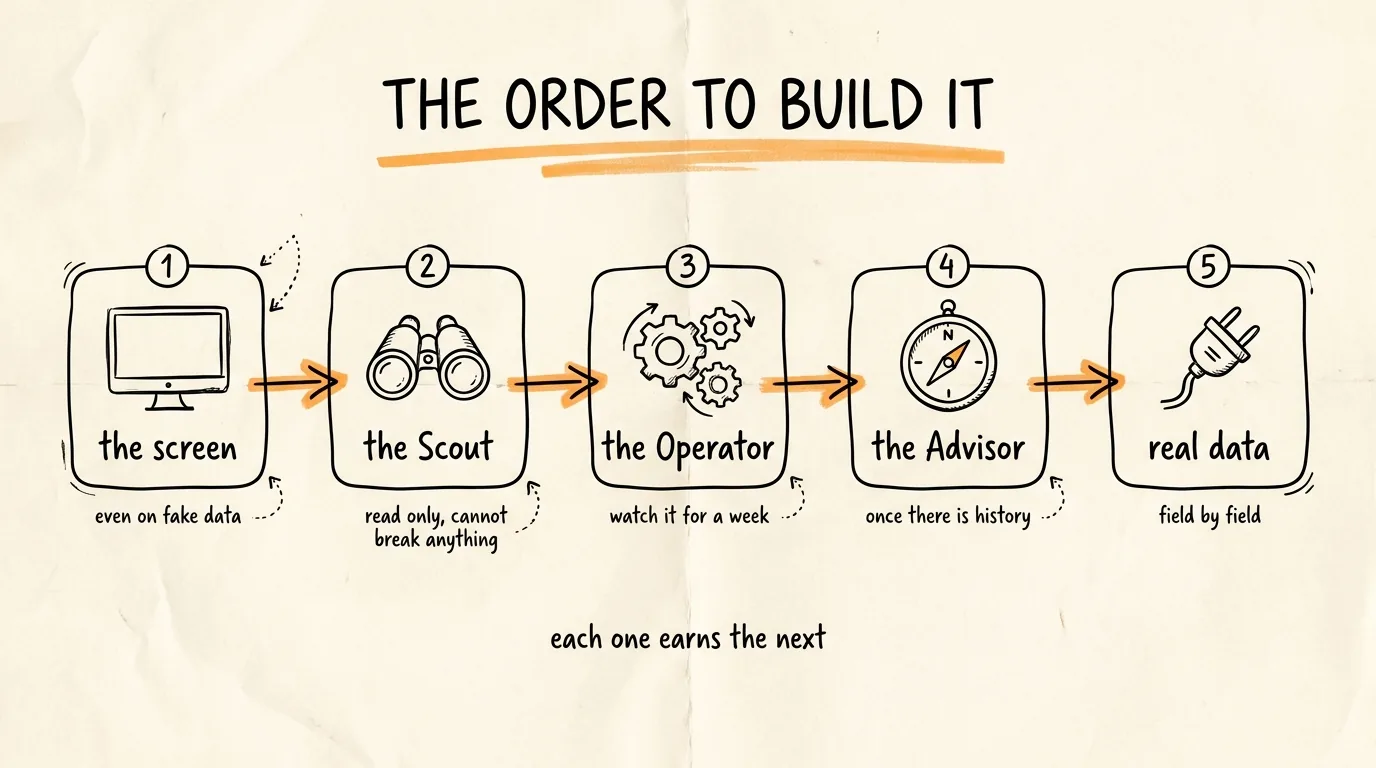
Build mission control first, even running on fake data, because a system you can see is a system you keep using.
Then the Scout, because it is read-only and cannot break anything, which makes it the safest place to learn how routines behave.
Then the Operator, and watch every single thing it drafts for the first week before you let it send anything on its own.
Then the Advisor, once the Scout has enough history to give it something real to reason about.
Then wire mission control to the real data, replacing your mock data object field by field.
One agent at a time, and each one earns the next.
The Rules That Keep It Safe
Nothing sends, spends, or publishes without you until it has earned it. Drafts first, always, and promote an agent to autonomous only on the specific task types you have watched it get right repeatedly.
Every number carries its source and date, and anything unverifiable is labeled rather than estimated.
The FAQ file is the boundary. If the answer is not in it, the Operator escalates instead of improvising, and you add the line afterward so it never escalates that one again.
Read the Advisor's recommendations even on the days you do nothing with them. The moment you stop reading, you have a very expensive screensaver.
The Recap
Build the mission control screen with Claude Design and give it a voice. Add the Scout to gather your numbers every morning. Add the Operator to handle email and publishing, with an FAQ file as its brain and escalation as its safety net. Add the Advisor to turn all of it into three ranked actions a day. Then connect the real data and let it run.
Don't want to figure this out alone? I walk members through every step inside the community. Join the Skool → skool.com/raycfu