
How to Reverse Engineer Anything With Opus 5.5
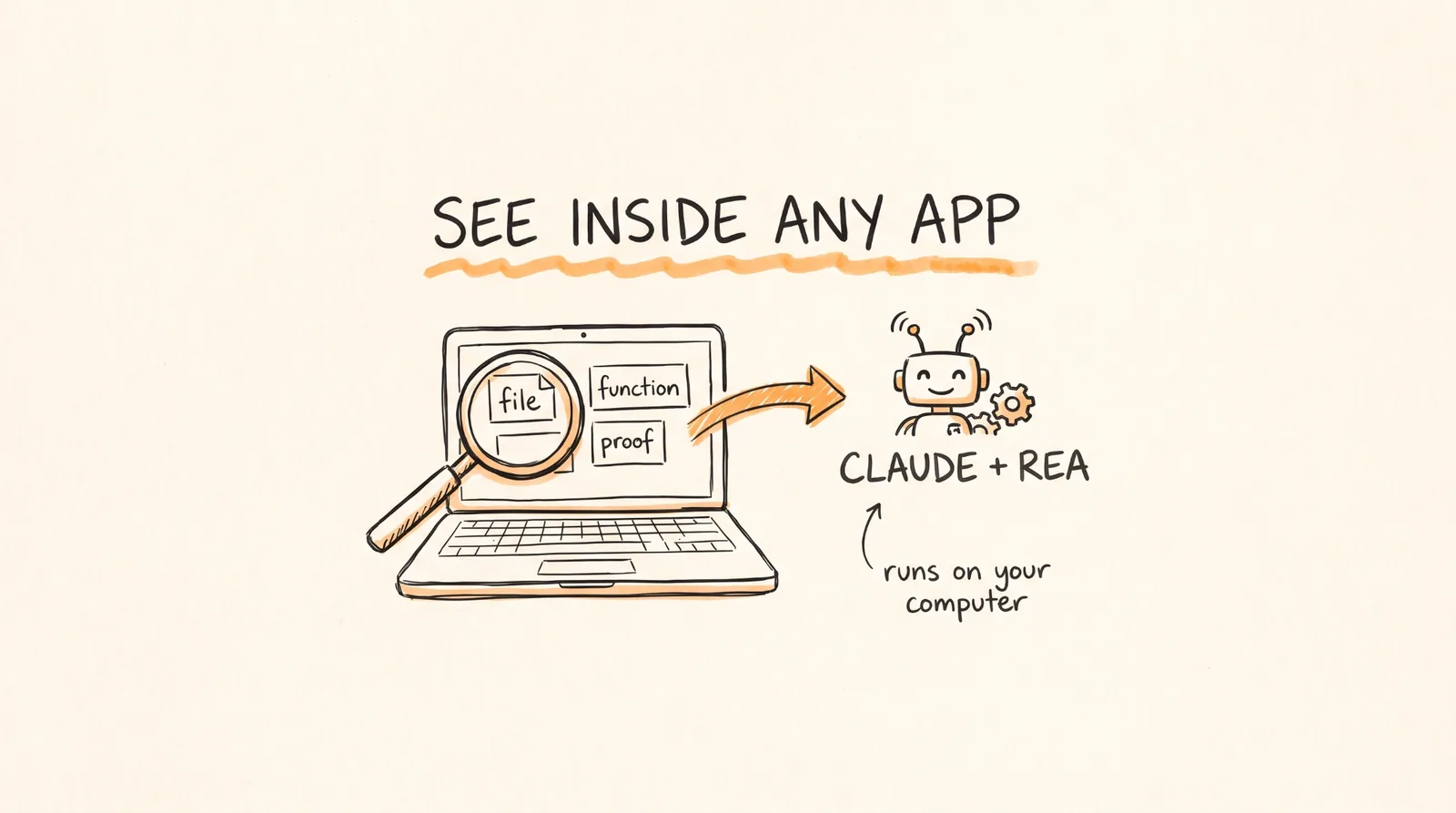
REA is being called the most dangerous thing on the internet right now, and 99% of people have no idea how to use it. You pay every month for apps like motion design tools, Office, TradingView, and your notes app, and all of it is just code sitting on your computer. Every company is betting on one thing: that you'll never look inside.
Now one open source repo called REA lets Claude Code running Opus 5.5 take almost any app apart and tell you exactly how a feature works, with proof. When it dropped, it was everywhere for 3 days straight. People were posting "Software is done" and "Closed source is dead." Most people saw the screenshots, bookmarked them, and never tried it. In this guide I'll show you how to install it, run your first investigation, use it every day, and stay on the right side of the law.
Don't want to figure this out alone? I walk members through every step inside the community. Join the Skool → skool.com/raycfu
What You Need
A Mac, Windows, or Linux computer. Windows support is still experimental and read-only.
Node.js version 22.19 or newer, 24.11 or newer, or 26 and up. Versions 23 and 25 don't work. Step 4 shows you how to check.
An AI coding agent. I use Claude Code, which needs a paid Claude plan. Codex, Cursor, Gemini CLI, and OpenCode work too.
About 5 minutes for the install and 2 minutes for your first test. Everything else is optional depending on what you want to read.
Step 1: Understand What Reverse Engineering Actually Is
Reverse engineering sounds scary but it's simple. You look at a finished app and figure out how it works inside without having its source code. The goal is to understand a feature well enough to explain it, change it, or build your own version.
REA, short for Reverse Engineer Anything, lets your AI agent do the hard part. Its official tagline is "See a feature you like. Understand how it works, down to the binary level." Under the hood it's an MCP server plus a command line tool. MCP is just the standard way AI agents plug into outside tools. It runs entirely on your computer, so your apps never get uploaded anywhere. And every answer comes with evidence: the function, the file, the call, and what's still unknown.
Here's the example from REA's own site. Why does Windows Calculator show 220 when you type 200 + 10%? Without REA you'd trace the code by hand for hours. With REA you just ask. The answer: after a plus sign, the % button takes a percentage of the first number, so 10% of 200 is 20, and 200 + 20 = 220. After a times sign, 10% just becomes 0.1.
Another one: why does the Chrome dinosaur game speed up? The speed starts at 6, adds 0.001 every update, and stops at 13. You don't read the code. You ask a question and you get the rule.
REA is free and open source under the MIT license, built by a developer called morluto. The first release came out on July 12, 2026, and three months later it had over 100,000 GitHub stars. It was October's most trending repo on GitHub, picking up 25,000 stars in a single day.
Step 2: Know What REA Can Read
Here's REA's official list in normal words.
Desktop apps built with JavaScript, which includes Notion, Slack, Discord, Obsidian, and a ton more. Nothing extra to install.
Websites, including the page structure, scripts, and network requests. You need a Chrome-family browser.
Saved network traffic, called HAR files, that you export from your browser.
Programs and games like .exe files, Mac apps, and old DOS games. You need a reading engine like Ghidra, Hopper, or IDA, which I cover in step 6.
.NET apps, with no extra tools.
Android apps, which need Java and a tool called JADX.
Smart contract code from crypto tokens, on Linux only for now.
Firmware, WebAssembly, Go programs, and more.
Here's the part almost nobody talks about. A lot of Unity games ship their game logic as .NET code, and REA reads .NET with nothing extra. One person on X took a Steam game he already owned and had it fully decompiled to C# and opened in Unity in under 30 minutes, using Opus 5.5 on medium reasoning. The agent did the whole job.
Step 3: Know Where the Legal Line Is
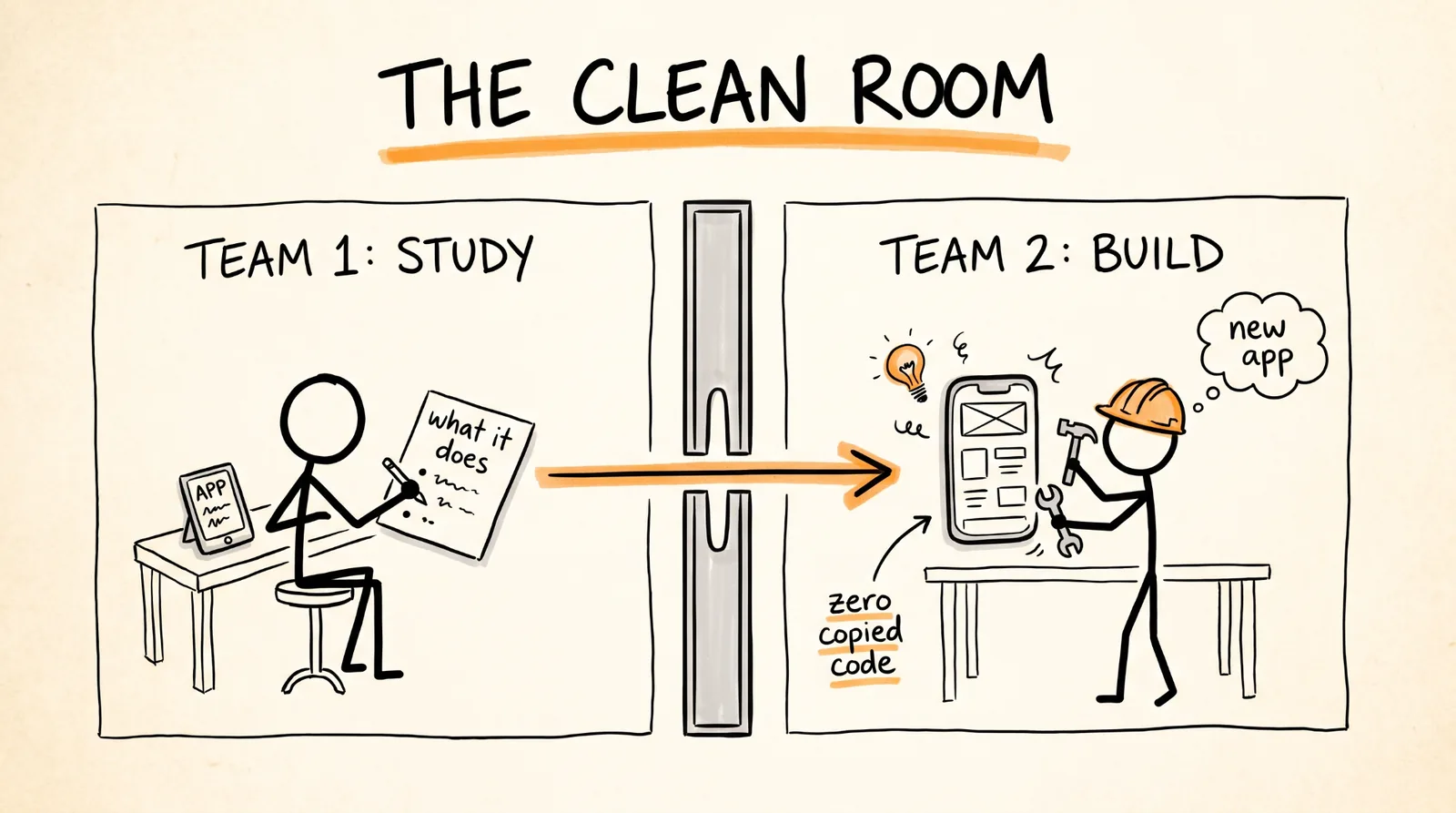
When REA went viral, half the internet yelled "piracy" and the other half yelled "software is dead." Chamath even said on the All-In podcast that people had decompiled the whole Adobe suite. That clip got a community note on X: the Adobe alternatives weren't decompiled. Their developer calls them clean-room reimplementations. That one note explains the whole legal game.
Clean room design is a 40 year old trick. One team studies the original and writes down what it does. Not the code, just the behavior. A second team builds a new product from that description only, and never sees the original code. The result does the same thing but contains zero of the original's code.
This is how the PC industry started. In the early 80s, Compaq rebuilt IBM's BIOS this way for about $1 million, which is the reason "IBM compatible" computers from other brands exist at all. Courts have backed this kind of work for decades. In 1992, in Sega v. Accolade, the court said taking code apart can be fair use when it's the only way to understand how it works. In 2000, Sony lost to Connectix 3 to 0 because the final emulator contained none of Sony's code.
There's another side too. In 2010 and 2011, hackers broke the PS3's security and published its root key. Sony sued George Hotz, also known as geohot, and in April 2011 he settled and agreed to stop hacking Sony products.
So here's my honest take. Reading an app on your own computer to understand it is learning. Rebuilding a feature from its behavior, in your own code, is how the industry has always worked. Copying their code, cracking paid features, or publishing someone else's decompiled source is what gets you sued. The REA team says the same thing in its own disclaimer: it's for lawful research, education, making tools work together, preserving old software, and software you own or are allowed to look at.
Study the original. Ship your own. That's the rule for everything in this guide.
Step 4: Install REA in 5 Minutes
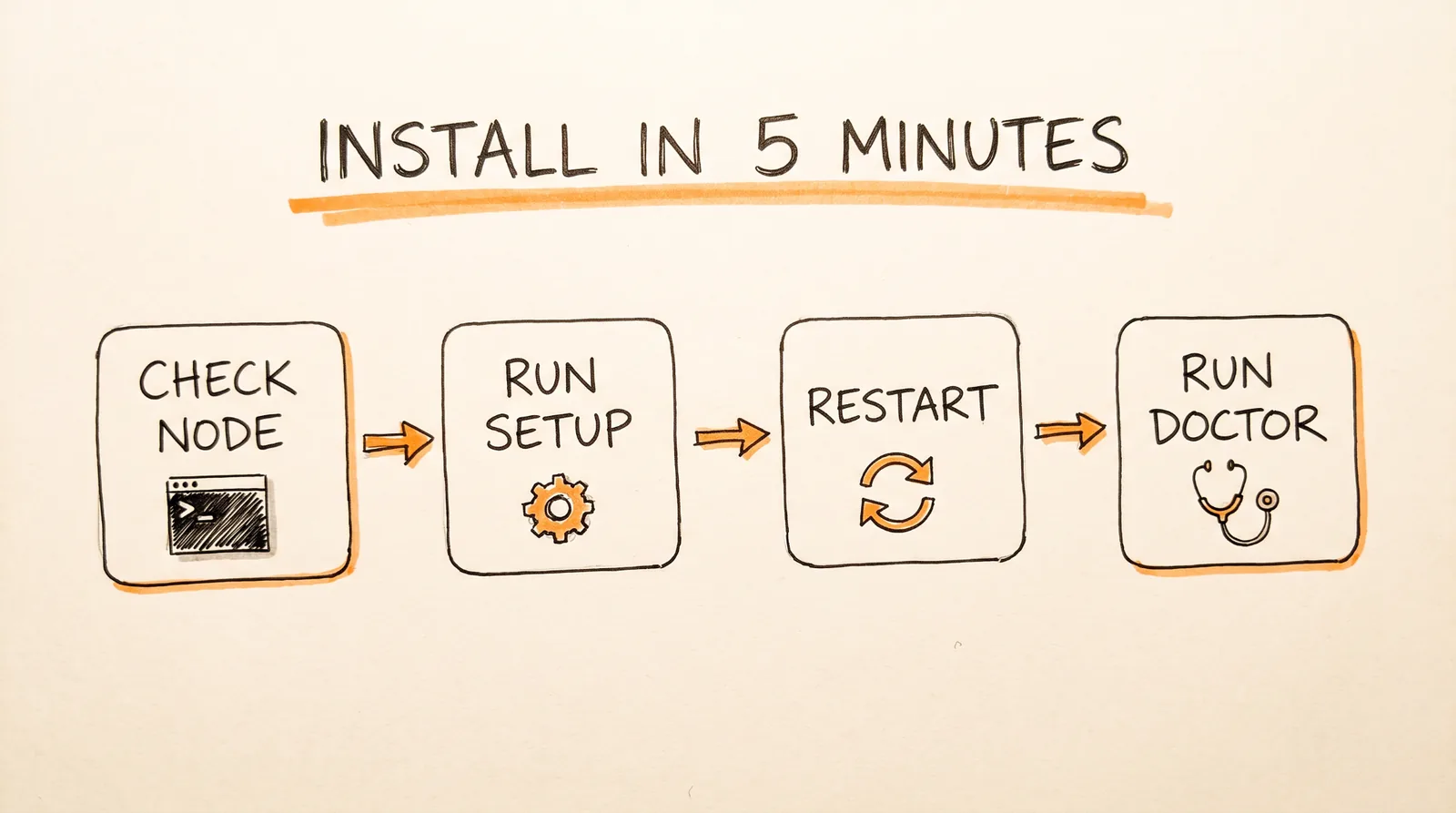
Do this in order.
First, check Node.js. Open your terminal and run:
node -v
npm -v
If you're below the versions in the What You Need section, or it says "command not found," install Node 24.
On a Mac with Homebrew:
brew install node
On a Mac without Homebrew, run this, then close and reopen Terminal:
curl -fsSL https://fnm.vercel.app/install | bash
Then:
fnm install 24
fnm default 24
On Windows, in PowerShell:
winget install OpenJS.NodeJS.LTS
Type Y if it asks, close PowerShell, open it again, and run node -v. If Windows later says "running scripts is disabled," run this once:
Set-ExecutionPolicy -Scope CurrentUser RemoteSigned
Second, run the REA setup. The easiest way is to paste this into Claude Code and let it do everything:
Install REA and connect it to this coding agent using npx rea-agents@latest setup. Show me the setup plan for approval, then verify the installation.
Or run it yourself:
npx rea-agents@latest setup
Here's what happens. npm asks to download the package, and you say yes. REA shows a list of agents, and you pick Claude Code. Then it shows a plan of every change it's going to make, and nothing changes until you approve it. It also backs up your current settings first. It adds the MCP connection plus a matching investigation skill. Setup will also offer to install Hopper, a separate engine for reading programs. It's optional and you can say no for now.
Third, restart your agent. In the terminal, exit Claude Code and start a new session. For desktop apps like Claude Desktop or Cursor, fully quit with Command Q. Just closing the window isn't enough.
Fourth, check that it worked:
npx -y rea-agents@latest doctor --client claude_code --json
The doctor command only checks things, it never changes anything. If something failed, it tells you the next step. Then ask Claude Code "what REA tools do you have?" and it'll list them.
If you want the short rea command available all the time:
npm install --global rea-agents
rea --help
Step 5: Run Your First Investigation in 2 Minutes
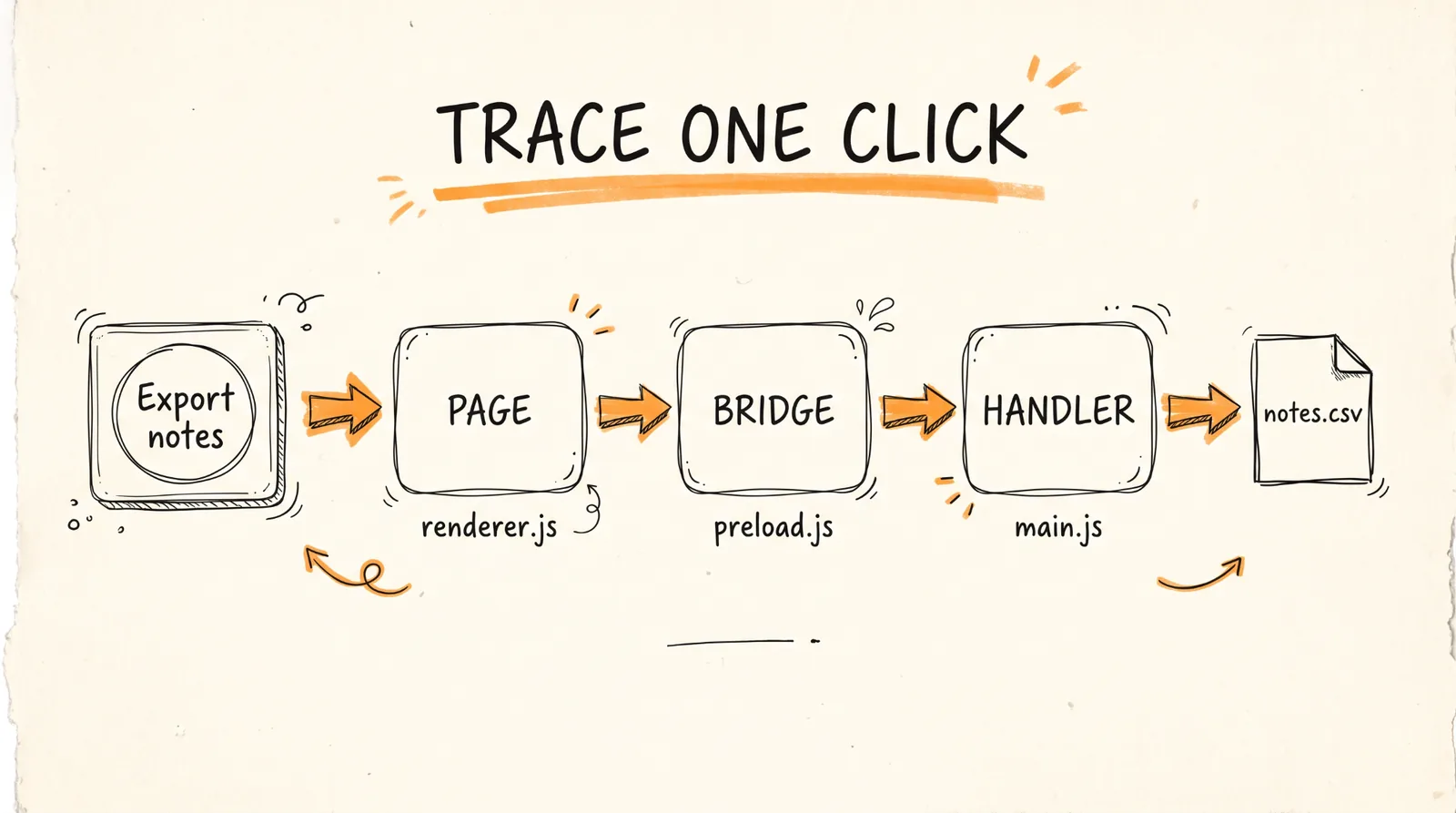
Don't start with something huge. REA has an official practice app for this: a tiny Notes app with an Export notes button. Your job is to find out where the export goes. Paste this into Claude Code:
Download https://rea.tools/examples/notes-example.zip into a new example folder and unpack it. Use REA to find what happens when I click Export notes.
Then ask:
Show where notes.csv is written, which fields it contains, and the relevant files and lines.
You should get back the full path of one click. The page, renderer.js, handles the button. The bridge, preload.js, sends a notes:export message. The handler, main.js, writes notes.csv into your Downloads folder with an id and a title. That's reverse engineering. You just traced a feature through an app you didn't write, and every step came with proof.
Now the fun part. Every JavaScript desktop app on your computer is built the same way, and you know where it lives:
Mac: /Applications/<App>.app/Contents/Resources/app.asar
Windows: C:\Users\<you>\AppData\Local\Programs\<App>\resources\app.asar
Linux: often /opt/<App>/resources/app.asar
On a Mac, right-click the app and choose Show Package Contents to find it. You can analyze it straight from the terminal without even opening the app:
npx -y rea-agents@latest analyze-javascript-application /absolute/path/to/app --json
Tip: on a Mac, hold Option, right-click a folder, and choose Copy as Pathname. Or just drag the folder into your terminal.
Step 6: Add the Right Engine for What You Want to Read
JavaScript desktop apps need nothing more. For everything else, add one engine.
For programs and games, Ghidra is free and was made by the NSA. You need Ghidra 12.1.x and Java (JDK) 21 or newer. On a Mac or Linux:
export GHIDRA_INSTALL_DIR=/absolute/path/to/ghidra_12.1.4_PUBLIC
export JAVA_HOME=/absolute/path/to/jdk-21
npx -y rea-agents@latest doctor --provider ghidra --json
npx rea-agents@latest setup
On Windows PowerShell:
$env:GHIDRA_INSTALL_DIR = "C:/tools/ghidra_12.1.4_PUBLIC"
$env:JAVA_HOME = "C:/tools/jdk-21"
npx -y rea-agents@latest doctor --provider ghidra --json
npx rea-agents@latest setup
Then look at any function in a program:
npx -y rea-agents@latest function /absolute/path/to/program main --provider ghidra --json
Hopper is a paid engine for Mac and Linux with a free demo. Just run setup again and it finds Hopper or offers to install it. Pick demo mode or enter your license the first time you open it. If you already own IDA, REA works with it through an existing IDA MCP setup on Windows.
For Android apps, you need a full JDK 17 or newer plus jadx-headless-mcp version 0.7.1:
export REA_JADX_MCP_JAR=/absolute/path/jadx-headless-mcp-0.7.1-all.jar
rea inspect-android-package /path/App.apk
Websites just need any Chrome-family browser. Smart contracts need Linux on a 64-bit Intel or AMD machine.
REA ships fixes almost every day, so keep it updated with rea update, or by running npx rea-agents@latest setup again. To remove it, run rea uninstall. If your agent stops seeing REA, restart the agent and run the doctor command again.
If you're going deep on Ghidra, LaurieWired also updated GhidraMCP, so it works with the latest Ghidra, runs without opening the app, and you can just load the plugin and start reversing.
Step 7: See What People Already Rebuilt
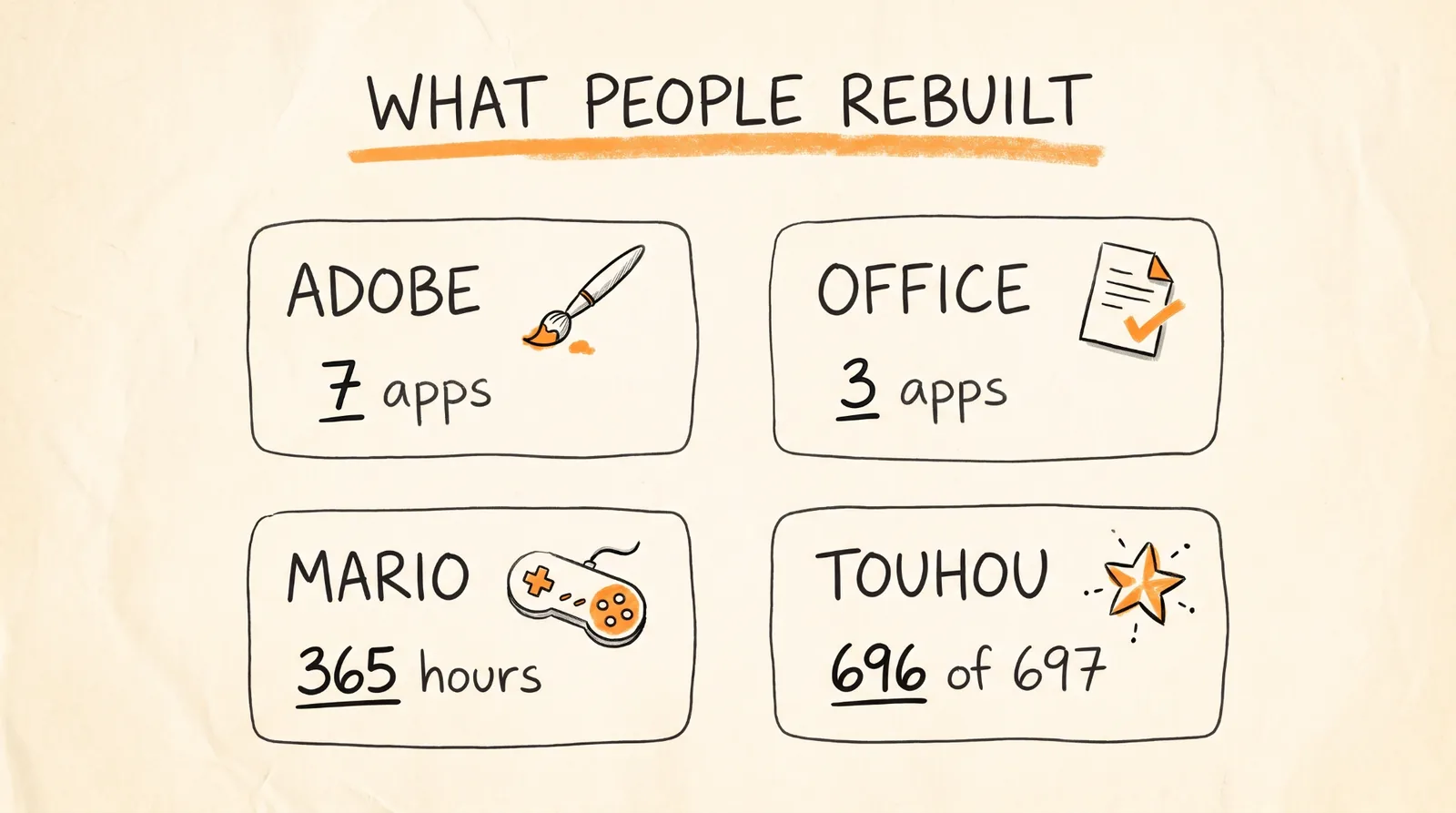
This is where it gets crazy. AI didn't just learn to read software. People are rebuilding whole products the clean room way.
Adobe. A project called ArtCraft rebuilt seven Adobe apps as free, open source alternatives: Photoshop, Illustrator, Premiere, Lightroom, After Effects, InDesign, and Acrobat. They're built in the Rust programming language with help from Claude Opus 5.5. The developer calls them clean-room reimplementations, made without Adobe's source code. They're early alpha, but they exist and they're free.
Microsoft Office. The same developer, Brandon Thomas, then announced WordCraft, GridCraft, and DeckCraft as alternatives to Word, Excel, and PowerPoint.
TradingView. This one I love. Map how the platform behaves, turn it into a spec with Opus 5.5, then build your own charting engine and backtester with your own code. One person on X posted that he reverse engineered TradingView and is now using its premium indicators for free. One honest note on that: building your own terminal is fine. Using someone's paid indicators for free is not. Build yours.
Games. This is where AI reverse engineering blew up first. A native PC port of Super Mario Sunshine took about 365 agent hours and 17.3 billion tokens using both Claude and Codex. The PS1 game Tomba now runs on PC, built by someone with no prior experience using Claude Code and Ghidra for about three weeks. And on REA's own blog, one person with AI agents rebuilt a Touhou game where 696 out of 697 functions matched exactly, playable in about 12 days.
Kotaku also reported browser versions of Halo, GTA Vice City, and The Simpsons: Hit and Run attributed to AI-assisted decompiling. Those are unofficial and likely to get taken down, which is exactly the line from step 3.
How to repeat any of this: pick a tool you pay for or a game you own, ask REA how one feature works, write the spec, and build your own version. The prompts are in the prompt pack below.
Step 8: Use It Every Day as a Beginner
Reverse engineering was invented for compatibility, security, and preserving old software. Here's how I'd use it in normal life.
"What is this app really doing on my phone?" Grab the APK of any Android app: your broker, your crypto exchange, or that free signals app someone sent you on Telegram. Then ask:
Use REA on this APK. List every permission, every analytics or tracking SDK, and every domain the app talks to. Show the class and method for each finding.
Proof this works: REA took apart the Aegis authenticator app, all 3,077 classes, found exactly how it makes its 6-digit login codes, and rebuilt it. The rebuild matched all 133 test cases.
"Is this file safe?" Reverse engineering is how people catch malware. When a fake 113 GB "GTA 6 build" went around, someone who took the files apart found it was fake and full of malware.
"Is this token a scam?" Most memecoins never publish their code. REA reads the raw contract code and recovers its functions:
rea inspect-evm-interface ./runtime.hex hex --json
Then ask:
Use REA on this contract bytecode. List every function that can change state. Flag anything that looks like mint, blacklist, pause, fee change or owner-only transfer. Mark what is confirmed and what is inferred.
Function names here are REA's best guesses from the raw code, so treat a red flag as "check deeper," not proof. This command only runs on Linux for now.
"I want that paid feature." Don't crack it. Rebuild it. Ask REA how the feature works, then have Claude build your own version from public data and open source parts.
Step 9: Use It Like a Pro
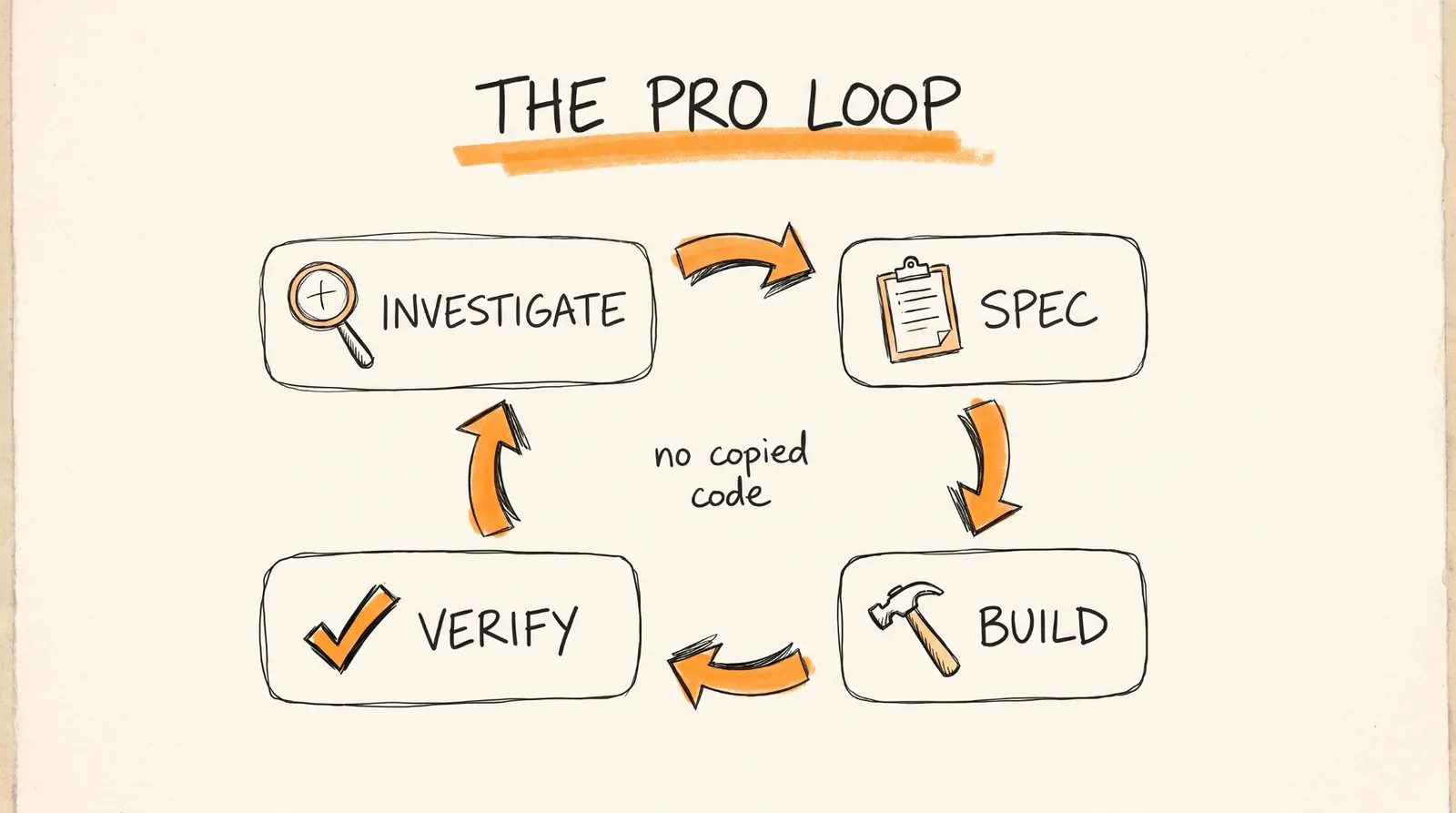
REA comes with guided workflows built into the MCP server that almost nobody knows about:
investigate_feature traces a feature from discovery all the way to the exact functions.
compare_application_versions compares two releases of an app so you can see what really changed in an update.
verify_reconstruction checks your rebuild against the saved evidence.
trace_crash connects a crash to the code paths behind it.
audit_residual_unknowns lists what's still unproven.
prepare_bounded_process_capture plans a safe, limited test run before you run anything.
The pro loop is investigate, spec, build, verify. This is the one prompt to save:
Use REA to investigate how [feature] works in [app]. Write SPEC.md: behavior, inputs, outputs, edge cases, no copied code. Then build it from SPEC.md in ./my-version, write tests from the observed behavior, and run them until they pass.
Here's how far this goes, from REA's official showcases. For DX-Ball, a game from 1996, REA recovered the function that pans the sound left and right and rebuilt it in C. It passes 3,205 test cases from the original program and reproduces all 63 compiled bytes. For Notion, REA traced how copy works, from the page through the app's internal bridge to your system clipboard.
The lessons from the Touhou rebuild are gold if you're doing this seriously. Give the agent a clear goal and clear rules for what "done" means. Keep notes and checks in git so the next session can pick up where the last one left off. Treat every explanation from the agent as a guess to test, not a fact. And test your tests, because in that project a broken comparison once let a wrong function pass.
Security researchers are already running this at scale. One built an AI pipeline with 8 MCP servers, more than 300 tools, Ghidra, radare2, and Frida, and says it paid for itself through bug bounties.
Where the money is: security research and bug bounties, moving old software onto new systems, making tools that don't talk to each other work together, and helping companies understand software they lost the source code for.
What REA Can't Do
I want you to trust this guide, so here are the real limits.
It can't touch servers. It only reads what's on your machine. The code running on a company's servers was never shipped to you, so it won't hack a bank or move money.
Decompiled code isn't the original source. It's a reconstruction, which is why the verify step matters.
Hard targets are still hard. Stripped C++ programs are much tougher than Unity games built on .NET.
Your agent may refuse. Some firmware and game console targets hit the AI model's safety rules.
Paid engines need real licenses. REA gives you no license for IDA, Hopper, or JEB, and cracked copies aren't allowed.
The Prompt Pack
Save these. Every prompt works in Claude Code once REA is installed.
Setup:
Install REA and connect it to this coding agent using npx rea-agents@latest setup. Show me the setup plan for approval, then verify the installation.
Your first test:
Download https://rea.tools/examples/notes-example.zip into a new example folder and unpack it. Use REA to find what happens when I click Export notes.
The universal one:
Understand how search works in the Notes app, show me the evidence, and build a similar feature for my project.
Real-time features:
Figure out how Discord shows who's typing in real time, show me the proof, and build something similar for my project.
The calculator:
Use REA to inspect Windows Calculator's % button. Recover the rules after + and ×, then build a small calculator that uses both.
The game:
Inspect the dinosaur game and build a version with adjustable speed.
Reconstruct a game you own:
Reconstruct a game from its executable and test it against the original.
Clone a website:
Clone the rea.tools website.
Phone app audit:
Use REA on this APK. List every permission, every analytics or tracking SDK, and every domain the app talks to. Show the class and method for each finding.
Token check:
Use REA on this contract bytecode. List every function that can change state. Flag anything that looks like mint, blacklist, pause, fee change or owner-only transfer. Mark what is confirmed and what is inferred.
Pro rebuild:
Use REA to investigate how [feature] works in [app]. Write SPEC.md: behavior, inputs, outputs, edge cases, no copied code. Then build it from SPEC.md in ./my-version, write tests from the observed behavior, and run them until they pass.
What changed in the update:
Use REA's compare_application_versions workflow on [old version] and [new version] of [app]. Tell me what actually changed, with evidence.
Don't want to figure this out alone? I walk members through every step inside the community. Join the Skool → skool.com/raycfu