
How to scrape any platform with
Claude Code for free
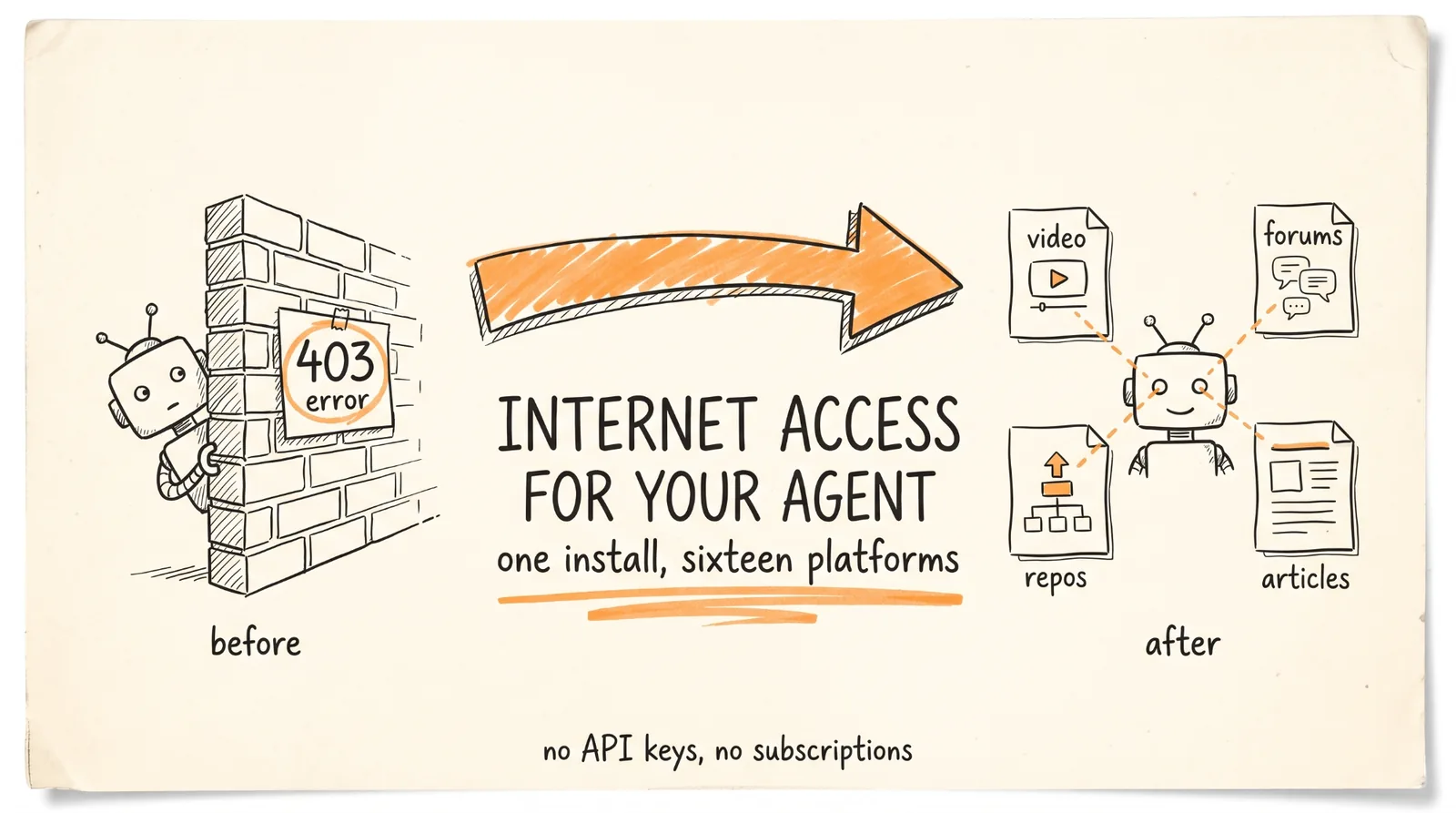
There is an open source tool called Agent Reach that solves the problem every agent has: it cannot read Twitter, it gets 403s on Reddit, it cannot pull YouTube transcripts, and it drowns in HTML on anything else. One install command and your agent can read across 16 platforms without paying for a single API.
The repo: github.com/Panniantong/Agent-Reach
Around 22,000 stars, Python, works with Claude Code, Cursor, OpenClaw, Windsurf, and Codex CLI.
Don't want to figure this out alone? I walk members through every step inside the community. Join the Skool → skool.com/raycfu
The Install
One command:
pip install agent-reach && agent-reach install --env=auto
It detects whether you are on a laptop or a server, installs the system dependencies it needs (Node, gh, mcporter, twitter-cli, rdt-cli), and registers a SKILL.md in your agent's skills directory.
Two flags worth knowing before you run it, because that command installs things at the system level:
agent-reach install --env=auto --dry-run
agent-reach install --env=auto --safe
Dry run shows you what it would do. Safe mode lists the dependencies without auto-installing them. Run one of those first and read the output. This is a solo-maintained project that the author openly describes as vibe-coded with no test suite, which is fine for what it is, but it is not the thing you let install system packages unexamined.
Then check everything works:
agent-reach doctor
That lists every channel and its status in one command, which is also how you diagnose it later when one platform stops responding.
What It Is Actually Great At
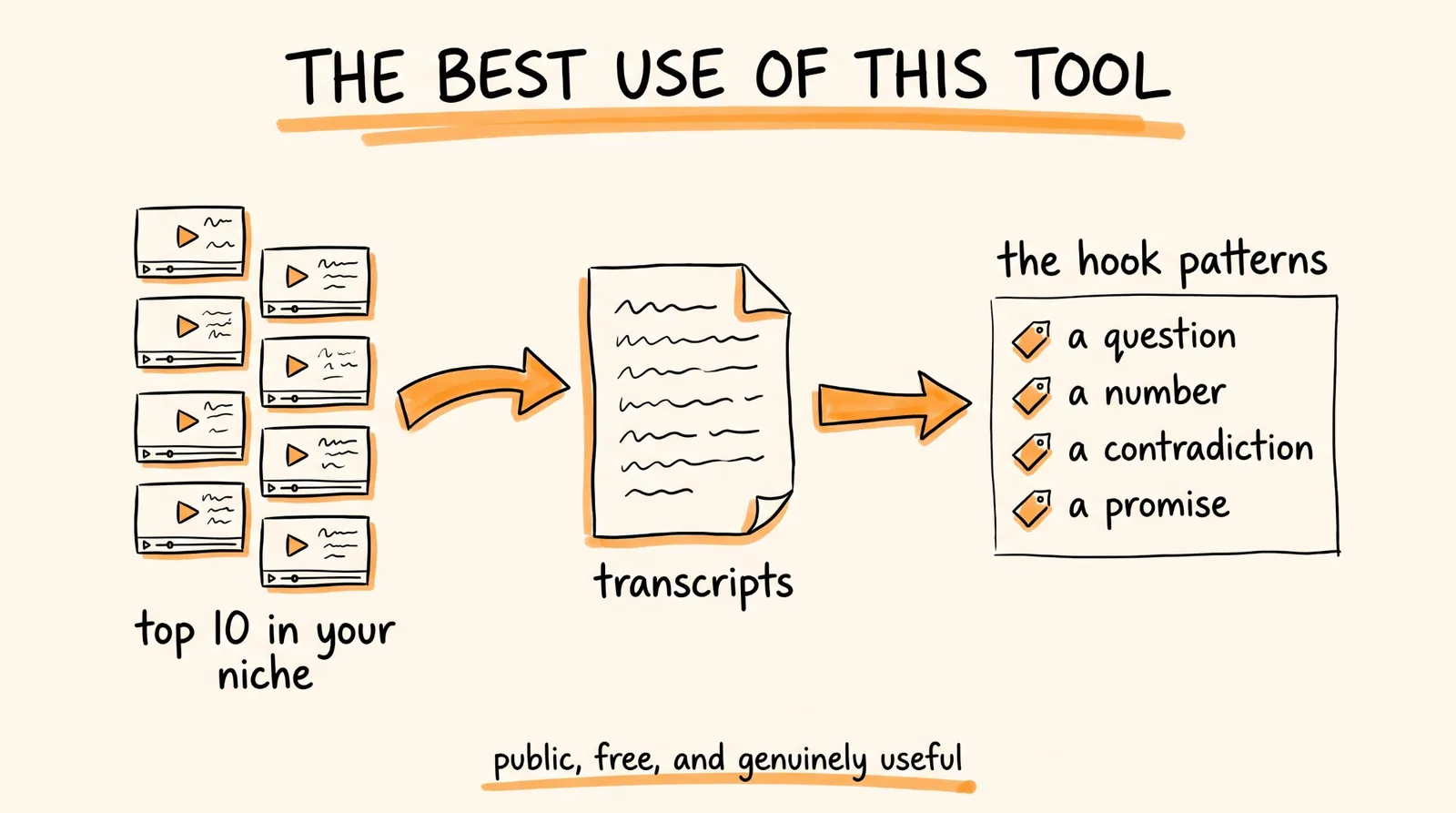
Three use cases where this tool is excellent and there is nothing to think about.
YouTube transcripts. This is the standout. Pull transcripts from the top 10 videos in your niche and have Claude find the hooks, the structures, and the angles that keep showing up. Transcripts are public, yt-dlp is a standard tool, and the analysis you get out is genuinely useful for content. If you only use Agent Reach for one thing, make it this.
Public web reading. It falls back to Jina Reader for anything without a dedicated channel, which turns messy pages into clean text your agent can actually reason about. This alone fixes the "my agent drowns in div soup" problem.
GitHub and RSS. Research, release monitoring, tracking what a project is shipping. Entirely public, entirely fine.
For those three, install it and go. The rest of this guide is about the others.
The Thing Nobody Mentions: It Uses Your Actual Login
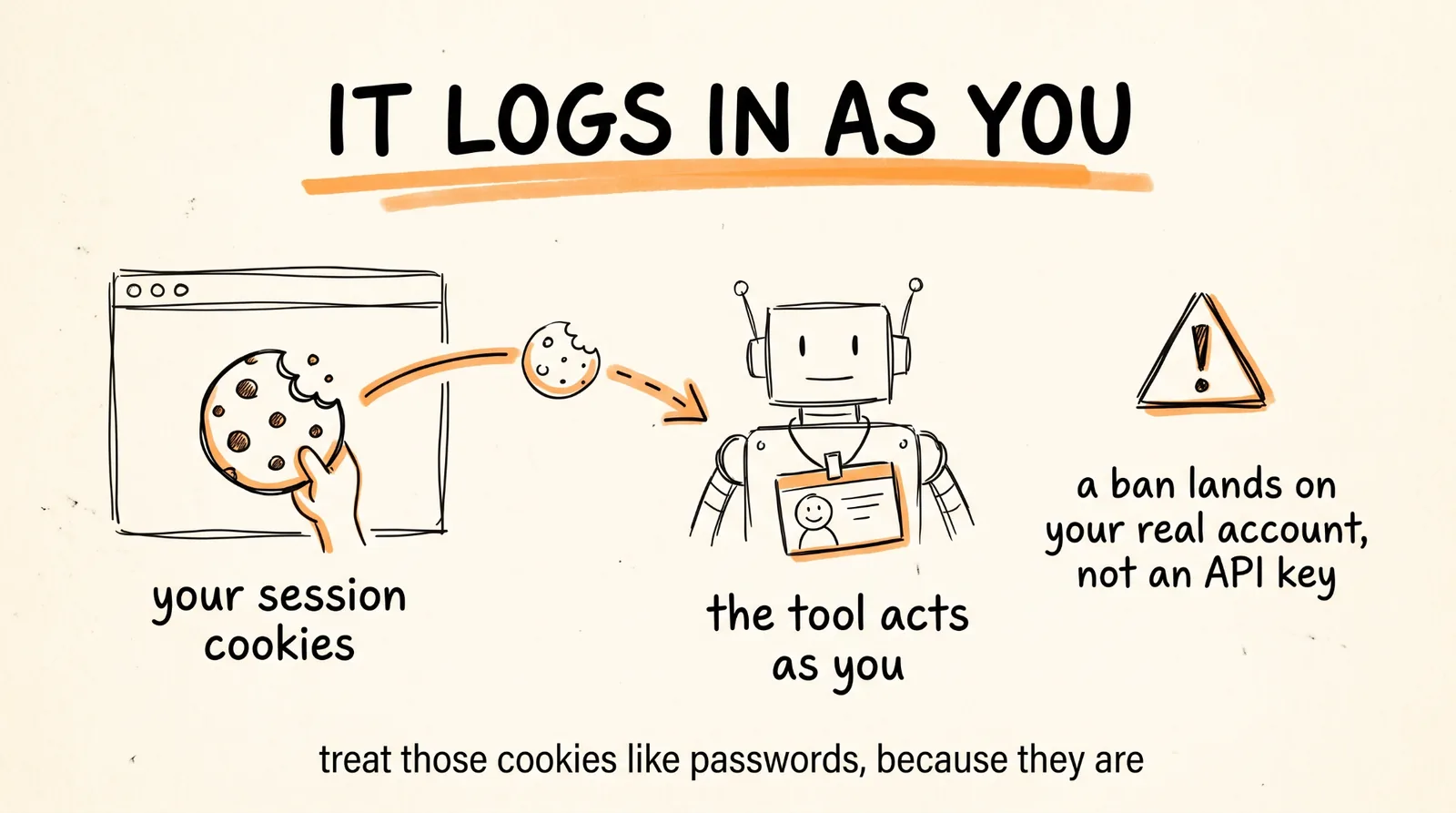
Here is how the social platforms work, and it changes the risk completely.
For Twitter, Reddit, LinkedIn, and XiaoHongShu, you export your session cookies using a browser extension and paste them into the tool. That is not an API key. Those cookies are your logged-in session, which means the tool is not accessing those platforms as an anonymous scraper, it is accessing them as you.
Two consequences.
If a platform decides the behavior looks automated, the enforcement lands on your real account. Not a burner, not an API key you can rotate, your actual LinkedIn or your actual X account with your actual network on it.
And you are storing live session cookies on disk and handing them to a third-party tool. Treat them like passwords, because functionally that is what they are. Do not paste cookies for an account you cannot afford to lose, and rotate them when you are done with a project.
The LinkedIn Problem, Specifically
The video's first example is scraping 50 B2B founder profiles for outbound sales. That is the one I would not do, and here is why plainly.
LinkedIn's User Agreement explicitly prohibits scraping and automated access. There is no official LinkedIn MCP, and the community ones work by driving your logged-in session, which is exactly the pattern above. LinkedIn is also unusually aggressive about detection and its enforcement is account restriction, often permanent. If your LinkedIn is part of how you get business, you are risking the asset to save a subscription fee.
Then there is the data itself. Fifty founder profiles harvested for outbound sales is personal data, and using it for cold outreach puts you under GDPR if any of those people are in the EU or UK, and under CAN-SPAM for the emails regardless. You need a lawful basis, you need to say where you got their details, and you need a working opt-out.
The alternative that does the same job without either problem: Apollo has an official MCP and an official Claude Code plugin, its data is licensed, and its emails come verified. It costs money, which is the entire point, you are paying for the right to use the data commercially. For lead generation specifically, that is a subscription worth having rather than one to route around.
Use Agent Reach for research. Use licensed data for outreach. That line keeps your accounts and keeps you out of trouble.
The Tasks Worth Running
Here are prompts for the uses that are clean.
Finding viral hooks:
Using agent-reach, pull the transcripts from the top 10 YouTube videos on [TOPIC] from the last 3 months. For each one, extract the first 15 seconds verbatim, and identify what type of hook it is: a question, a number, a contradiction, a story, or a promise. Then tell me which hook types appear most often in the highest-performing videos, and write me 5 new hooks for [MY TOPIC] using the patterns that showed up most.
Competitor and market monitoring:
Using agent-reach, search public posts mentioning [COMPETITOR OR PRODUCT] over the last 30 days. Summarize what people are consistently complaining about, what they praise, and any feature they keep asking for that does not exist yet. Quote a few representative posts. Do not include names or personal details, I want the themes, not the people.
Research on a topic:
Using agent-reach, read these sources and summarize them: [LIST OF URLS]. For each one, give me the core argument, the specific evidence, and anything that contradicts the other sources. Flag anything that is opinion presented as fact.
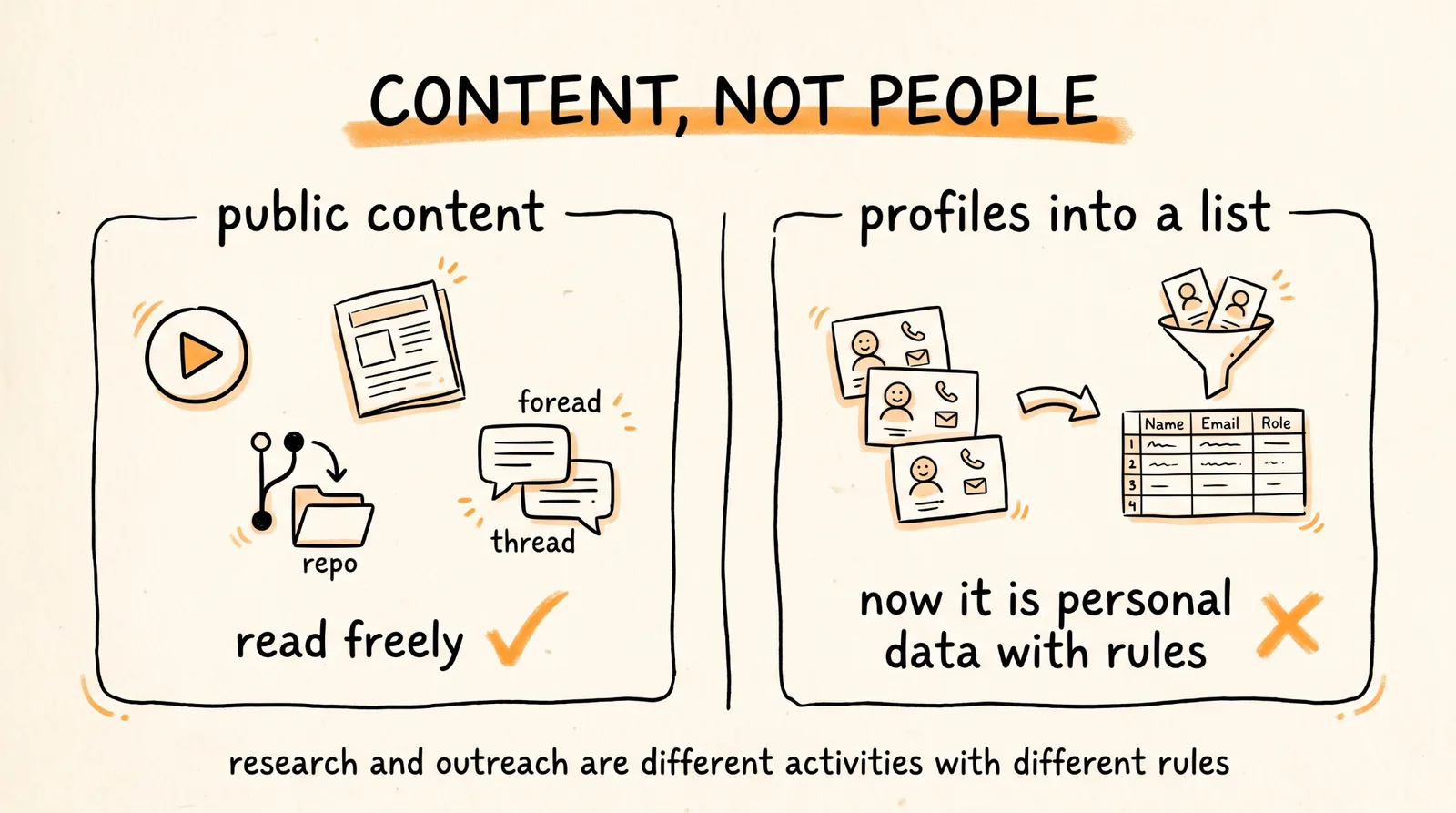
That last instruction in the monitoring prompt, themes rather than people, is worth keeping by default. Aggregate sentiment is research. A file of individuals and what they said is a different thing with different obligations.
The Rules That Keep This Clean
Run the dry run before the install, on any tool that installs system dependencies.
Never paste session cookies for an account you cannot afford to lose, and rotate them after a project.
Scrape public content, not people. Transcripts, posts, articles, and repos are fine. Profiles compiled into a list of individuals is where the obligations start.
Use licensed data for anything you will contact. Research and outreach are different activities with different rules, and the tool that is perfect for one is the wrong choice for the other.
Rate limit yourself. Aggressive request volume is what triggers detection, and there is rarely a reason to pull a thousand pages when fifty answers the question.
And check the platform's terms before you point it at something new, because they change and the tool supporting a channel does not mean the platform permits it.
The Recap
Install with pip install agent-reach and agent-reach install --env=auto, after running it with --dry-run first. Check it with agent-reach doctor. Then use it for what it is genuinely excellent at: YouTube transcripts for finding hooks, clean reading of public web pages, GitHub and RSS monitoring, and aggregate sentiment research.
Know that the social channels use your real login cookies, so enforcement lands on your real account. Skip the LinkedIn profile scraping and use licensed data for anything you plan to contact.
Free internet access for your agent is a genuinely great upgrade. It is worth using in the ways that do not cost you an account.
Don't want to figure this out alone? I walk members through every step inside the community. Join the Skool → skool.com/raycfu