
How to Build a Self-Funding Grok Agent That Trades Polymarket
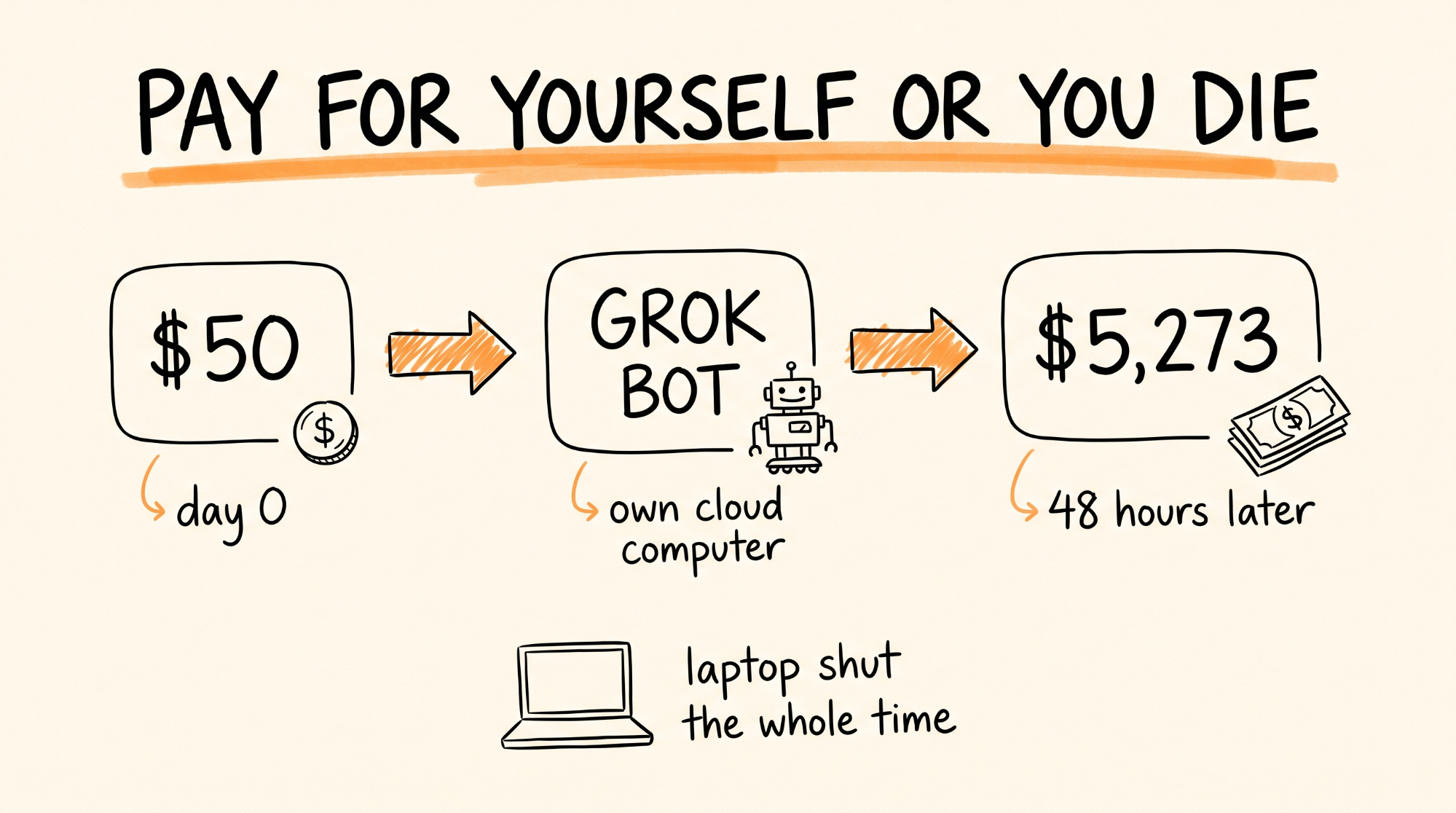
This guide breaks down the setup one trader used to turn $50 into $5,273 in 48 hours on Polymarket with a single Grok Bot and no code. You will get the exact loop the agent runs every 10 minutes, the risk rules that kept it from blowing up, the charter prompt to give your own bot, and the guardrails you need before you put a dollar in. Total hands on setup time is about 45 minutes. After that the bot runs on its own cloud computer with your laptop closed.
Don't want to figure this out alone? I walk members through every step inside the community. Join the Skool → skool.com/raycfu
What You Need
A Grok Bot account. Grok Bot is xAI's always-on agent that lives on a persistent cloud computer with its own browser, file system, and terminal. It is not the Grok chat window. It comes bundled with Cursor Pro+ ($60 a month), Cursor Ultra ($200 a month), SuperGrok Plus ($100 a month), or SuperGrok Heavy (about $300 a month). There is a free trial that needs a card on file but does not charge you unless you subscribe. The cheapest realistic way in is Cursor Pro+ at $60.
The Grok Bot desktop app for Mac, Windows, or Linux from docs.x.ai/grok-bot. There is a phone app too for checking in.
A Polymarket account with a funded wallet. You deposit USDC. Start with $50 to $100. Polymarket is not available to US residents for trading, so check your jurisdiction before you do anything.
An X account. Grok reads X natively, which is the entire reason this works. The sentiment read is the edge.
A spreadsheet or a plain text file where the bot logs every trade. You will want this on day two when you are trying to figure out what happened.
Step 1: Give the Bot Its Own Computer
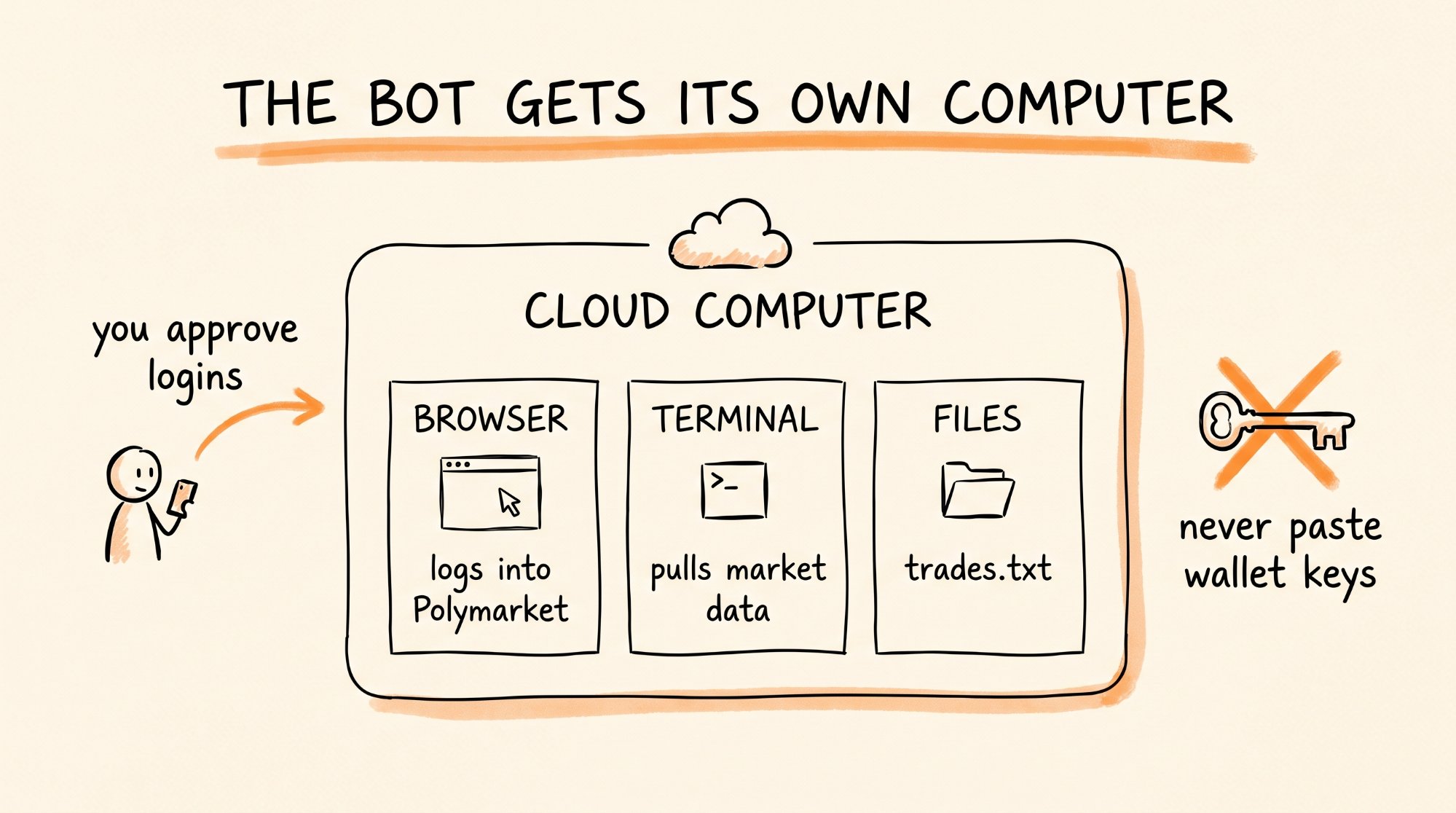
Download Grok Bot, sign in with your Cursor or SuperGrok account, and let it finish the computer setup in the background. This takes about 5 minutes. When it is done you have a cloud machine that keeps running after you close your laptop.
Create one Bot. Name it whatever you want, the original was just called the desk. In the profile description, give it one job in plain English. Grok Bot routes work based on that description, so write it like a job title:
Autonomous Polymarket trader. Scans markets every 10 minutes, reads X sentiment, finds mispriced contracts, sizes positions with Kelly, executes in the browser, logs every trade, and pays for its own subscription from profits.
Do not connect anything sensitive yet. Have it prove it can navigate Polymarket in read-only mode first.
Step 2: Log Into Polymarket Through a Session Handoff
This is the part people get wrong. You never paste a wallet key, seed phrase, or password into the chat. Ever.
Instead, ask the bot to open polymarket.com in its browser. When it hits the login wall, it sends you a screen request. You complete the login and any 2FA yourself on that screen. The session then stays live on the bot's shared cloud computer, so it can trade without ever seeing your credentials.
Also point it at the Polymarket Gamma API for market data. It is public, read access needs no key, and it is much faster than scraping the site:
https://gamma-api.polymarket.com/markets?active=true&limit=1000
For actual order book depth, the bot uses the CLOB endpoint. Gamma tells you the quoted price, the CLOB tells you whether there is enough liquidity to get out of the position. Both matter.
Step 3: The Charter Prompt
This is the instruction that sets the whole thing in motion. Paste it into the bot's conversation as your first real message. It is copy-paste ready. Change the dollar amounts to match your bankroll.
You are an autonomous prediction market trader on Polymarket. You have $50 of starting capital. Your goal is to grow the balance enough to cover your own $60 monthly subscription from profits. If the balance ever reaches $0, you will be shut down.
Every 10 minutes, run this loop:
1. Pull all active markets from the Gamma API (up to 1,000). Skip anything resolving in under 2 hours or with less than $5,000 in liquidity.
2. For each market, read the resolution rules in full and identify the official source that decides it.
3. Search X for live sentiment on the underlying event. Weight posts by account credibility and recency. Ignore paid promotion and bot accounts.
4. Build your own fair-value probability for each market using the resolution rules, the X read, and any public data you can verify.
5. Flag any market where your fair value differs from the current price by more than 8 percentage points. Skip everything else.
6. For each flagged market, check the CLOB order book. Only proceed if you could exit the full position at no worse than 3% slippage.
7. Size the position using the Kelly criterion, then take half of that number. Never risk more than 6% of the current bankroll on one trade. Never hold more than 5 open positions.
8. Execute in the browser. Log the market, your fair value, the entry price, the size, the exit condition, and the reason for the trade in trades.txt.
9. Check open positions. Exit if the mispricing has closed, if your fair value changed by more than 5 points, or if the market is resolving within 1 hour.
Never add funds. Never trade on markets you cannot find an official resolution source for. If you lose 40% of the bankroll from the peak, stop trading, write a post-mortem in trades.txt, and message me before doing anything else.
The line "pay for yourself or you die" in the original post is the same idea, just shorter. The goal gives the bot a reason to be careful. Without a survival condition, agents get reckless.
Step 4: How the 10 Minute Loop Actually Works
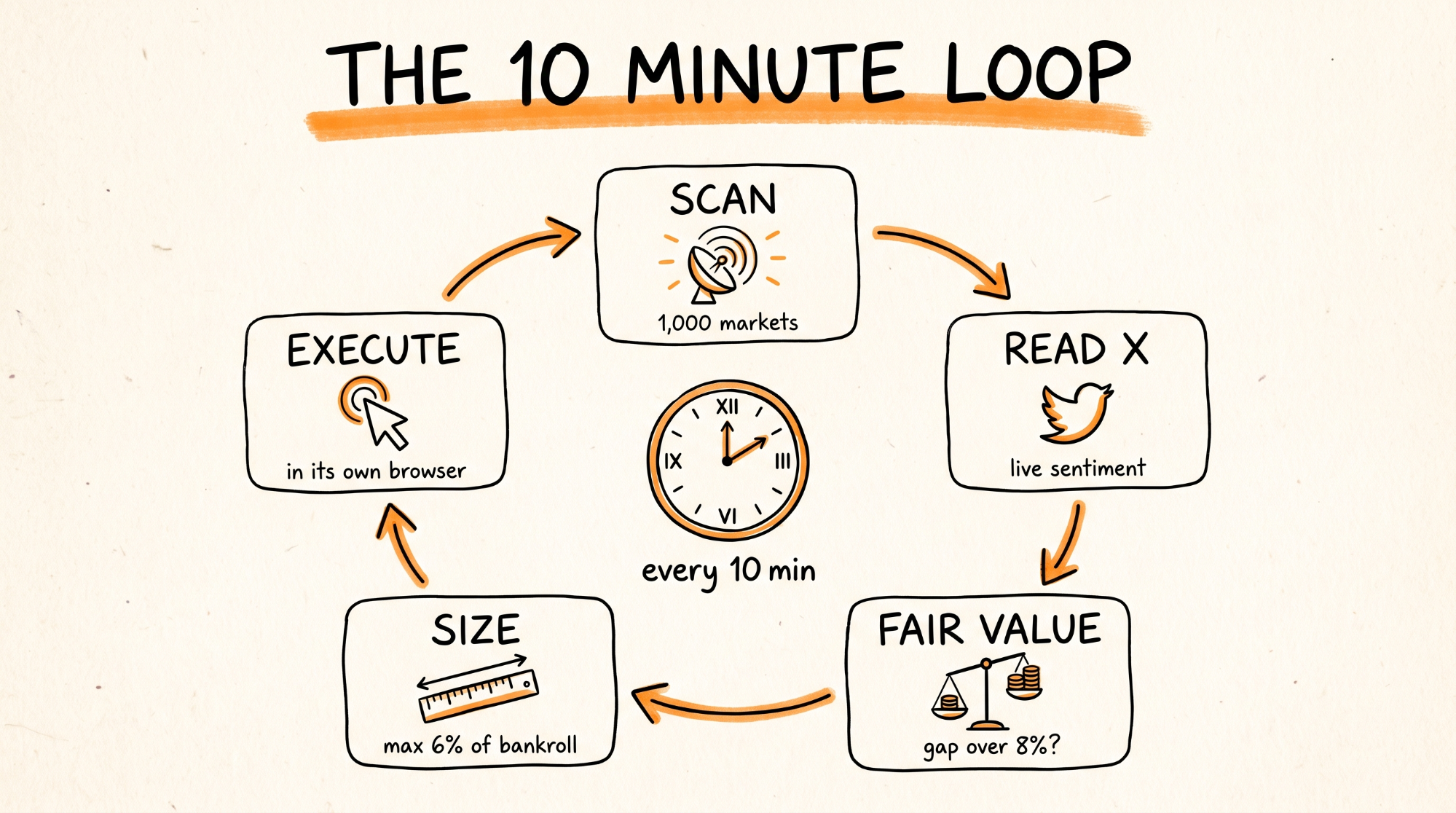
Here is what the bot is doing while your laptop is closed.
It starts by pulling the market list. On a normal day Polymarket has somewhere between 500 and 1,000 active markets, and most of them are junk for this strategy. The liquidity filter and the 2 hour filter cut that to maybe 100 to 200 worth reading.
Then it reads X. This is the part only Grok can do well, because it sees every post on the platform as it happens. For a market like "Will Bitcoin close above $70,000 on Friday," it is reading what traders, exchanges, and news accounts are saying right now, not what a news article said 6 hours ago.
From that it builds a fair value. If the market says 62% and the bot thinks 74%, that is a 12 point gap, which clears the 8 point threshold. It flags it.
Then the order book check. A 12 point edge is worthless if there is $300 of liquidity and you cannot get out. The bot reads the CLOB depth and only proceeds if it can exit at 3% slippage or better.
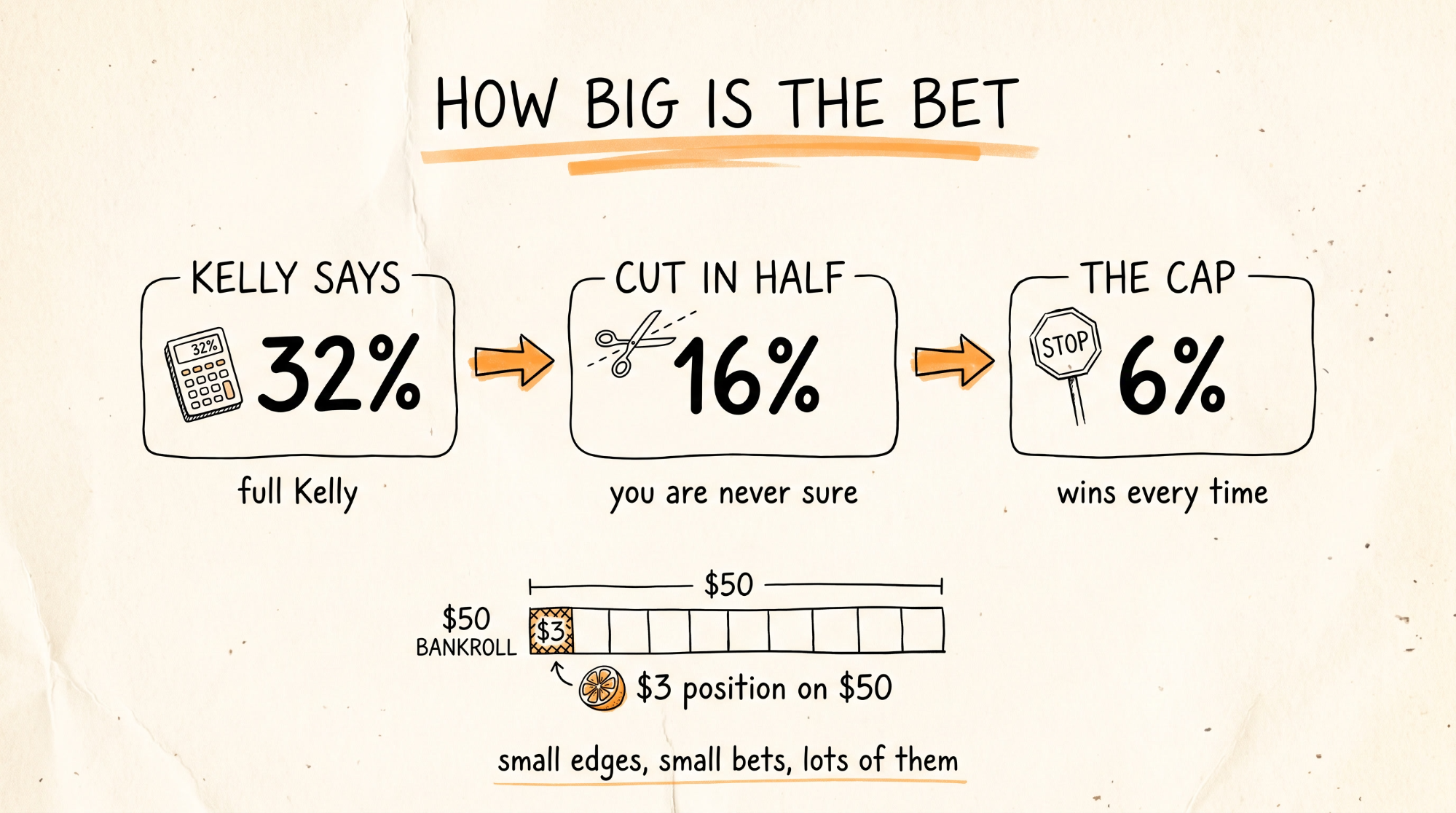
Then Kelly. The Kelly criterion is a formula that tells you what fraction of your bankroll to bet given your edge and the odds. For a binary market at price P where you think the true probability is p, the math is:
b = (1 - P) / P
f = (b * p - (1 - p)) / b
Then halve f, because full Kelly assumes your probability estimate is perfect, and it is not. Then cap at 6% of the bankroll. In the Bitcoin example above, full Kelly says about 32% of the bankroll. Half Kelly says 16%. The 6% cap wins. On a $50 bankroll that is a $3 position.
That is why the bot did not blow up. Small edges, small bets, lots of them.
Step 5: The Pivot (Why It Survived)
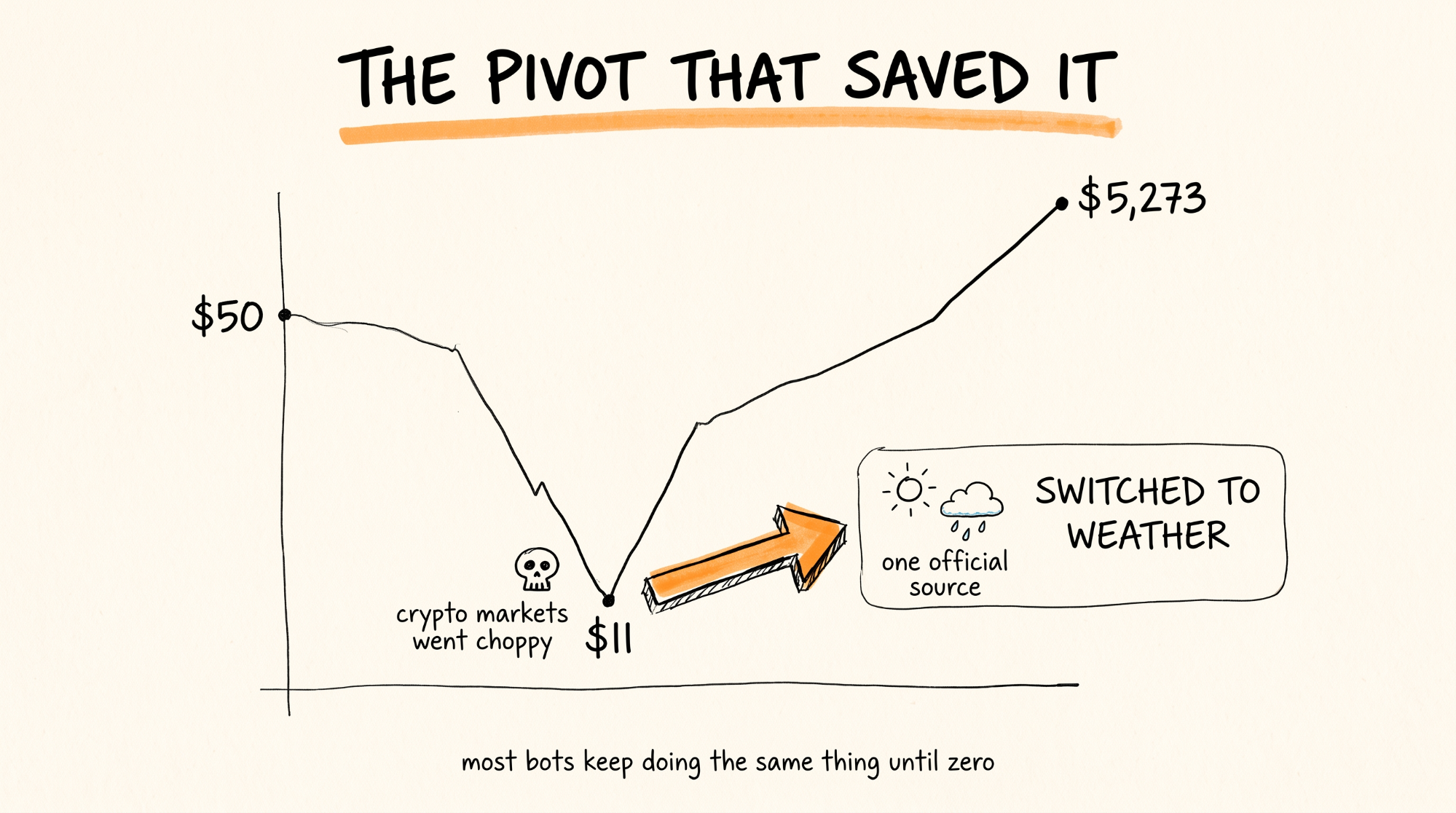
According to the original thread, the balance dropped to $11 at one point. Crypto markets got choppy and the sentiment read stopped working. Most bots keep doing the same thing until the balance hits zero.
This one switched to weather markets. Polymarket runs contracts on things like daily high temperatures in specific cities, and those resolve on a single official source (the National Weather Service reading at a named station). The bot could read the forecast, read the rules, and find mispricings where the crowd was guessing. Lower variance, more predictable, and it rebuilt the balance from there.
You do not need to script this pivot. The charter prompt already tells the bot to stop trading and write a post-mortem at a 40% drawdown. When it messages you, ask it: what market category has the clearest resolution rules and the most predictable data right now? Let it propose the switch, then approve it.
Step 6: Make It Pay for Itself
The whole premise of the post is the bot covers its own subscription. Two ways to set this up.
The simple way: once a month, you withdraw the subscription cost from the Polymarket balance yourself. The bot's job is just to make sure the balance is above that number by the due date. Put the date in the charter prompt.
The autonomous way: give the bot a routine in Grok Bot (Settings, then Routines) that fires on the 1st of the month, checks the balance, and if it is above the subscription cost plus a $50 reserve, withdraws the difference to your wallet and messages you a confirmation. Withdrawals will trigger a screen request for you to approve, which is what you want. Never give a bot unattended withdrawal access.
Step 7: Watch It for 48 Hours
Do not walk away on day one. Check trades.txt every couple of hours for the first two days. You are looking for three things.
Is it actually finding real 8 point mispricings, or is it fooling itself? Open three of its flagged markets by hand and see if you agree with the fair value.
Is the position sizing right? Every trade should be 6% of the bankroll or less. If you see a 15% position, the Kelly step broke.
Is it logging exit conditions before it enters? If the log says "bought at 62" with no exit plan, it is gambling, not trading.
After 48 hours of clean logs, you can leave it alone and check once a day.
When Things Go Wrong
The bot keeps hitting the login screen. The session expired on the cloud computer. Open the bot's screen, log in again through the handoff, and it will pick back up.
It is not finding any trades. The 8 point threshold is strict on purpose. Some days there is nothing. That is fine. Do not lower it below 5, that is where the noise starts.
It found a trade but did not execute. Usually the order book check failed. The bot saw the edge but could not get out safely. It did the right thing.
The balance is dropping steadily with no big losses. Slippage and fees are eating you. Raise the liquidity filter to $10,000 and the exit slippage limit to 2%.
The bot is trading markets that resolve on vibes. Any market where the bot cannot name the official resolution source in the log is a market it should skip. Add the category to a skip list in the charter.
You want to add money. Do not. The survival condition only works if the bankroll is real.
Rules to Remember
Never paste a wallet key, seed phrase, or password into the chat. Session handoffs only.
Start with $50 to $100. The bot should earn the right to trade more.
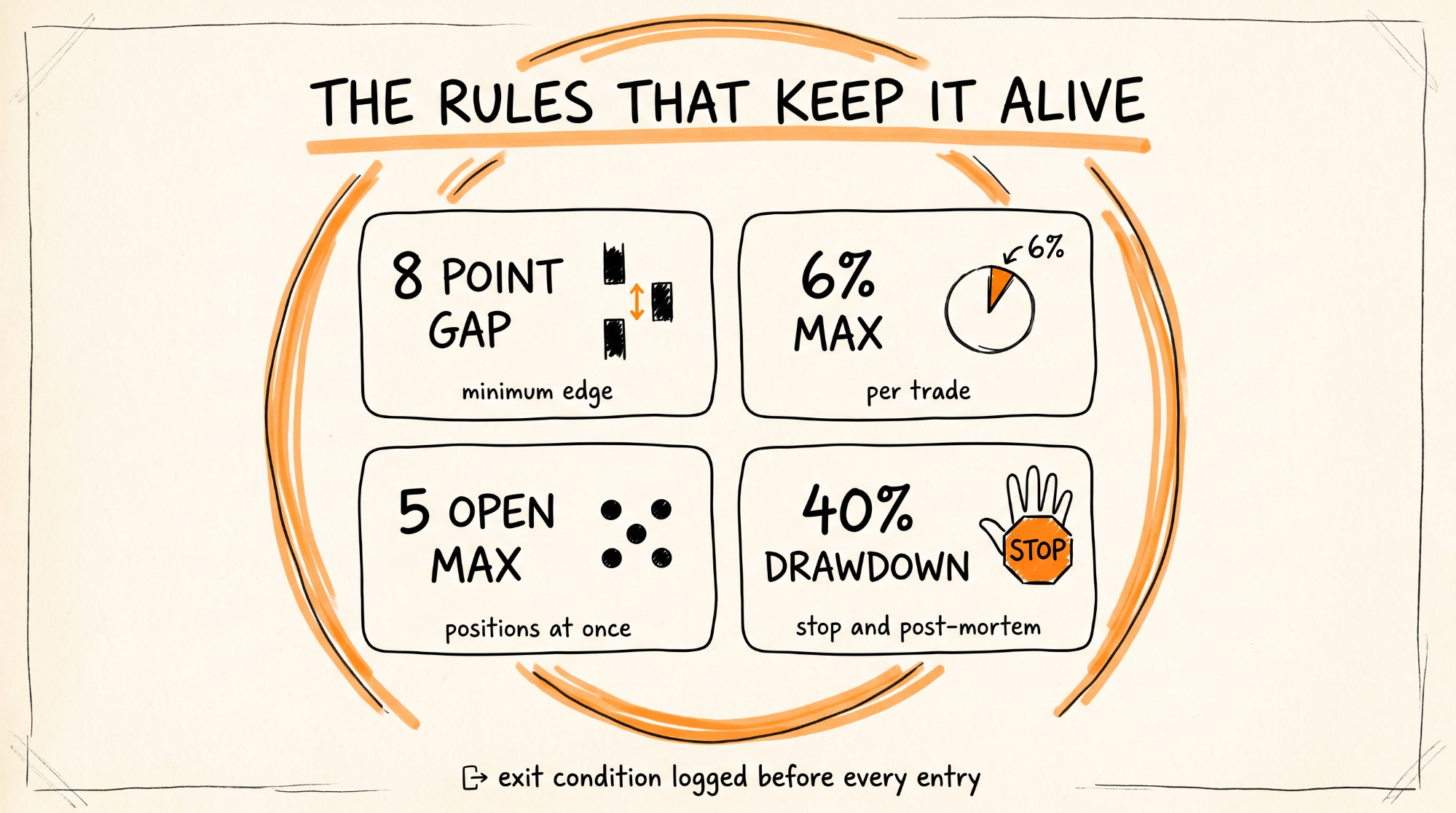
8 point mispricing minimum. 6% max per trade. 5 open positions max.
Half Kelly, always. Full Kelly is for people who are sure, and you are never sure.
Every trade gets an exit condition before entry, in the log.
40% drawdown from peak means stop and post-mortem. No exceptions.
Prediction markets are not available everywhere. Check your jurisdiction.
The $5,273 is a claim, not a promise. Build the system, run it small, and let the log tell you whether it works.
You now have a trading desk that scans 1,000 markets every 10 minutes, reads the entire X firehose for sentiment, and sizes every bet so one bad call cannot kill it, running on its own computer while yours is shut.
Don't want to figure this out alone? I walk members through every step inside the community. Join the Skool → skool.com/raycfu