
How to Build a Self-Improving AI Ad Machine With Claude
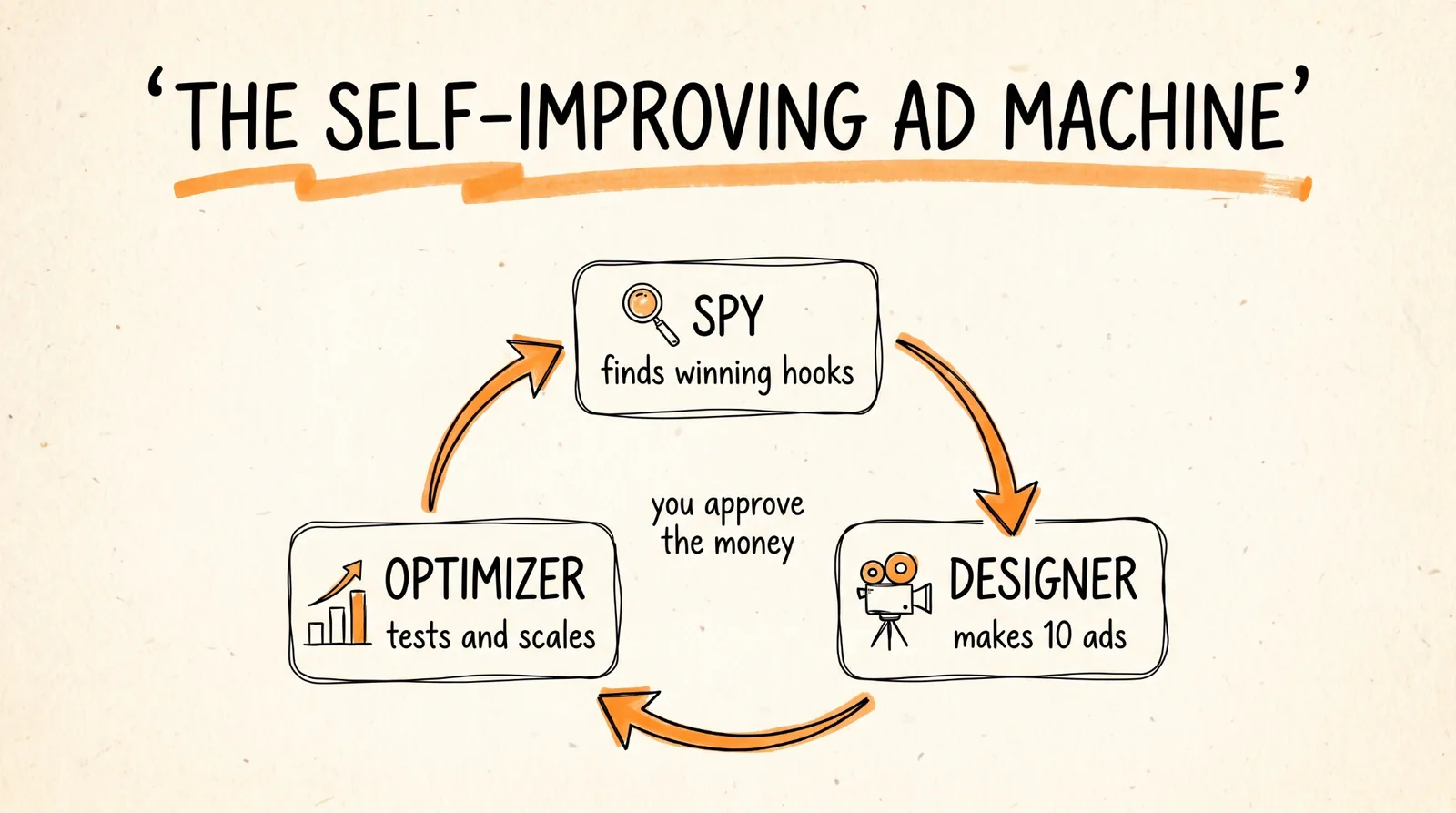
Start here for AI marketing: USE THIS LINK
Claude on a paid plan (Pro or higher) with the desktop app, so you can add custom connectors and schedule tasks.
A Meta Business account with an ad account and a payment method set up.
A product with a clear customer and a landing page or store that's ready to sell.
A test budget you're comfortable losing while you learn what works.
About an hour for setup.
Step 1: Connect Arcads to Claude
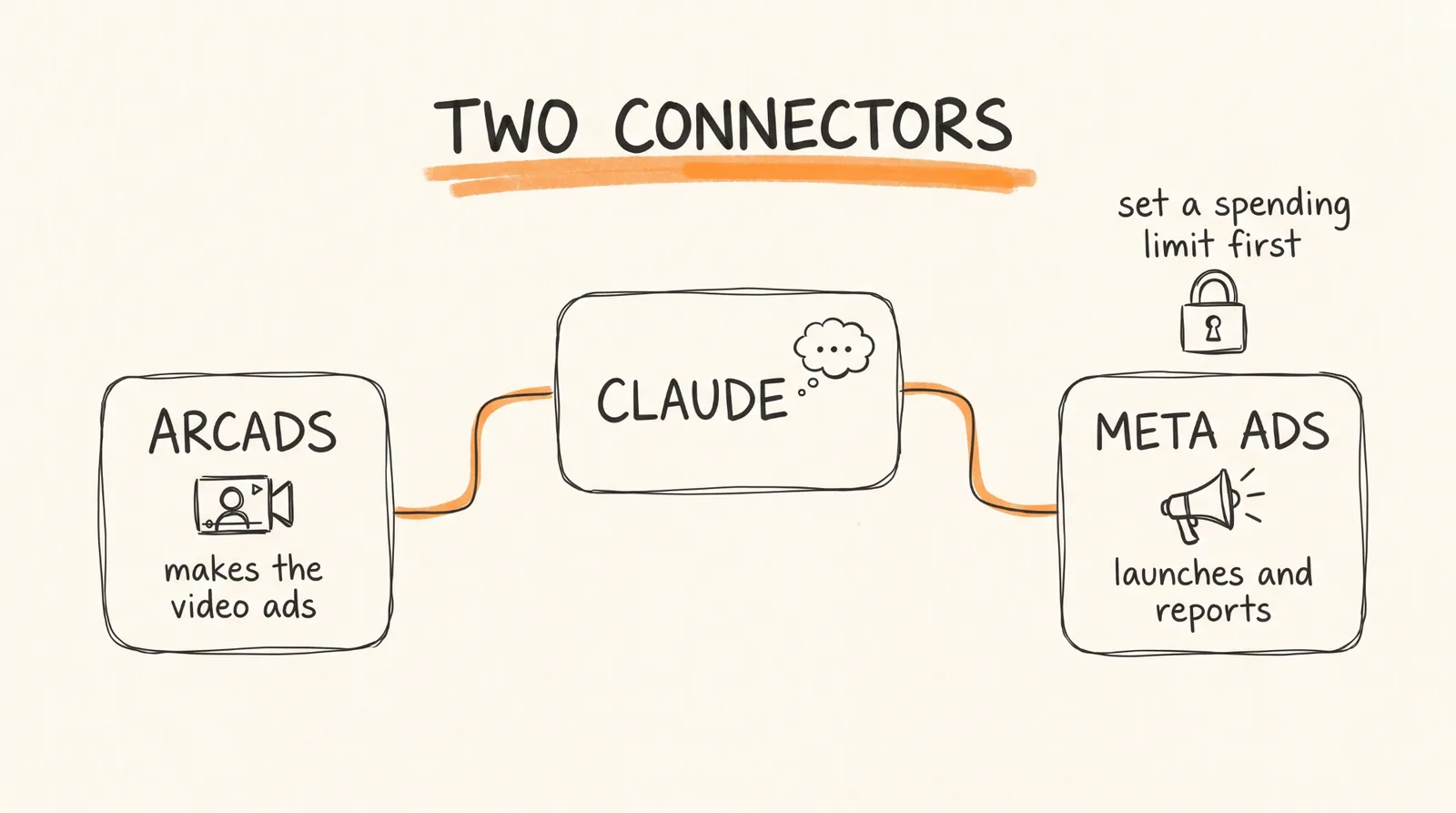
Arcads is an AI video ad platform with realistic AI actors. Its official MCP connector lets Claude create video ads for you directly in a conversation.
1. Open Claude Desktop and go to Settings, then Connectors.
2. Click the plus button, then Add custom connector.
3. Name it Arcads and enter this URL: https://mcp.arcads.ai
4. Save it, then click Connect and sign in to your Arcads account.
Then install Arcads' official skills plugin. It adds three commands this whole system is built on:
/spy-competitor-ads analyzes competitor video ads for inspiration.
/clone-hook takes the hook of a video ad and adapts it to your brand.
/clone-static-ad recreates a static image ad as a video ad with your own assets.
If generation ever fails, check your Arcads billing page. No active plan or no remaining credits means nothing gets made.
Step 2: Connect Meta Ads to Claude
Meta has an official Ads MCP connector that lets Claude create, edit, pause, and report on your campaigns. It's free during its open beta.
Before you connect it, do this in Meta Ads Manager first:
Set an account spending limit. This is a hard cap on what the account can ever spend, no matter what any tool does.
Consider a separate ad account just for this system, so the AI only touches campaigns it's meant to.
Then connect it:
1. In Claude Desktop, go to Settings, then Connectors, then Add custom connector.
2. Name it Meta Ads and enter this URL: https://mcp.facebook.com/ads
3. Save, click Connect, and sign in with your Facebook Business account.
One thing to know: when you sign in, the connection gets access to your whole ad account, not just one campaign. That's why the spending limit in Ads Manager matters. It's the one control the AI can't argue its way past.
Step 3: Build the Spy Agent
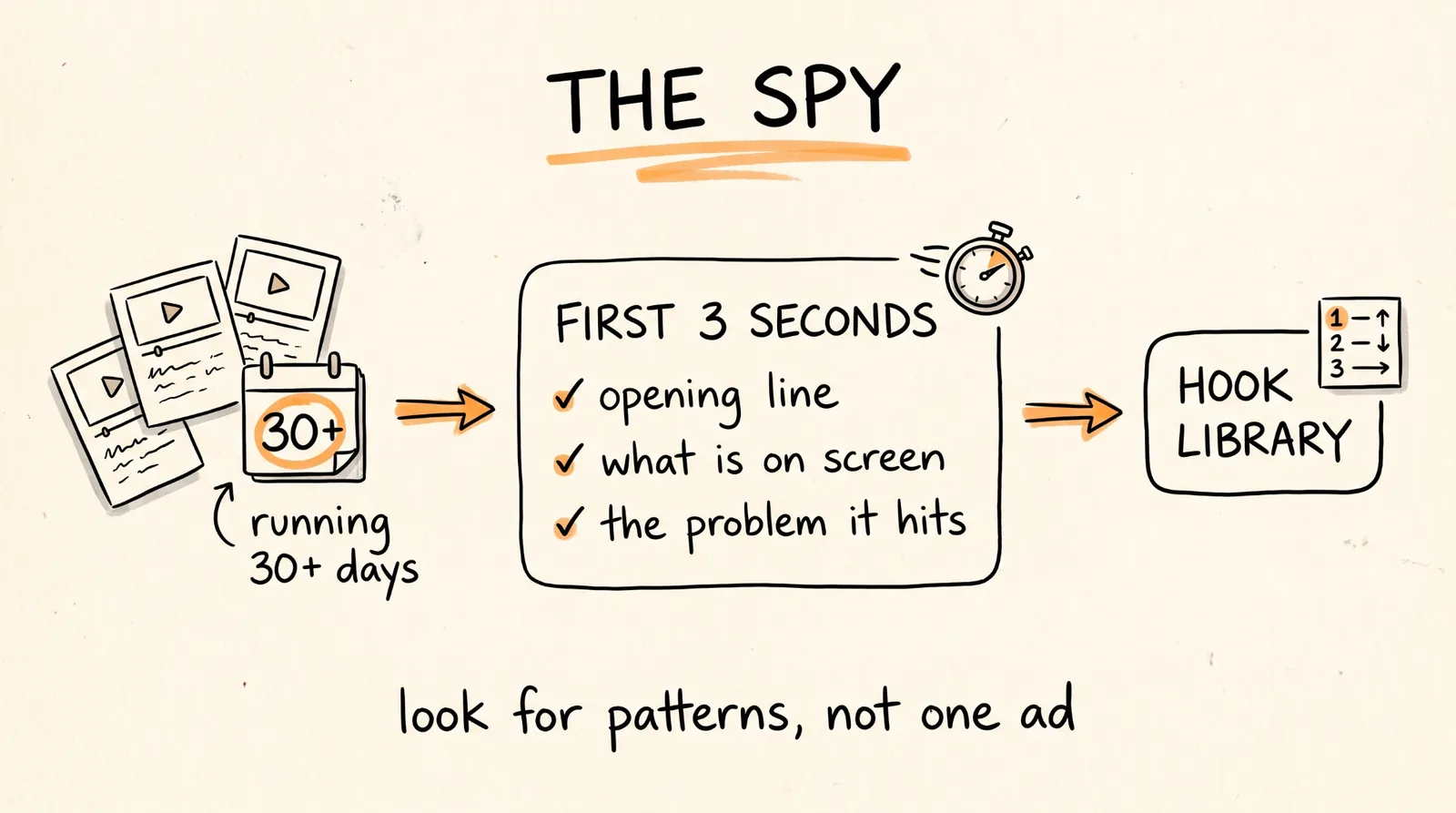
Before you make a single ad, you need to know what's already working in your niche.
Create a Claude Project called Spy and paste this into its instructions:
You are the Spy. Your job is finding the ad hooks that are already working in my niche so we never start from a blank page. My product is [PRODUCT], my niche is [NICHE], and my customer is [WHO THEY ARE]. Use /spy-competitor-ads with the Arcads connector. Always save your findings as a ranked list in a document called Hook Library, with the newest research at the top.
Then run it with this prompt:
Find the top 10 longest-running video ads in my niche on the Meta Ad Library. For each one, break down the hook in the first 3 seconds: the exact opening line, what's on screen, and the emotion or problem it targets. Rank them by how long they've been running. Then tell me the 3 hook patterns that show up most often.
Why longest-running ads: an ad that has run for 30 days or more is usually making money, because advertisers don't keep paying for ads that lose. It's a strong signal, not a guarantee. Some long-running ads are brand awareness campaigns, or someone forgot to turn them off. That's why you look for patterns across 10 ads instead of copying one.
Step 4: Build the Design Agent
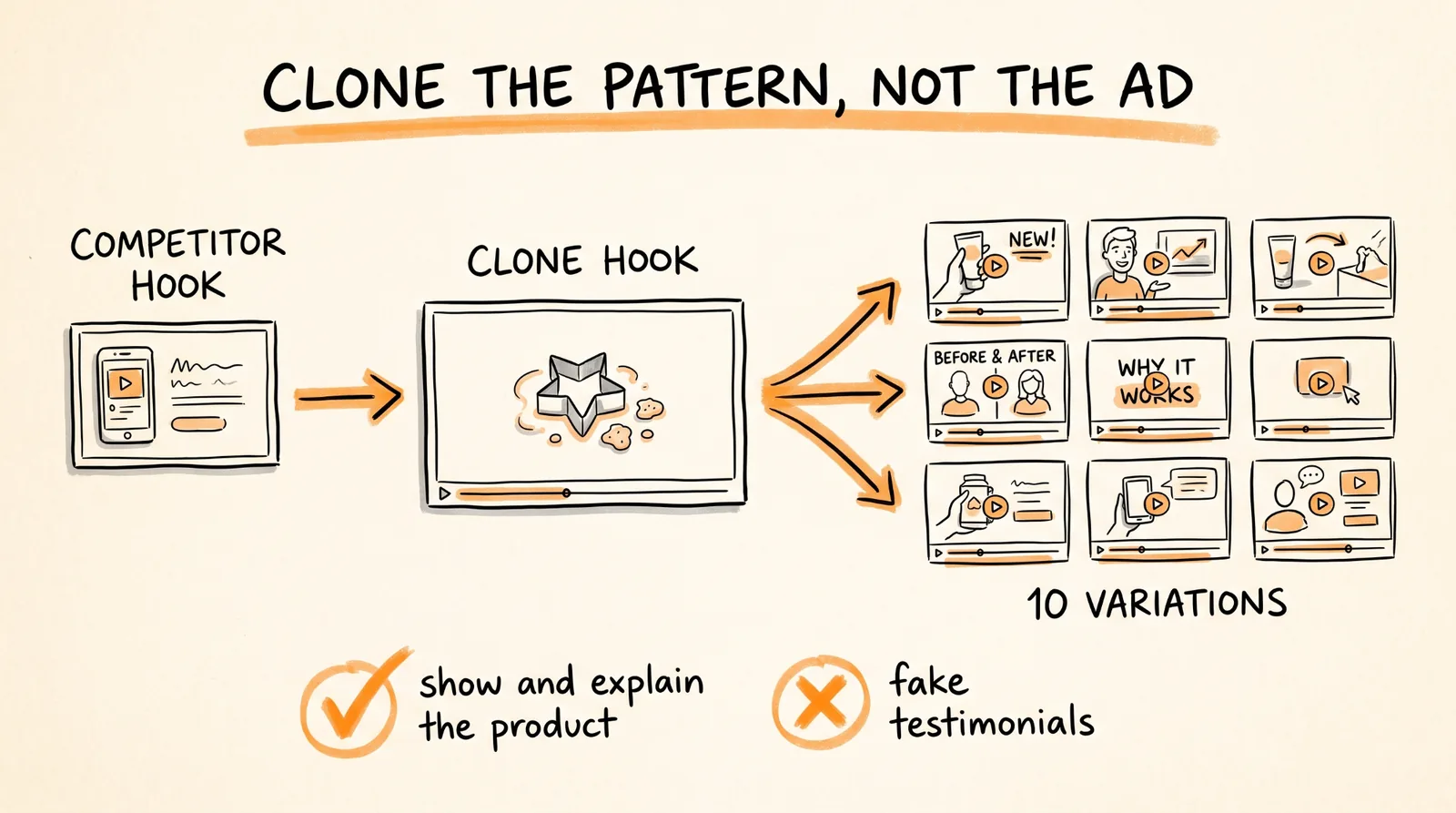
The Designer takes the Spy's best hooks and turns them into finished video ads.
Create a Claude Project called Designer and paste this into its instructions:
You are the Designer. You turn proven hooks from the Hook Library into video ads for my product using Arcads. My product is [PRODUCT], what it actually does is [REAL BENEFITS], and my customer is [WHO THEY ARE]. Rules: adapt the structure and emotion of a competitor's hook, never their exact script, brand name, or claims. Every claim about my product must be true. AI actors demonstrate or explain the product. They never pretend to be a real customer describing their own experience.
Then:
1. Pick your AI actor. In Arcads, choose the actor who looks most like your target customer. A product for new moms needs a different face than a product for gym-goers.
2. Run this prompt:
Take the top 3 hooks from the Hook Library. Use /clone-hook to adapt each one to my product, then create 10 total video ad variations with my chosen actor: at least 3 versions of the top hook, and the rest spread across the other two. Keep every ad under 30 seconds. Label each ad with the hook it's based on so we can track which pattern wins.
Watch the first few ads before generating the full batch. If the actor, tone, or product details are off, fix them now so you don't burn credits on 10 bad ads.
Two rules that keep you out of trouble:
Clone the pattern, not the ad. Taking a competitor's hook structure is normal marketing research. Copying their exact words, brand, or footage is not.
No fake testimonials. An AI actor saying "I lost 20 pounds with this" is a fake customer review, and it can get your ads rejected or get you in legal trouble. Have actors show and explain the product instead.
Step 5: Build the Optimizer Agent
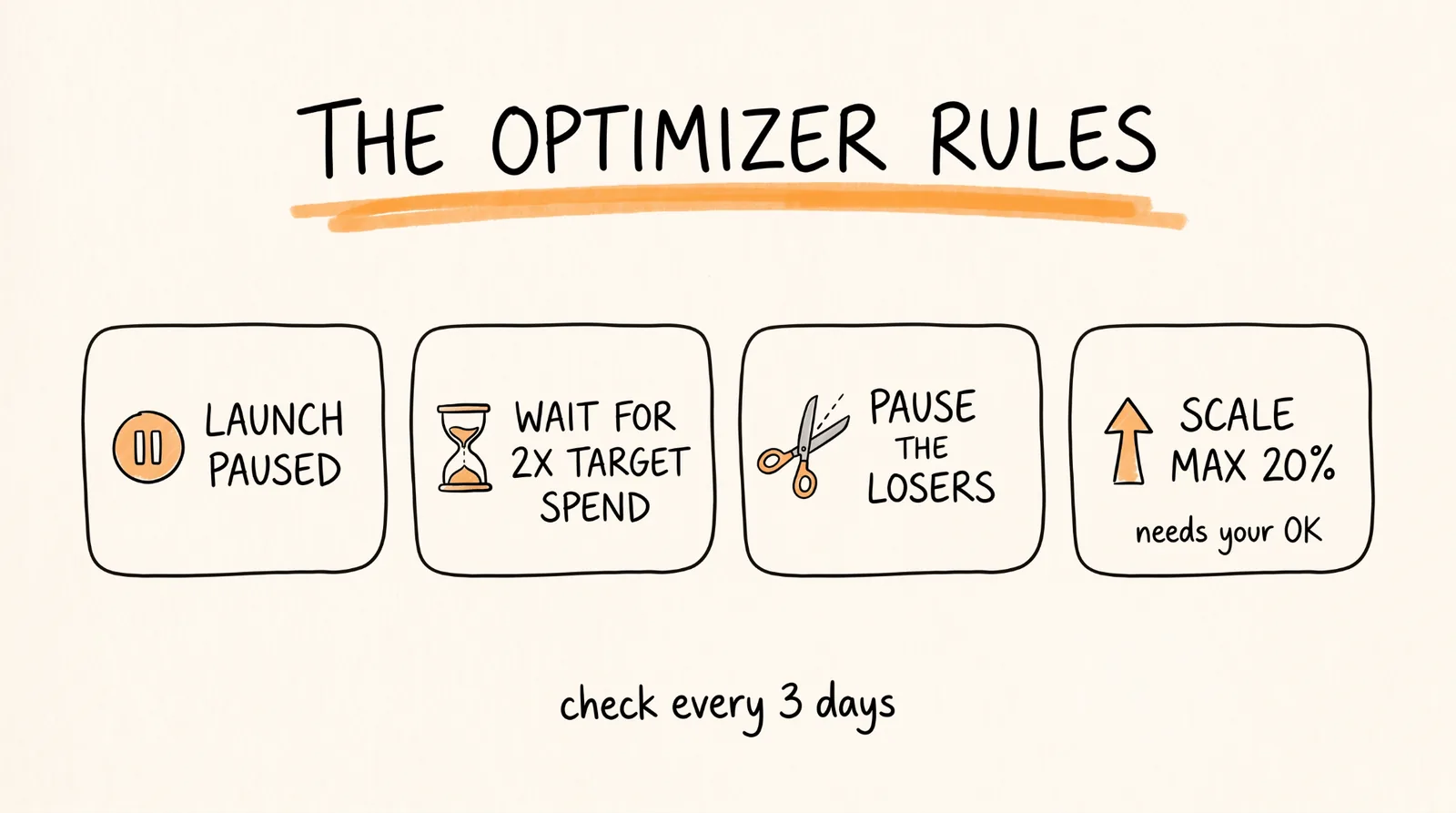
The Optimizer launches the ads, watches the numbers, and decides what to scale.
Create a Claude Project called Optimizer and paste this into its instructions:
You are the Optimizer. You manage my Meta ad tests using the Meta Ads connector. My target cost per purchase is [YOUR TARGET], and my daily test budget is [YOUR BUDGET]. Rules: create every new ad paused so I can review it first. Never increase any budget by more than 20% at a time, and never increase a budget without my approval. You may pause ads on your own. Never judge an ad until it has spent at least twice my target cost per purchase.
Launch with this prompt:
Create one test campaign with my 10 new ads from Arcads, each in its own ad set with an equal daily budget, targeting [AUDIENCE]. Create everything paused and show me a summary to approve.
Review the summary, check the ads and targeting, then turn the campaign on yourself.
Then set it on a schedule. Every 3 days:
Check the test campaign. For each ad, report spend, cost per purchase, and click-through rate. Pause any ad that has spent at least twice my target cost per purchase without a sale. Rank the rest. For the best ad, recommend a budget increase of up to 20% and wait for my approval. Save the results to a document called Ad Log.
Why the "twice your target" rule matters: after 3 days with a small budget, most ads haven't had enough chances to prove anything. Judging too early means killing a winner by bad luck. This rule makes sure each ad gets a fair test first.
Step 6: Close the Loop
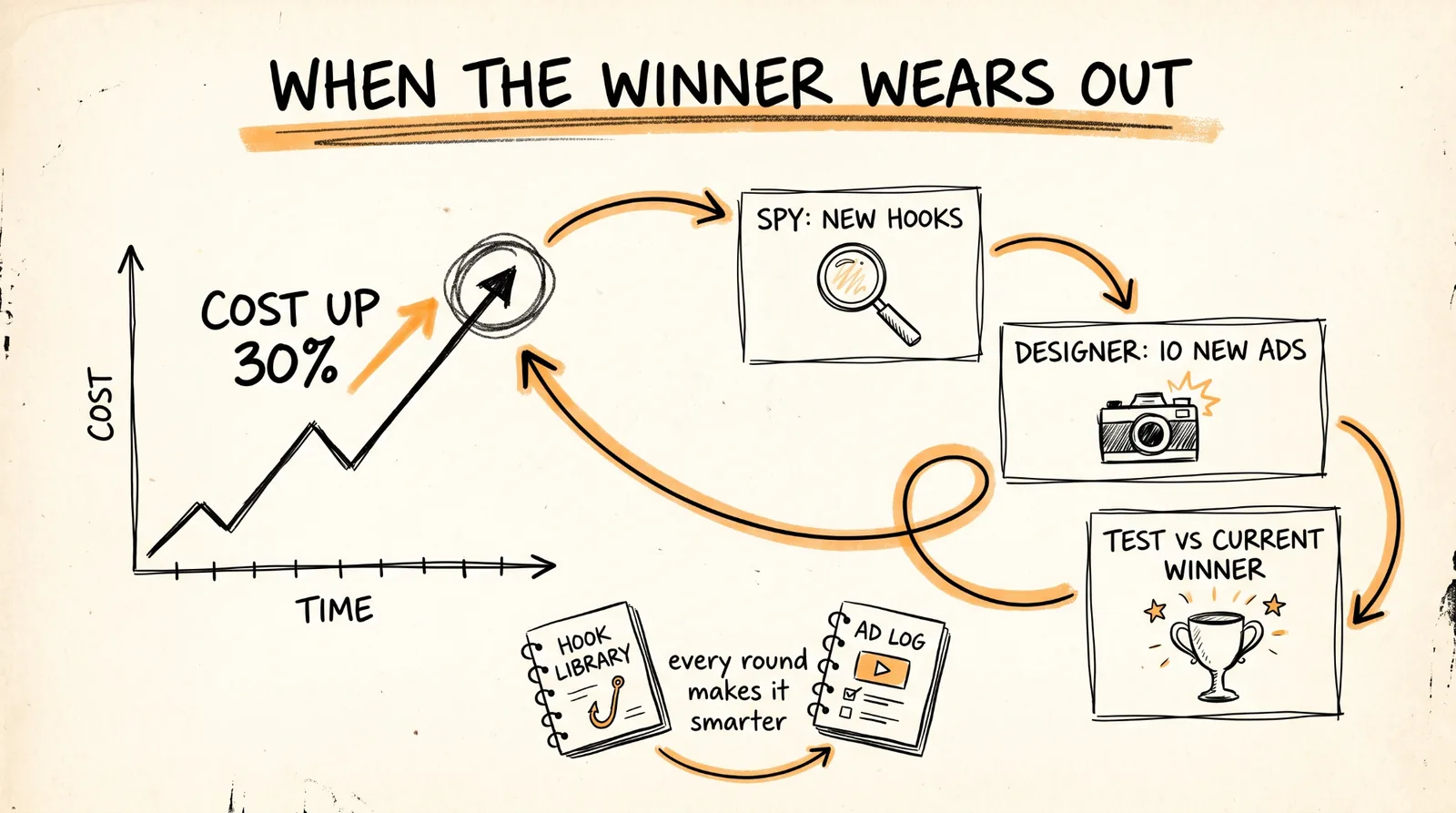
Every winning ad eventually stops working, because the same people see it too many times. This is where the system improves itself.
Add this to the Optimizer's schedule:
If our best ad's cost per purchase has risen more than 30% over the last 3 checks, it's wearing out. Tell me, then write a brief for the Spy: what the winning hook was, why we think it worked, and what to look for next.
Then the loop runs:
1. The Spy finds fresh hooks, and skips the patterns already in the Hook Library.
2. The Designer makes 10 new variations based on the new hooks and what won last time.
3. The Optimizer tests them against your current winner.
The Hook Library and the Ad Log are what make this get smarter over time. Every round adds what worked, what didn't, and why, so each batch starts from everything you've already learned.
What It Actually Costs
Arcads: your subscription plus credits for every video you generate. Check your plan's pricing before you start.
Meta Ads connector: free during the open beta.
Ad spend: whatever test budget you set. This is usually the biggest cost.
The savings are real compared with hiring an agency to make 10 ad variations. But you're still paying for credits and ad spend, so plan your budget before your first batch.
When Things Go Wrong
Arcads won't generate videos. You're out of credits or your subscription isn't active. Check your billing page.
Claude can't see your ad account. Reconnect the Meta Ads connector and sign in with the Business account that owns the ad account.
The ads all look and sound the same. Your hooks are too similar. Ask the Spy for patterns from a different angle, like different emotions or problems, not just different words.
Meta rejected an ad. Usually a claim the platform doesn't allow, like guaranteed results, or something that looks like a fake testimonial. Have the Designer rewrite it to show and explain the product.
Every ad loses money. The problem may be the product, the price, or the landing page, not the ads. Check what happens after people click before making more ads.
The Optimizer wants to raise budgets constantly. Good. It needs your approval. Say no until an ad has clearly earned it.
Rules to Remember
Set a spending limit in Meta Ads Manager before you connect anything.
New ads launch paused. You turn them on.
Budget increases need your approval, 20% at a time, max.
Don't judge an ad until it has spent twice your target cost per purchase.
Clone the hook pattern, never the competitor's exact ad.
No fake testimonials. AI actors show and explain the product.
Every claim about your product must be true.
Keep the Hook Library and Ad Log updated. They're what makes the system smarter.
You now have a three-agent ad system that finds proven hooks, turns them into new ads, tests them on Meta, and goes back for fresh ideas when your winner wears out, with your spending limits and approvals in charge the whole way.
Don't want to figure this out alone? I walk members through every step inside the community. Join the Skool → skool.com/raycfu