
How to Create 1,000 Agents from One Prompt in Claude Code
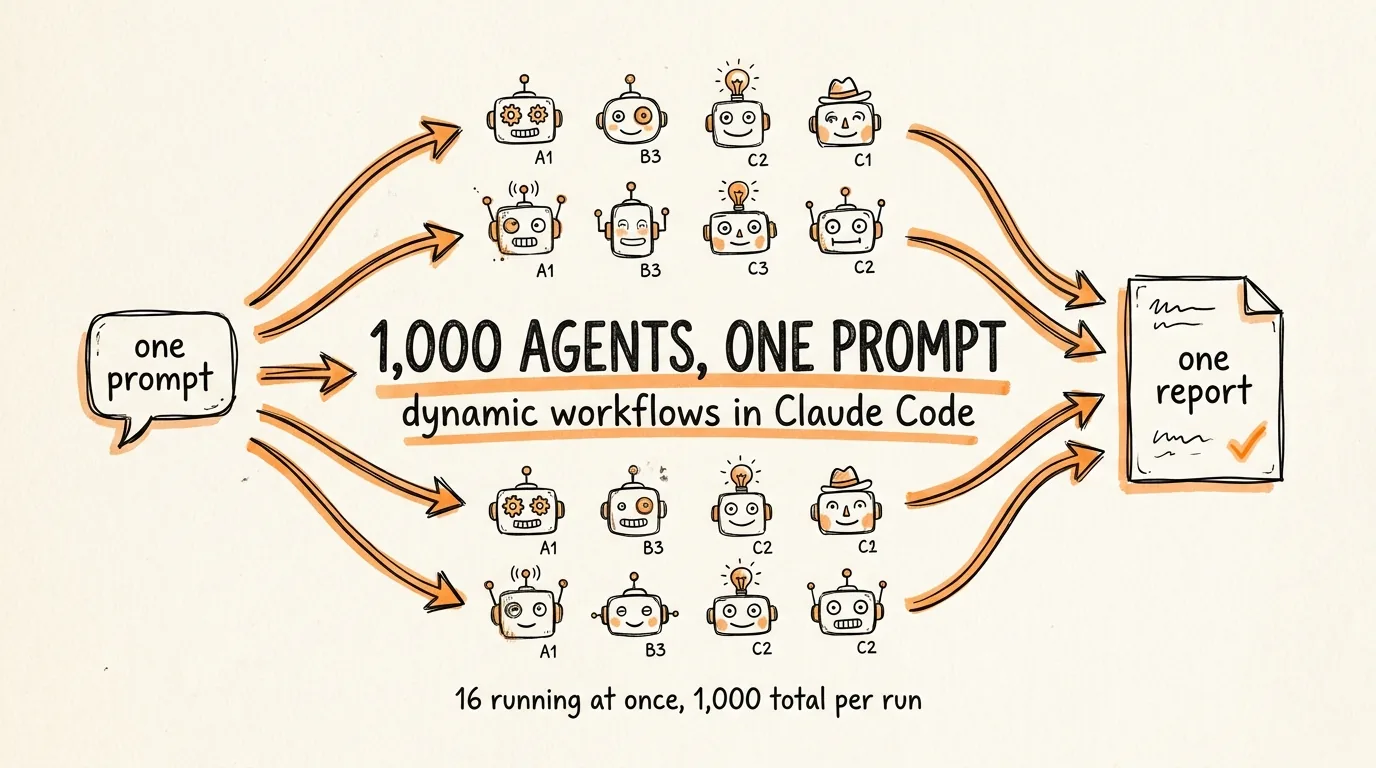
This is the full guide from the video. Claude Code can now spawn up to 1,000 agents from a single prompt, running 16 at a time, and hand you one answer at the end instead of a thousand conversations. The feature is called dynamic workflows, and this guide covers how to run your first one, what to actually use it for, and the two failures that quietly ruin real graphs.
Don't want to figure this out alone? I walk members through every step inside the community. Join the Skool → skool.com/raycfu
Step 1: Build Your First Graph
Open Claude Code in any repo and paste this:
Use a workflow to audit every route file under src/routes for missing auth checks. Spawn one agent per file, then adversarially verify each finding with an independent agent before reporting it. Analyze a maximum of 20 files to start.
Claude Code recognizes the request and writes the entire orchestration itself: one agent per file all running in parallel, a separate verifier checking each finding, and one final report. You approve the plan, and the run starts in the background while your session stays usable.
Two things about that prompt matter. Saying "use a workflow" is what opts you in, and the keyword ultracode does the same thing if you prefer it. And capping it at 20 files is deliberate, because this is how you find out what a run costs before you point it at your whole codebase.
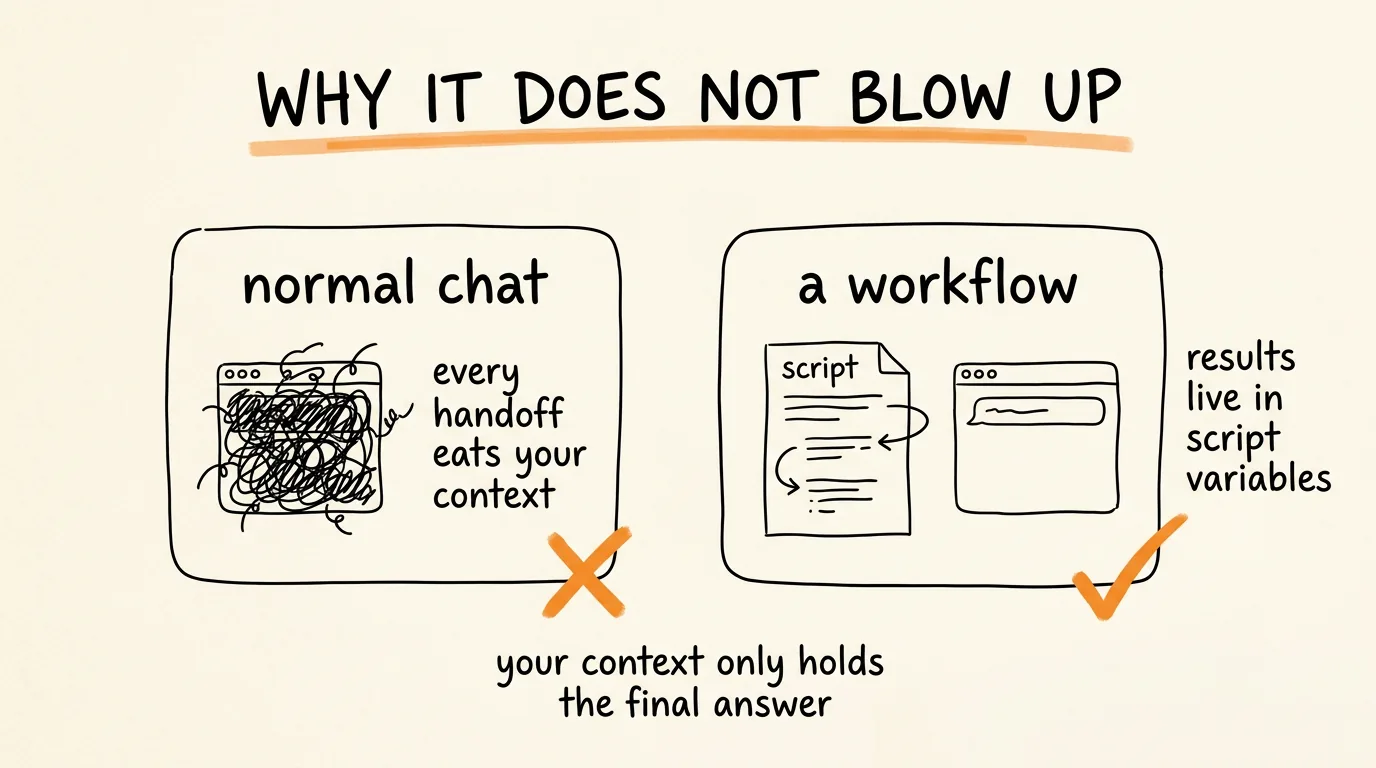
Why this does not blow up your context window: the coordination happens in a JavaScript orchestration script that the runtime executes separately from your conversation. Results pass between agents as script variables instead of landing in your context. Your context only holds the final answer, which is the entire reason this scales past what a normal chat can coordinate.
While it runs, type /workflows to watch. You get every phase with its agent count, token total, and elapsed time, and you can drill into any single agent to see what it found. Useful keys in that view: p pauses or resumes, x stops an agent or the whole run, and s saves the run's script as a reusable command.
When the run does what you wanted, press s and save it. It becomes /your-workflow-name and reruns the exact same orchestration anytime. Save it to .claude/workflows in the project to share with your team, or to your home directory to keep it personal.
One setting to know before you scale up. Claude Code ships with a size guideline set to medium, which aims for fewer than 15 agents. If you want genuinely large fan-outs, set it in /config: small is under 5 agents, large is under 50, and unrestricted lets Claude size the run to the task. The hard ceilings are always 16 agents running at once and 1,000 agents total per run.
Step 2: What to Actually Use It For
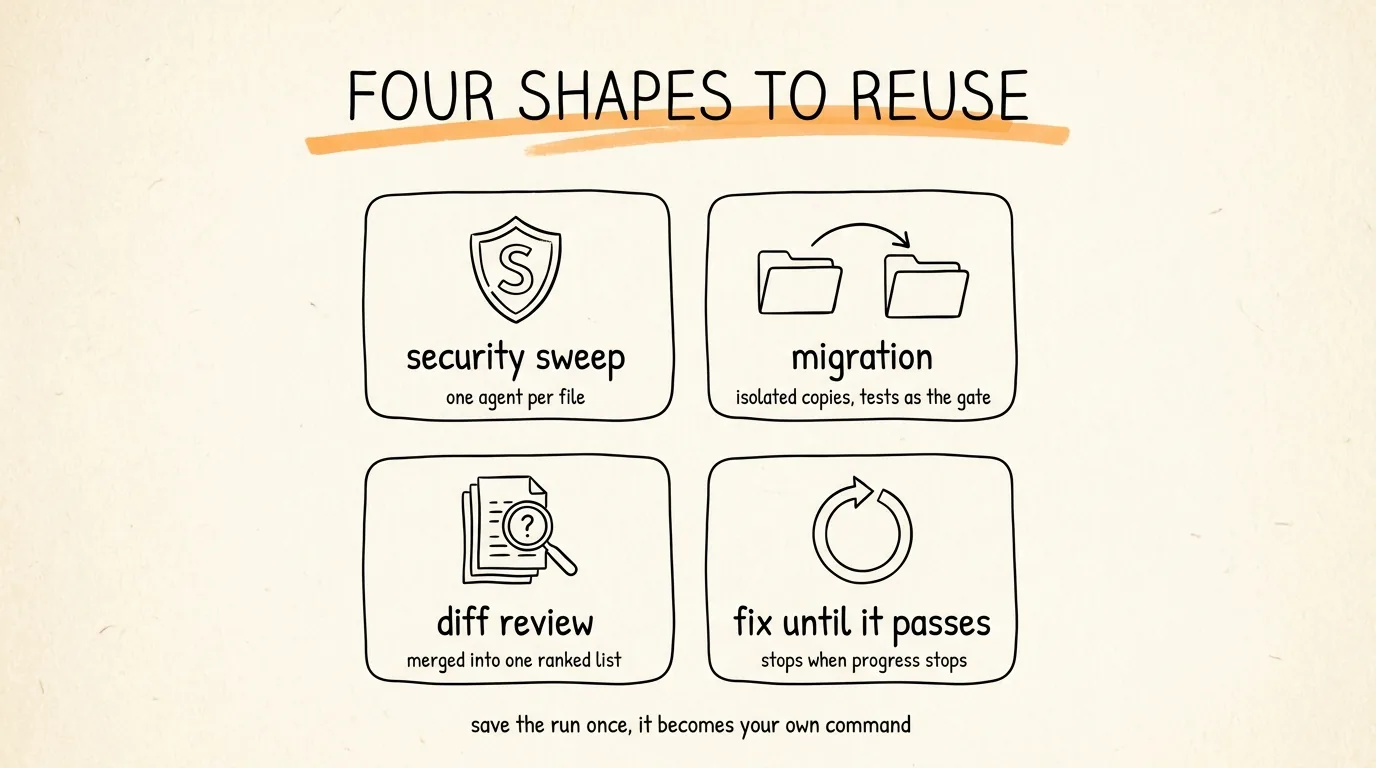
Once you have the shape, you swap the task and reuse it. Four that work:
The security sweep. One agent per file hunting for the same class of problem, with a verifier confirming each hit before it reaches your report.
Use a workflow to audit every API endpoint under src/routes for missing authentication checks, and adversarially verify each finding before reporting it.
The migration. Port a module file by file, with each file transformed in its own isolated copy so agents cannot overwrite each other, and tests as the gate.
Use a workflow to migrate every component under src/components from styled-components to Tailwind, working on each file in its own isolated copy, and run the test suite on each one before accepting it.
The diff review. One reviewer per changed file, then one agent that merges everything into a single ranked list instead of handing you twenty separate opinions.
Use a workflow to review every file changed in this PR for correctness issues, then merge the per-file findings into one ranked summary with duplicates removed.
The fix-until-it-passes loop. Run a check, fix what failed, repeat, with a stop condition so it cannot spin forever.
Use a workflow to run npx tsc --noEmit and keep fixing the reported errors until the type check passes or two rounds in a row make no progress.
Save any of these once and it becomes a command you rerun on every branch.
For scale, Bun's team reported using this machinery to port 535,000 lines of Zig into over a million lines of Rust in 11 days, roughly 50 workflows at a peak of 64 agents in parallel. That is the ceiling people are not building against yet.
Step 3: Where It Breaks and How to Fix It
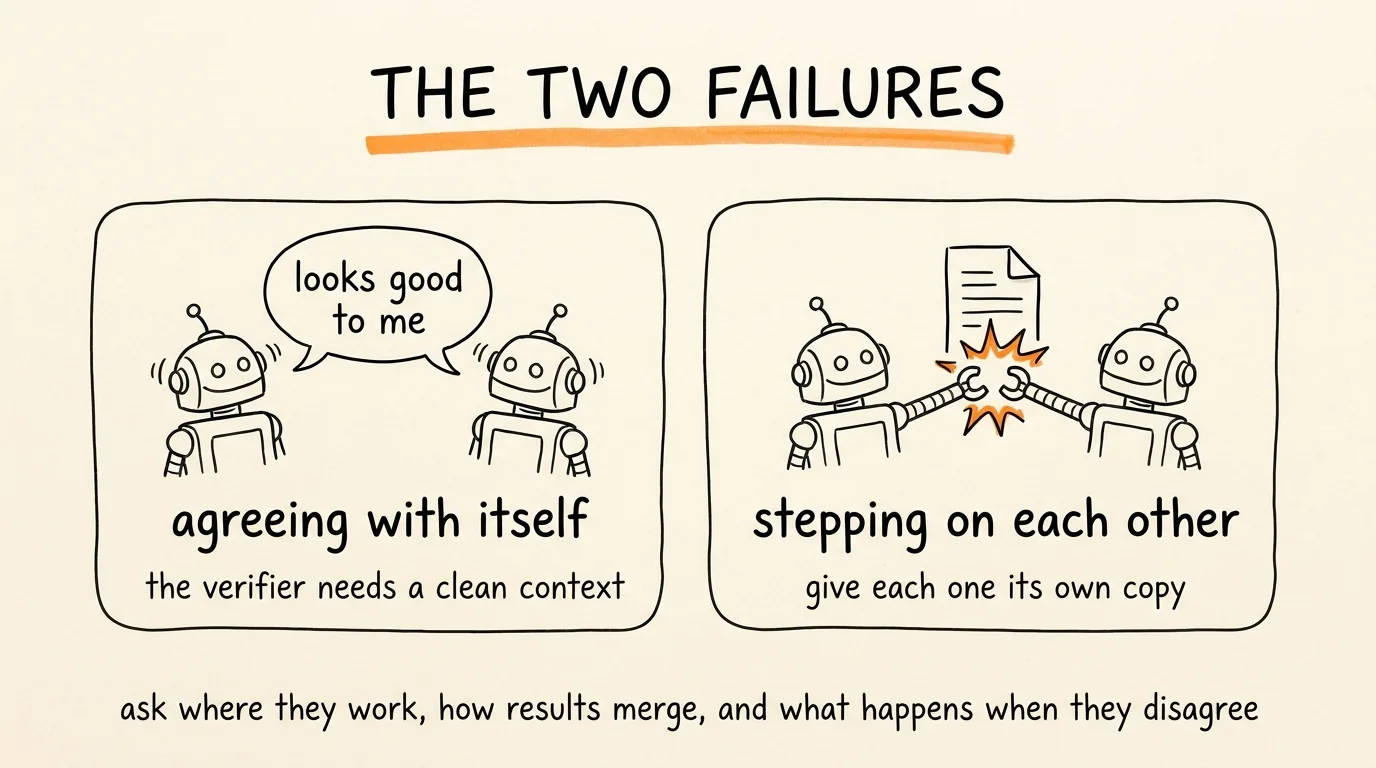
Two failures kill real graphs, and neither one announces itself.
Failure one is the graph agreeing with itself. If your verifier shares context with the agent that did the work, it is not verifying anything, it is agreeing with itself in a different font. The verifier has to be a fresh agent with its own clean context, checking real evidence. Not "did the agent say the test passed" but "did the test actually pass." This is why the word adversarially belongs in your prompts, it tells Claude to build independent reviewers whose job is to refute a finding rather than confirm it.
Failure two is agents stepping on each other. Run 16 agents in parallel and let two of them edit the same file, and they overwrite each other's work. Bun's team hit exactly this. The fix is isolation: every agent works in its own copy or worktree, and results merge afterward. That is why the migration prompt above says "working on each file in its own isolated copy," and it is the single most important phrase in that prompt.
Before you fan out anything, answer three questions. Where does each agent do its work. How do the results merge. And what happens when two agents disagree.
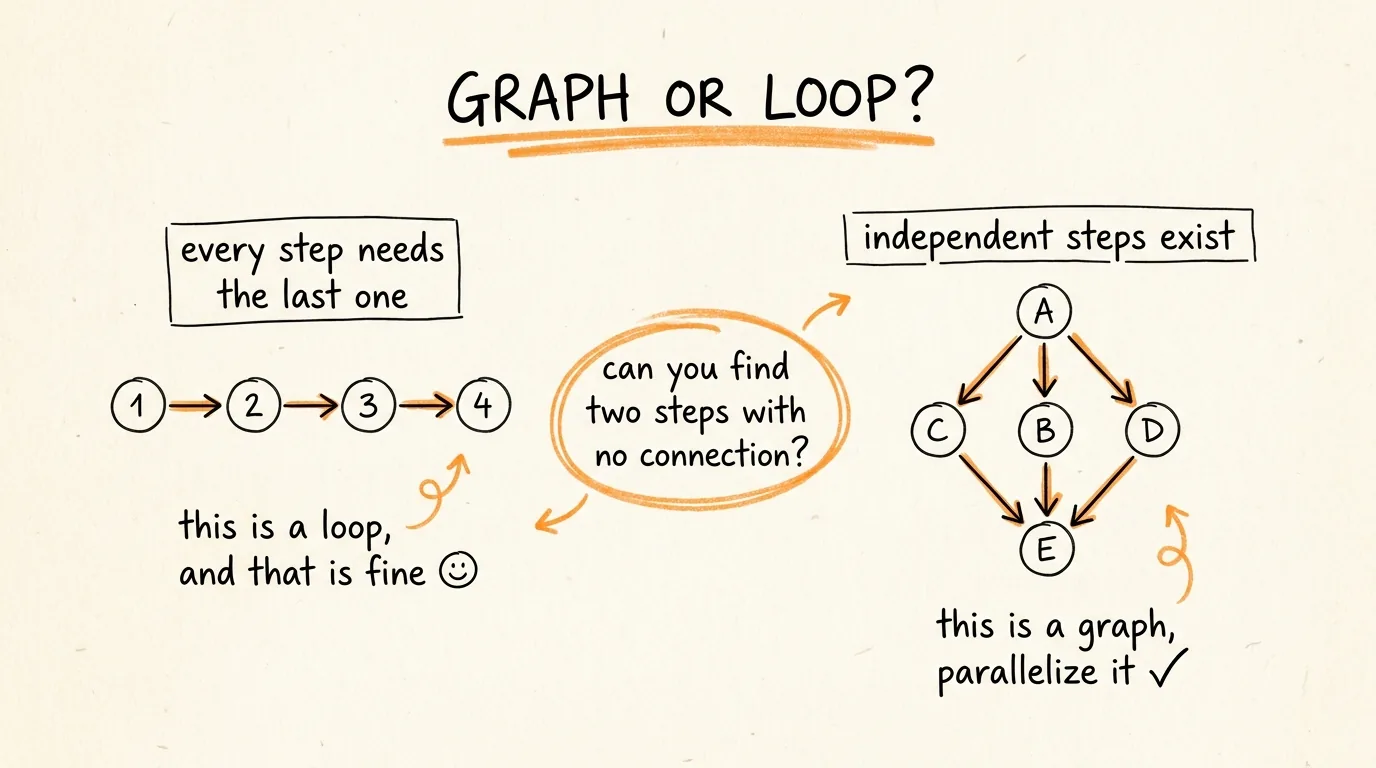
And the thing most people miss: not everything should be a graph. If every step genuinely depends on the one before it, there is nothing to parallelize and you are just paying more for the same result. The test is simple, if you cannot find two steps with no connection between them, it is a loop, not a graph. A loop is fine.
The Cost Controls Nobody Mentions
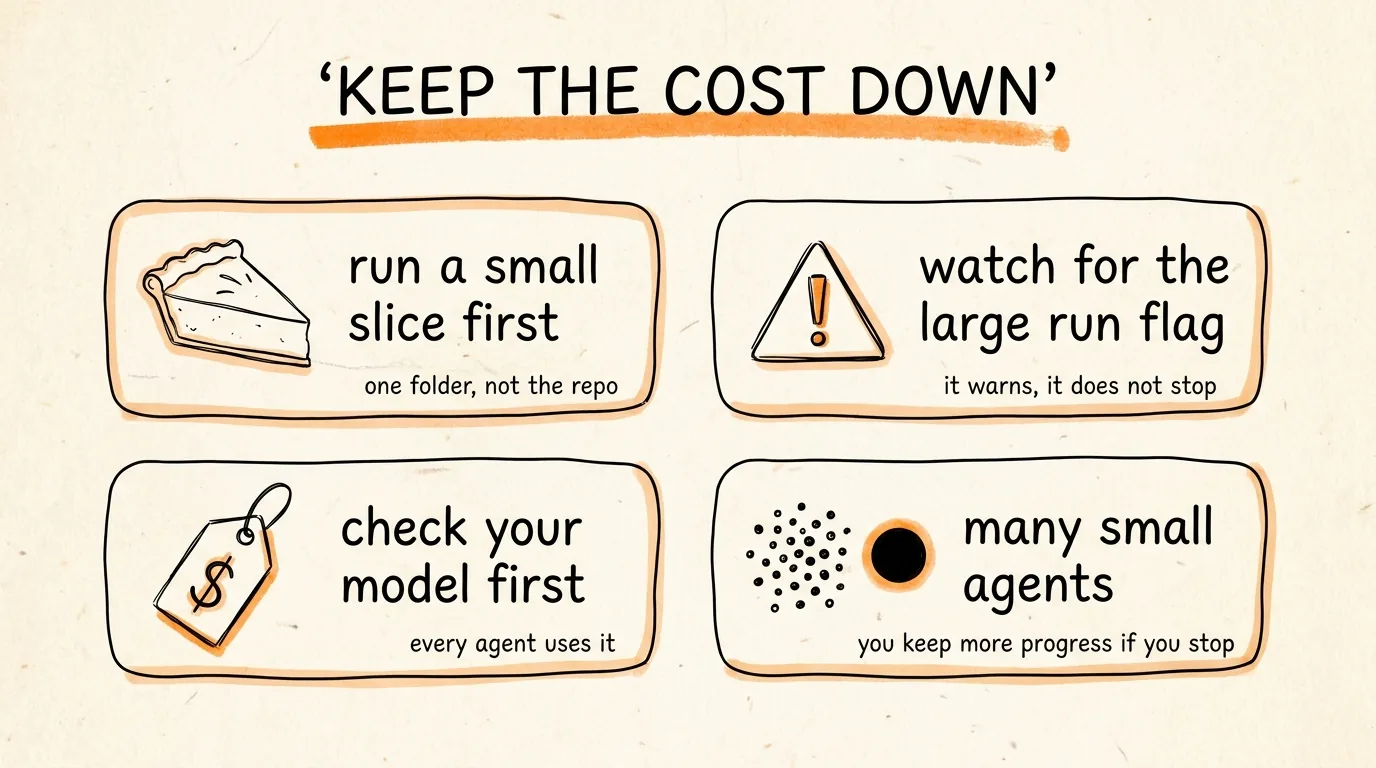
A workflow spawns many agents, so one run can use dramatically more tokens than doing the same task in conversation, and it counts against your usage limits like anything else. Four things keep that under control.
Always run a small slice first. One directory, not the repo. A narrow question, not a broad one. The /workflows view shows token usage per agent as it goes, so you learn the real cost of your shape before you scale it.
Watch for the large workflow warning. When a run schedules more than 25 agents or projects past 1.5 million tokens, Claude Code flags it in the task panel. It is advisory, it does not stop anything, so treat it as your cue to open /workflows and decide.
Check your model before a big run. Every agent uses your session's model unless the script routes a stage elsewhere. If you normally sit on a cheaper model, a large fan-out on an expensive one is a surprise you only get once.
Prefer many small agents to a few long ones, for a reason that is not obvious. If you stop a run partway, replay follows the order agents started: cached results stop at the first agent that did not finish, and everything that started after it runs again even if it completed. So a wide fan-out of small agents preserves far more progress than a handful of long ones. Also worth knowing, resume only works inside the same session, so quitting Claude Code mid-run means starting over.
The Rules to Remember
Say "use a workflow" or ultracode to opt in, and start capped at a small slice.
Put the word adversarially in your prompt so verification is independent, not self-congratulatory.
Give every writing agent its own isolated copy so parallel edits cannot collide.
Press s to save any run that worked, and it becomes a command you own.
If no two steps are independent, do not build a graph.
Don't want to figure this out alone? I walk members through every step inside the community. Join the Skool → skool.com/raycfu