
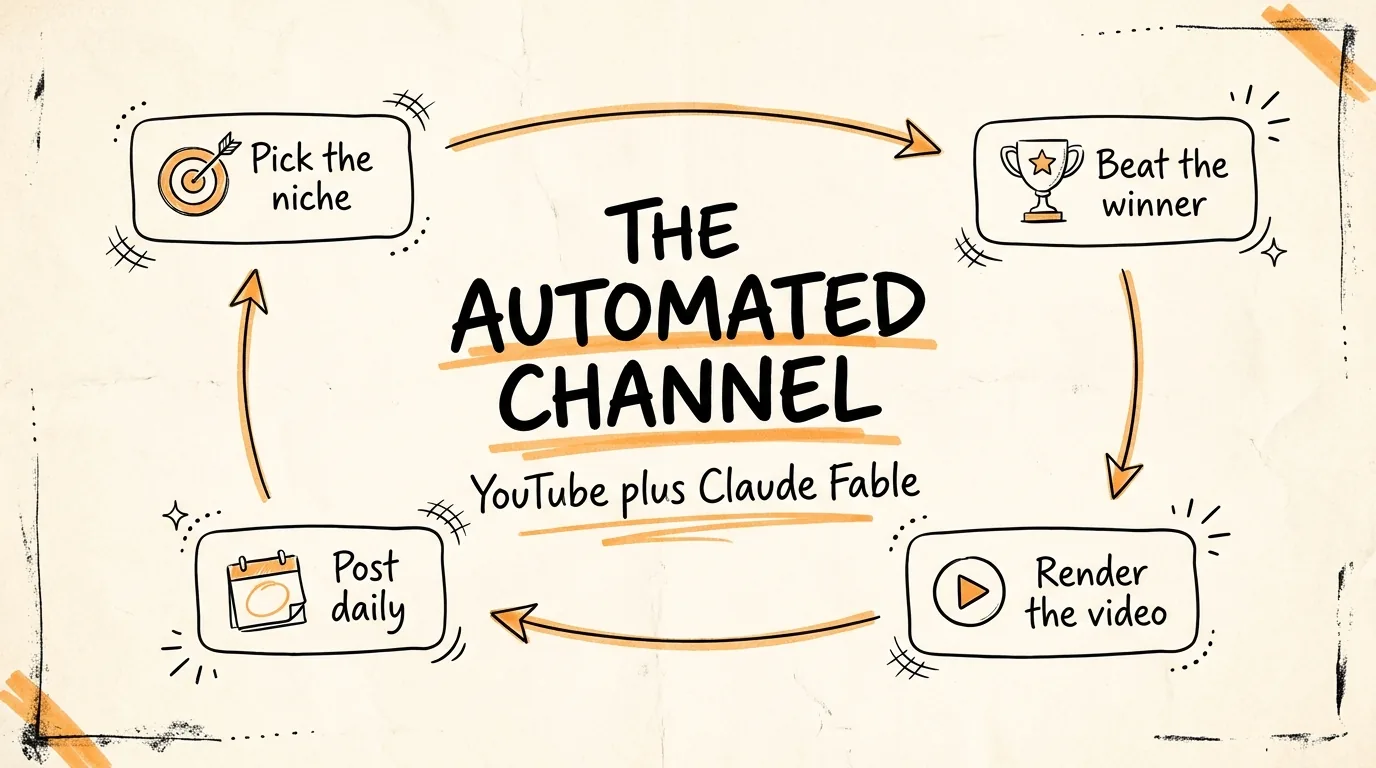
How to Make $7K a Month with YouTube Automations
and Claude Fable
Don't want to figure this out alone? I walk members through every step inside the community. Join the Skool → skool.com/raycfu
What You Need
A Claude subscription with access to Claude Fable. The Higgsfield MCP connected to Claude, which takes 2 minutes: in Claude go to Settings, then Connectors, add Higgsfield, and log in. Higgsfield credits for video generation. A YouTube channel, plus Instagram and TikTok accounts if you want the short form layer. That is the entire stack.
Step 1: Pick the Niche by What It Pays
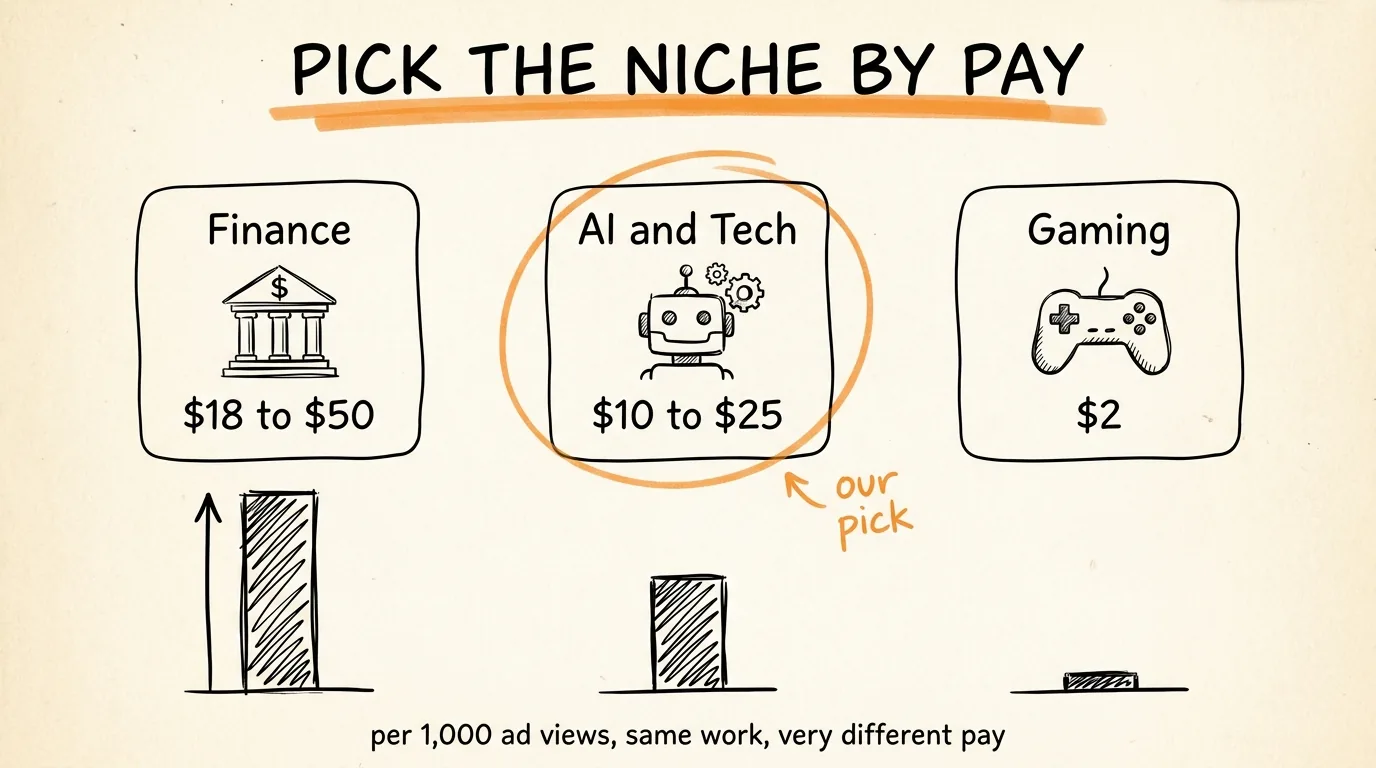
This is the most important decision you will make, because YouTube pays wildly different amounts depending on what your videos are about. Advertisers bid more to reach some audiences than others, and that changes your revenue per thousand ad views, which is called RPM.
Here is the reality of the gap. Finance explainer videos earn roughly $18 to $50 per thousand ad impressions, because banks and trading apps pay a fortune to reach people thinking about money. AI and tech explainers earn roughly $10 to $25. Gaming content earns around $2. Same effort, same video length, up to 25 times difference in pay.
So pick an educational niche you can actually keep up with, from the high paying end: finance, AI and tech, business, or health explainers. If you follow AI news anyway, that is your niche, you already do the research for free. Write your choice down, everything else in this guide gets built around it.
One rule inside the niche: educational explainers specifically, not news reactions or commentary. Explainers get searched for years after upload, which means old videos keep earning while new ones stack on top.
Step 2: Find the Videos That Already Won
Do not guess what to make videos about. Find topics that are already proven to pull views, made by channels just like the one you are building.
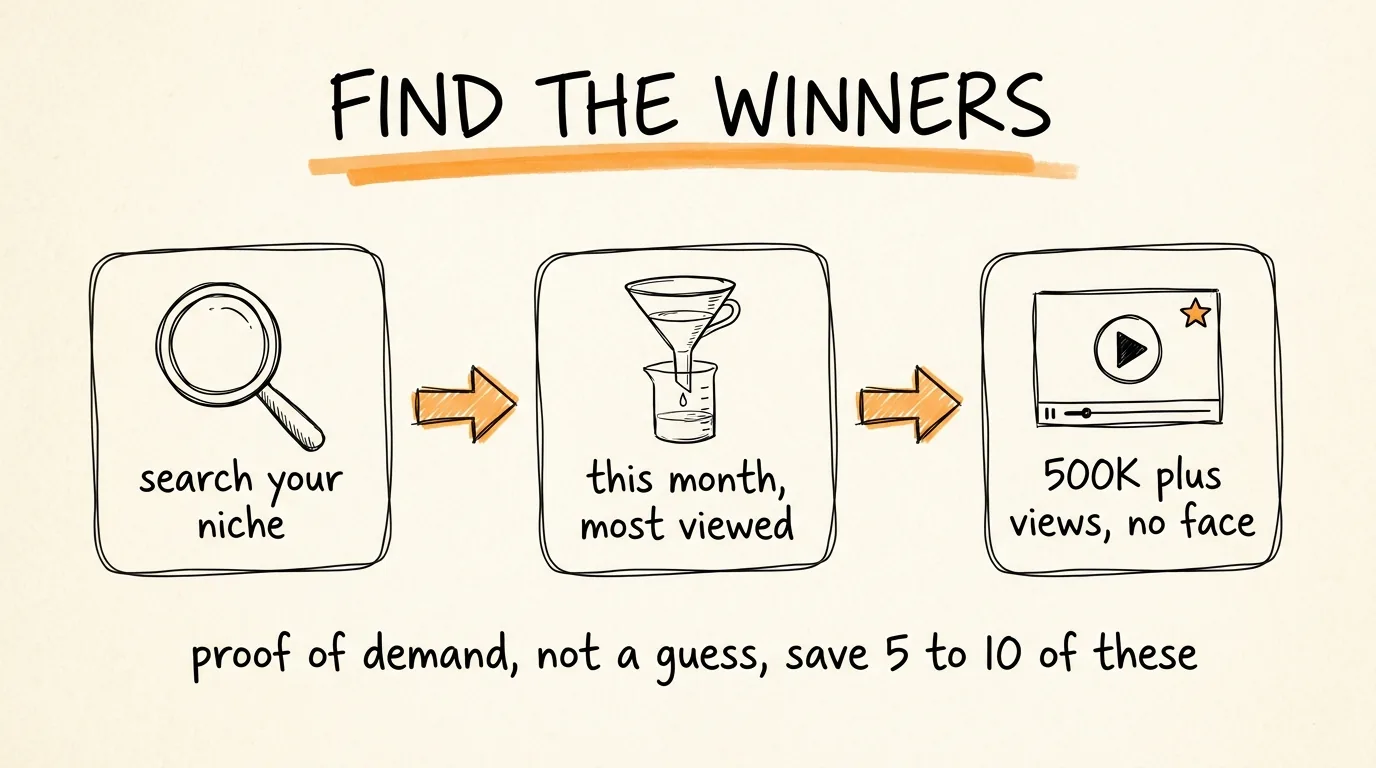
Here is the exact search recipe. Go to YouTube and search your niche, for example "AI explained" or "how AI agents work". Click Filters and sort by view count, and check the upload date filter for this month. Now scan the results for two things: videos with 500,000 or more views, and channels that are faceless, meaning animation, screen recordings, or stock footage with a voiceover, no person on camera.
That combination is your green light. A faceless channel pulling half a million views this month proves three things at once: the topic is hot right now, the format works without a face, and a channel like yours can win the click. Save 5 to 10 of these videos in a list. That list is your content calendar for the next two weeks.
You can also hand this whole step to Claude: ask it to search YouTube for the top viewed faceless educational videos in your niche this month and bring back the list with view counts. Either way, you leave this step with proven topics, not guesses.
Step 3: Turn the Winner Into a Better Script
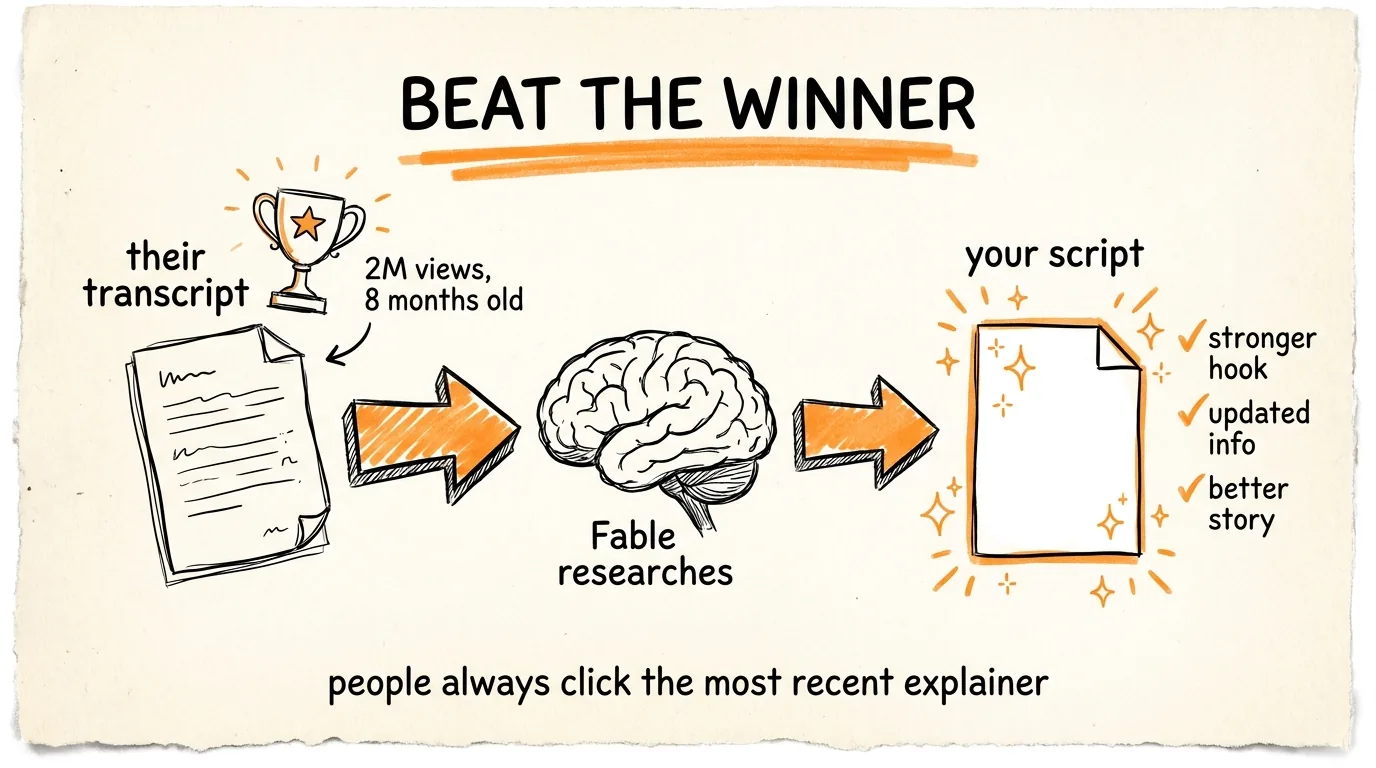
Now you beat the winning video instead of copying it. Open the viral video, click the three dots under it, and open the transcript. Copy the whole thing.
Paste the transcript into Claude Fable with this exact prompt:
Here is a video that got 2 million views on this topic. Write me a better 8-minute script that covers the same subject but with updated information, a stronger hook, and a better story. Research the topic first and include anything important that changed since this video was made. Write it for a general audience in plain spoken English, and structure it as: a hook in the first 20 seconds, the promise of what they will learn, the explanation told as a story, and a closing line that leads to the next video.
Swap in the real view count. Fable researches the topic, finds what changed since the original was published, and hands you a complete script.
Here is why the updated information part matters so much: when people search for educational content, they almost always click the most recent video on the topic. The 2 million view video from 8 months ago is now beatable by a fresher version of itself, and you are the one holding the fresher version.
One important rule: you are using the viral video as proof of demand and a topic map, never as a source to copy. The script Fable writes is new research, new structure, new words. That is what keeps your channel original, and it also matters for getting paid, which we cover at the end.
Step 4: Turn the Script Into a Video with Higgsfield
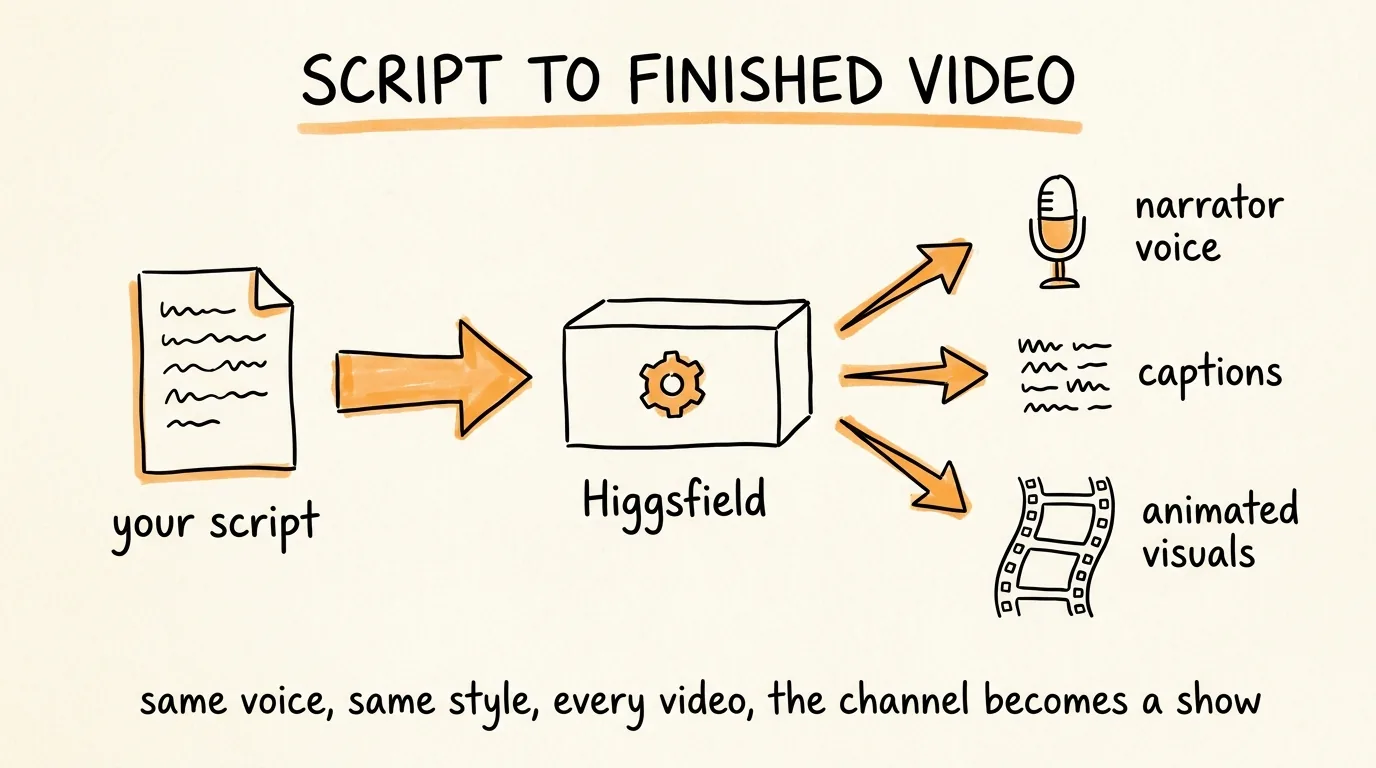
This is the part that used to require a video editor, a voice actor, and a motion designer. Now it is one prompt.
With the Higgsfield MCP connected, install the Higgsfield Explainer skill, then give Claude the script with this prompt:
Take this script and create a full educational explainer video with the Higgsfield Explainer skill. I want a consistent narrator voice for the whole video, captions on screen, and animated visuals and b-roll graphics matching each section of the script. Keep the same visual style and the same narrator across every video we make so the channel looks consistent.
Higgsfield generates the voiceover, adds the captions, and creates the animated visuals for the entire video, scene by scene. The two things to check when it finishes: that the narrator voice is the same one as your previous videos, and that any numbers shown on screen match the script. Consistency is the quiet reason channels grow, when every video looks and sounds the same, viewers treat your channel like a show instead of a random video.
Upload the finished video with a title close to what people search, a thumbnail with 4 words or fewer, and a description that includes the question the video answers in the first line.
Step 5: Cut the Shorts and Get Paid Twice
Every long video you make is also 3 to 5 short videos you already made. Ask Claude to pull the strongest 30 to 60 second moments from the script, usually the hook plus one surprising fact each, and have Higgsfield render them vertical.
Post those to YouTube Shorts, Instagram Reels, and TikTok. This pays you twice: the shorts earn from each platform's own monetization, and they work as free ads that pull people to the long video, which is where the real RPM money is. End every short with the same line: the full breakdown is on the channel.
Step 6: Put It on a Schedule
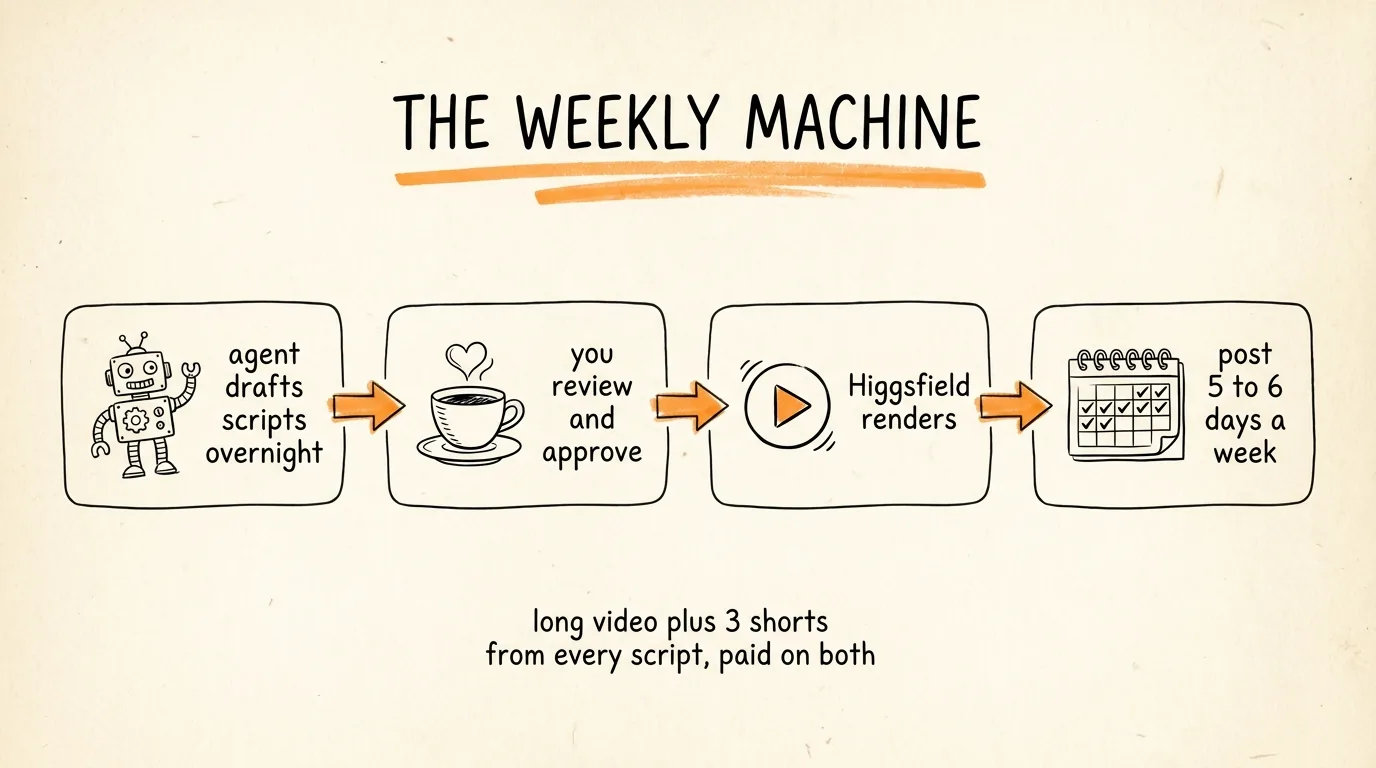
The channels that win publish 5 to 6 days a week, and the system you just built makes that possible without it eating your life.
Set up a scheduled Claude task that runs the front half of the pipeline automatically: search the niche for this week's winners, pick the best topic not already covered, pull the transcript, and draft the script. You wake up to scripts waiting for review. You read each one, fix anything off, and send the approved ones to Higgsfield. Batch your uploads once or twice a week and schedule them inside YouTube Studio.
Your real weekly time: reviewing scripts and checking finished videos, a few hours total. The research, writing, narration, animation, and captioning all happen without you.
The Money and Math
Here is how the $7K number actually works, so you know what you are building toward instead of hoping.
At AI and tech RPMs of $10 to $25, a channel doing 500,000 long form views a month earns roughly $5,000 to $12,500 from ads, and $7K sits right in the middle of that range. Finance niches hit the same number with fewer views because the RPM is higher. Shorts revenue and the traffic they push to long videos stack on top.
Two honest things to know. First, you need to get into the YouTube Partner Program before ads pay you anything, which currently means 1,000 subscribers plus 4,000 watch hours in a year, or 1,000 subscribers plus 10 million Shorts views in 90 days. A consistent 5 day a week channel in a searchable niche typically gets there in a few months, not a few weeks. Second, views compound: explainers keep getting searched, so month 6 of the channel earns from 6 months of videos, not just the new ones. The system's whole advantage is that publishing daily costs you almost nothing, so you can afford the ramp.
The Rules That Keep Your Channel Safe
YouTube denies monetization to channels it considers reused content, meaning re-narrated copies of other people's videos. The workflow in this guide stays on the right side of that line as long as you follow the step 3 rule: the viral video is your topic proof, the script is new research in new words, and the visuals are generated fresh. Never re-narrate someone's script and never re-use their footage.
Disclose AI where YouTube asks. There is a checkbox at upload for synthetic content. Educational animation with an AI voice is completely allowed, checking the box costs you nothing and protects the channel.
And keep one human review in the loop forever: read every script before it renders. An AI mistake in a finance or health explainer is the kind of thing that kills a channel's trust, and catching it costs you 5 minutes.
Start This Week
Pick the niche today. Run the search and save 5 winning videos tonight. Script and render your first video tomorrow, and publish it even though the channel has zero subscribers, video one is for learning the pipeline, not for views. By the end of the week you can have 3 videos live and the scheduled task running. From there it is the same loop every week, and every video you publish is an employee that never stops working.
Don't want to figure this out alone? I walk members through every step inside the community. Join the Skool → skool.com/raycfu